10 Best Free and Paid Memory Card Recovery Programs

As a small, portable electronic device, a memory card stores digital data and expands internal storage for digital cameras, backs up digital files, and transfers files and documents easily. However, data loss is a big problem due to the vulnerability and instability. If you find your files have disappeared on a memory card, you will need an SD memory card recovery software program. This article shares the top 10 list.
PAGE CONTENT:
Part 1: Comparison of Top 10 Memory Card Recovery Software
Methodology
Our comparison table identifies the best memory card file recovery software, such as DMDE, TestDisk, and PhotoRec, and more, to show how they fit real-day-by-day recovery processes. We compare setup and onboarding effort, learning curve, success rate, price, and hands-on fit for solo use versus small teams.
| Price | Supported cards | Success rate | |
| Apeaksoft Data Recovery | $22.45 per month, $55.96 per year, $71.96 lifetime | All USB, memory card, and more | 99.7% |
| R-Studio | Start at $49.99 | SD and memory cards | 98.6% |
| UFS Explorer Standard Recovery | Start at $65.00 | SD cards, microSD cards, USB sticks | 95.5% |
| DMDE | Start at $20 per year | SD cards, microSDs, and USB drives | 90.2% |
| Recuva | Free and start from $20 | Memory cards and USB drives | 89.4% |
| Wise Data Recovery | Start at $39.97 per year | USB, memory cards, and digital cameras | 87.5% |
| TestDisk & PhotoRec | Free | SDs, microSDs, CFs | 88% |
| Windows File Recovery | Free | USB drives and memory cards | 85.0% |
| UnDeleteMyFiles Pro | Free | USB, CF and SD cards | 82.5% |
| Exif Untrasher for Mac | Free | USB drives and memory cards | 80.4% |
Part 2: Top 6 Freemium Memory Card Recovery Tools
Top 1: Apeaksoft Data Recovery
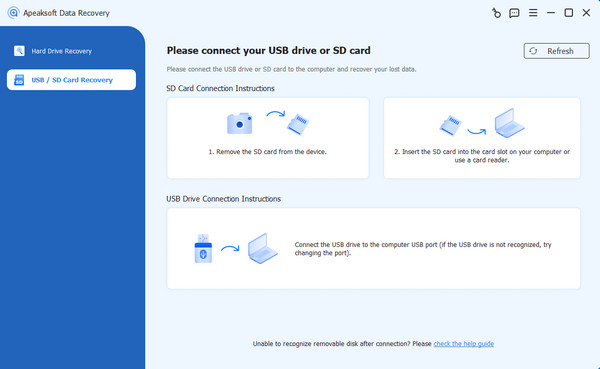
Apeaksoft Data Recovery is a powerful SD memory card recovery software. It comes with everything you need to recover as much data as possible from a memory card in various situations. More importantly, the user-friendly design simplifies the process, especially for beginners.
Secure Download
Secure Download
- Recover data from memory cards quickly.
- Work for a wide range of data types.
- Retrieve deleted, formatted, corrupted, and lost files.
- Preview lost data for selective recovery.
- Support almost all SD and memory cards.
- It requires a computer to recover memory cards.
Here are the steps to recover data from a memory card:
Step 1. Scan your memory card
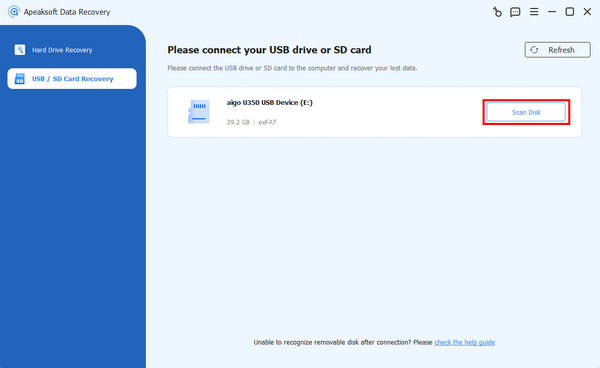
Launch the memory card recovery software once you install it on your PC. There is another version for Mac. Insert the memory card into your PC. Go to the USB / SD Card Recovery tab on the sidebar, select your card, and click the Scan Disk button to begin scanning your memory card.
Step 2. Preview lost data
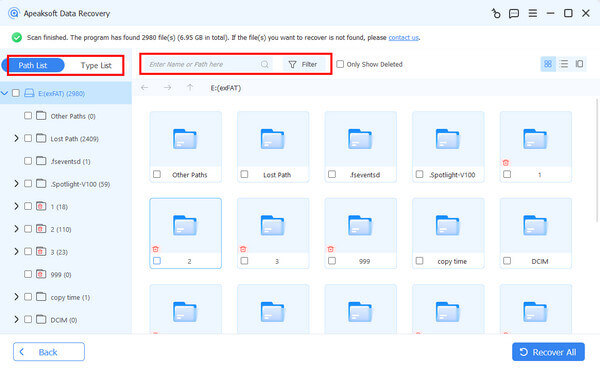
Once the data scan finishes, head to the Type List tab and select the desired data type, such as Image, Document, and more. The Filter option at the top allows you to locate a file with the filename quickly.
Step 3. Recover memory card
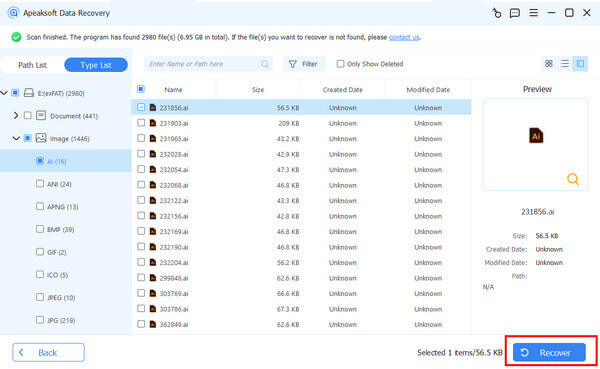
Select the files you want to recover and click the Recover button at the bottom right corner. Set an output folder and confirm memory card recovery.
Top 2: R-Studio
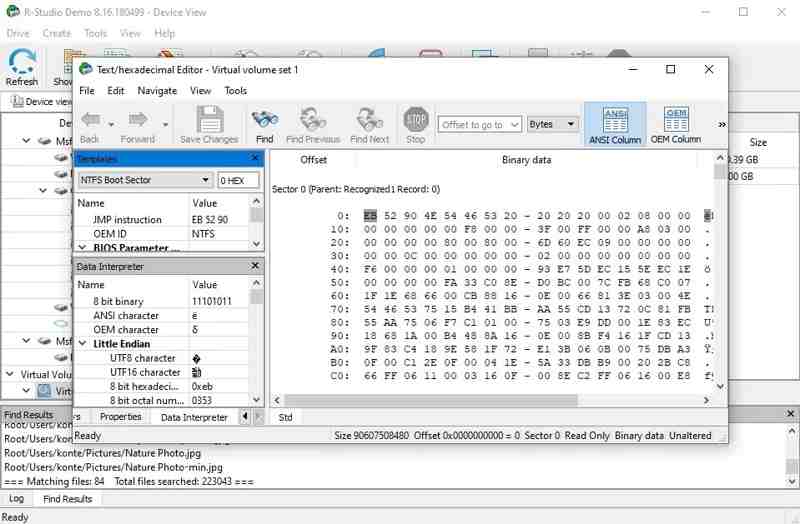
R-Studio is a popular memory card recovery application on Windows 7 or later and macOS 10.13 or later. It can recover files in NTFS, FAT32, exFAT, EXT2/3/4, and APFS, even if your memory card is crashed or corrupted.
- Support excellent file systems.
- Work on RAID recovery.
- Offer flexible scan options.
- Provide bonus features, like SMART monitoring.
- Technical setup can overwhelm beginners.
- The interface looks outdated.
Top 3: UFS Explorer Standard Recovery
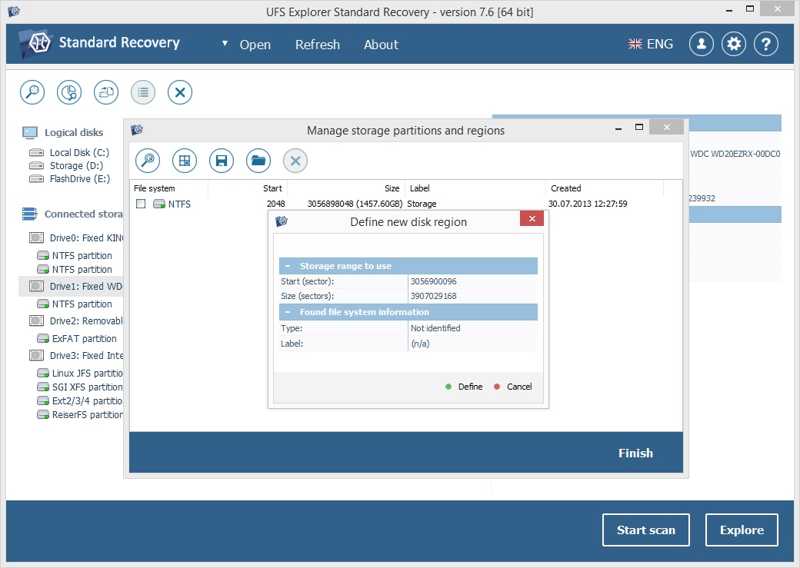
UFS Explorer Standard Recovery is an advanced memory card recovery program on Windows XP or later, macOS 10.15 or later, and Linux 6.0 or above. If you are a data recovery enthusiast, it is a capable choice.
- Support a wide variety of file systems.
- Work on automatic and manual RAID reconstruction.
- Built-in disk imaging feature.
- Support virtual machine.
- The steep learning curve is not friendly to beginners.
- The Pro edition costs more than competitors.
Top 4: DMDE
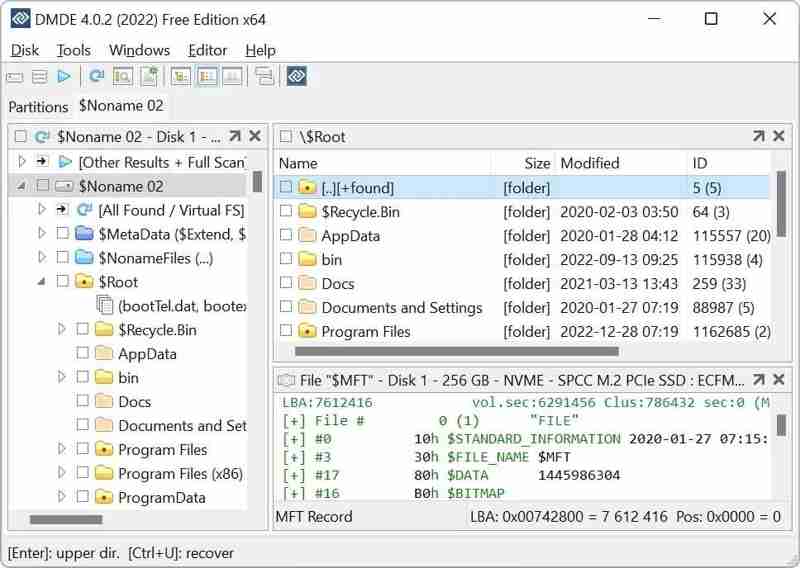
DMDE is one of the professional memory card recovery tools. It provides a free edition, but the pro version provides advanced functionalities, like RAID assembly, hex viewing, disk editing, and more.
- Offer an affordable one-time license.
- Integrate a good recovery engine.
- Provide advanced disk tools.
- Available on Windows, macOS, Linux, and DOS.
- Multimedia recovery is weak.
- The file preview feature is limited.
Top 5: Recuva
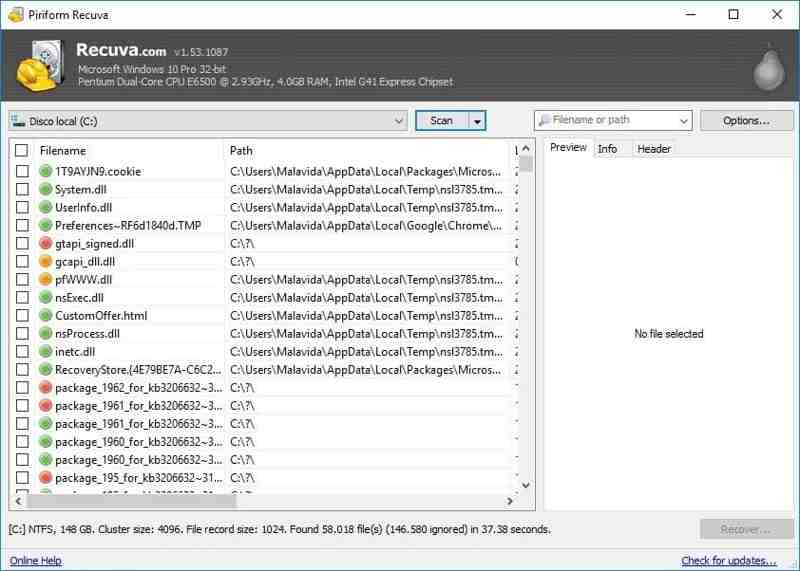
Recuva is a flexible microSD memory card recovery software on Windows XP through Windows 11. The light-weight design makes it smooth when scanning your memory card and recovering lost data.
- Offer affordable prices.
- Come with a free version.
- Equip with a clear interface design.
- Preview files after data scanning.
- The deep scan is limited.
- It lacks support for Mac and Linux.
Top 6: Wise Data Recovery
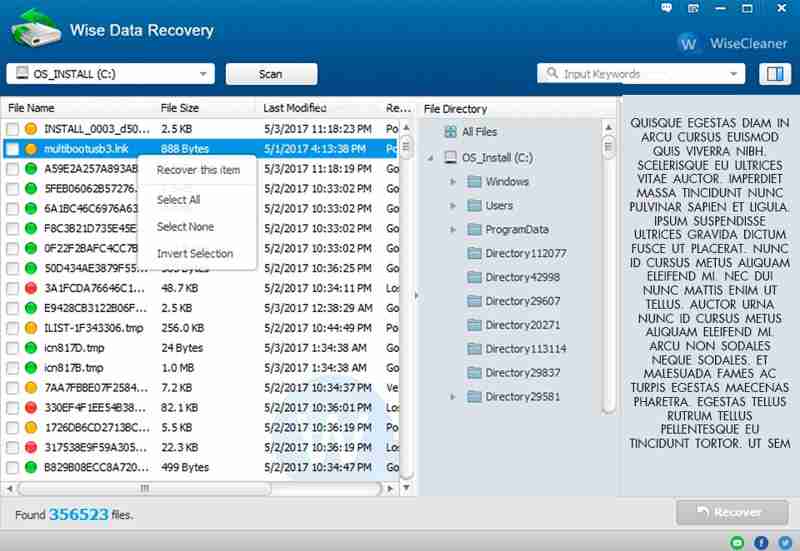
Wise Data Recovery is another reputable memory card recovery program. It supports standard file architectures, like NTFS, FAT32, exFAT, and more. The portable mode allows you to use it directly without installation.
- Scan memory cards quickly.
- Free for recovering recently deleted files.
- Work with most file systems.
- Integrate a clean interface.
- The Pro subscriptions are pricey.
- There is no deep scan.
Part 3: Top 4 Free Memory Card Recovery Programs
Top 1: TestDisk & PhotoRec
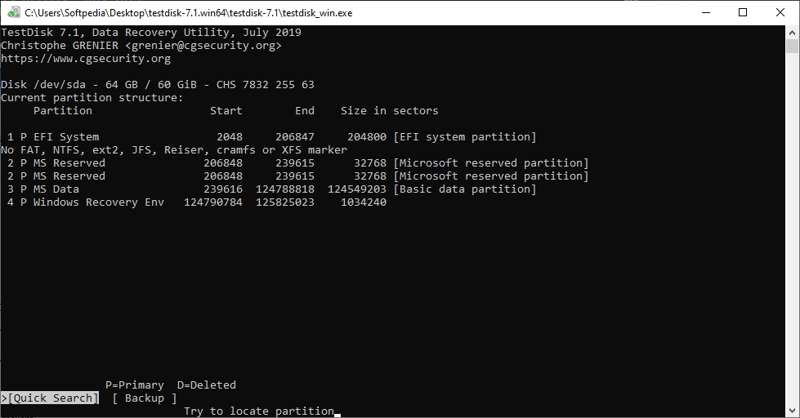
TestDisk and PhotoRec are open-source data recovery software for corrupted memory cards. They offer powerful recovery options, like repairing corrupted memory cards, recovering media files, and more.
- Available for Windows, macOS, and Linux.
- Free and open source.
- Lightweight and portable.
- Recover 480+ file types.
- The command line interface can be intimidating.
- Cleanup is time-consuming.
Top 2: Windows File Recovery
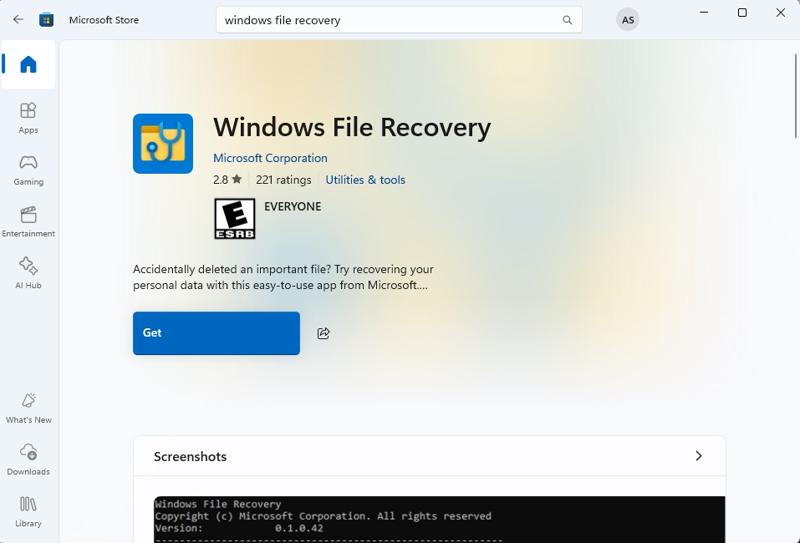
Windows File Recovery is the free SD memory card recovery software for Windows 11/10 released by Microsoft. While it is not built into Windows, you can download it from the Microsoft Store and use it on PCs for free.
- Free of charge.
- Offer three recovery modes.
- Include file type filters.
- Support RAW file systems.
- It lacks a GUI.
- The supported file systems are limited.
Top 3: UnDeleteMyFiles Pro
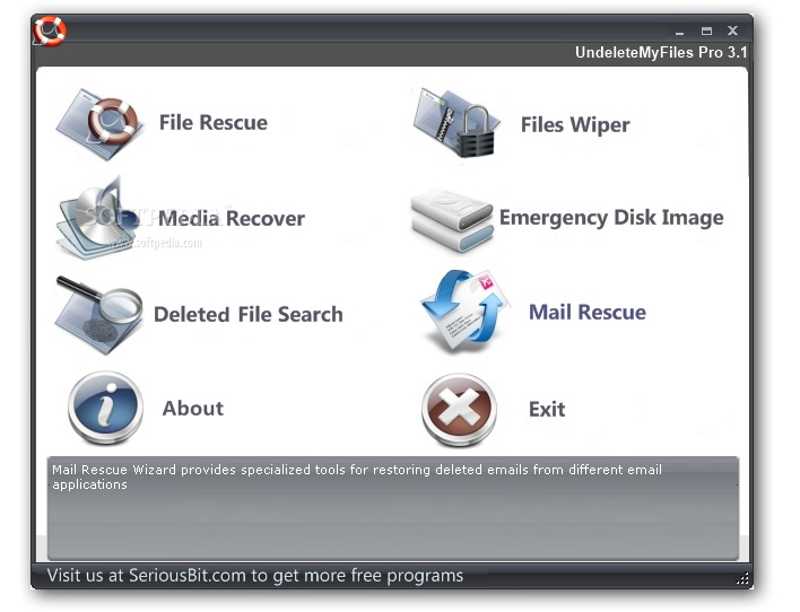
UnDeleteMyFiles Pro is a free memory card image recovery software. It helps you restore deleted files from various storage devices. It is designed for retrieving important files accidentally removed or deleted from your memory card.
- Completely free to download and use.
- Provide decent, quick scan results.
- Include free add-ons.
- Offer multiple recovery modes.
- It doesn’t include a deep scan.
- There is no signature scanner available.
Top 4: Exif Untrasher for Mac
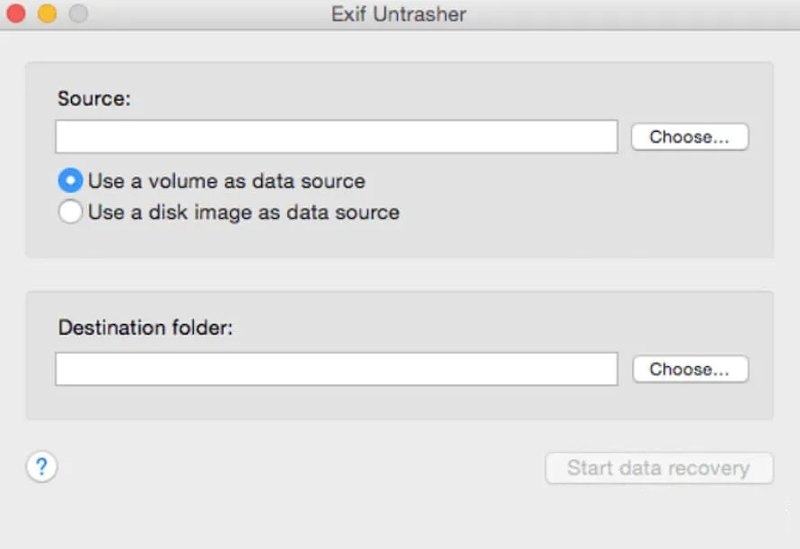
Exif Untrasher for Mac is a free SD memory card recovery tool on macOS. It is designed to recover lost and deleted data from digital camera memory cards on a MacBook without license fees.
- No licensing fees.
- Lightweight and fast.
- Integrate a clear interface.
- Recover Exif data.
- The last update was in 2013.
- It lacks advanced features.
Conclusion
Now, you should learn the top 10 SD memory card recovery software on macOS, Windows, Linux, and DOS. Some of them are completely free to download and use. Others require a subscription or license. You can pick an appropriate tool according to your situation. Apeaksoft Data Recovery, for example, is a good option for beginners.
 Apeaksoft Data Recovery
 Recover deleted or lost data on Windows and Mac computer.
Secure Download
Secure Download
Related Articles