

Recover My Files Review and Better Alternatives Today

When files are accidentally deleted, and the hard disk is suddenly inaccessible, many people's first reaction is to use Recover My Files, hoping to get important data back as soon as possible. The software has been with many users for years, but whether it remains stable and efficient as systems are updated and storage environments change is a matter of serious evaluation.
PAGE CONTENT:
Part 1. What Is Recover My Files
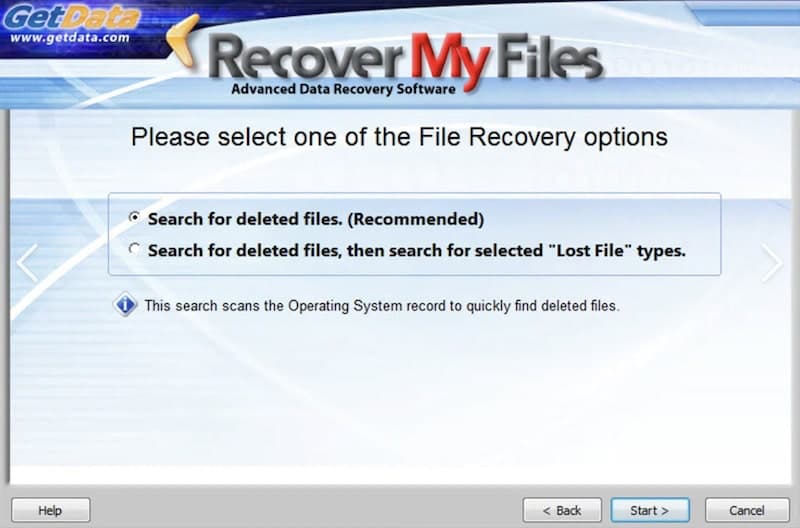
Recover My Files is an early data recovery software, mainly used to help users recover files lost due to accidental deletion, formatting or disk anomalies, common use environment for Windows systems.
In terms of function, Recover My Files, as a data recovery software, can scan the local hard disk and external storage devices to recover the data content that has not been overwritten. It is commonly used to deal with cases such as mistakenly emptying the Recycle bin, partition errors, etc. Some users also try to recover my files from the USB when there are problems with moving storage.
Overall, Recover My Files is positioned as a basic data recovery tool, with the core goal of providing a feasible scanning and recovery solution after data loss. Understanding its functional scope is helpful for subsequent judgment of its performance in actual use.
Part 2. Is Recover My Files Worth Using Today
After understanding the basic positioning of Recover My Files, the more critical question is whether its performance in actual use meets the current data recovery requirements.
Overall Review
- Practical experience
Recover My Files is a more traditional data recovery tool. Its scanning mode is based on complete traversing of the storage structure. When dealing with routine data loss, the result is relatively stable, but the overall pace is slow, especially not suitable for disk drill data recovery and other large-capacity data recovery; the waiting time will be significantly longer. - Recovery results
Recover My Files data typically gives a large list of files with limited readability and filtering efficiency. Users often need to review the file information one by one and manually determine which data is still available, which raises the barrier to use to some extent. - System environment
Because the software was released in the early stage, as a data recovery software, Recover My Files is slightly old in interface and interaction design, which is not smooth for users who are used to modern operation procedures. This is why many users start to consider other recovery tools after using them for a period of time.
How to Use Recover My Files
The operation process of Recover My Files is relatively fixed, and the overall recovery is mainly guided:
Step 1. Open Recover My Files and enter the Recovery wizard.
Step 2. Select the disk location to scan.
Step 3. Wait for the software to finish scanning the data.
Step 4. View the scan results and recover the required files.
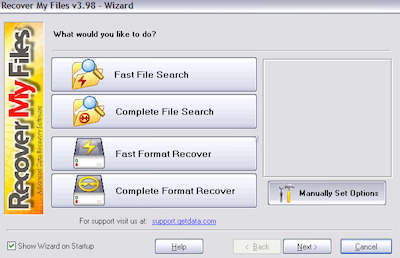
In general, Recover My Files still has certain practicality, but in terms of efficiency and operation experience, it has been not easy to fully meet the current users' expectations for data recovery tools. This also provides thinking space for the subsequent selection of alternatives.
Part 3. Best Alternative to Recover My Files - Apeaksoft Data Recovery
After judging the experience of Recover My Files, many users will start looking for a solution that is more stable and updated more frequently. After comparing various similar products, we recommend Apeaksoft Data Recovery with the best overall performance.
| Feature | Recover My Files | Apeaksoft Data Recovery |
| System Support | Windows only | Windows & macOS |
| Scan Speed | Slower on large disks | Faster & optimized |
| File Preview | Limited | Clear preview before recovery |
| File Type Support | Basic formats | Wider data coverage |
| Interface Design | Outdated | Modern & intuitive |
| Free Scan | Limited | Free scan & preview |
Best Data Recovery Tool for 2026
- High recovery success rate through intelligent algorithm scanning.
- Multi-device support, compatible with Windows, Mac, USB, external hard disk and mobile phone data recovery.
- Provide multiple scanning modes to meet different needs.
- Only data is read during the scanning process to ensure data security.
Secure Download
Secure Download

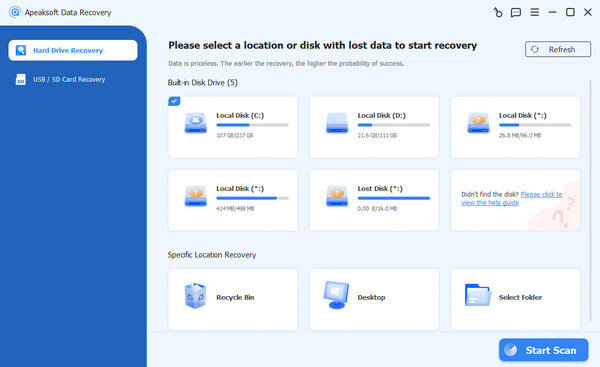
Step 1. Launch the software and enter the main interface. Select the device you need to recover data from and click the Start Scan button.
Step 2. The software does a quick scan, and when it's done, it automatically moves to the next stage, a deep scan, where all the data can be detected.
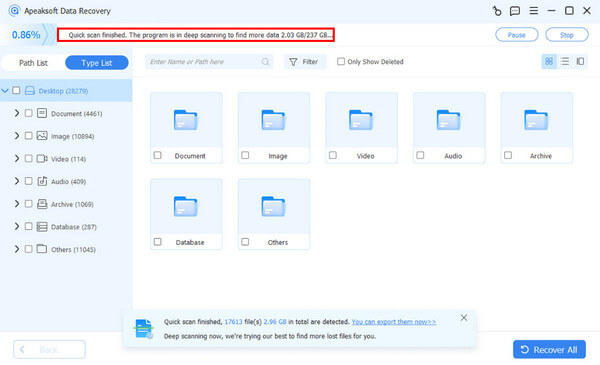
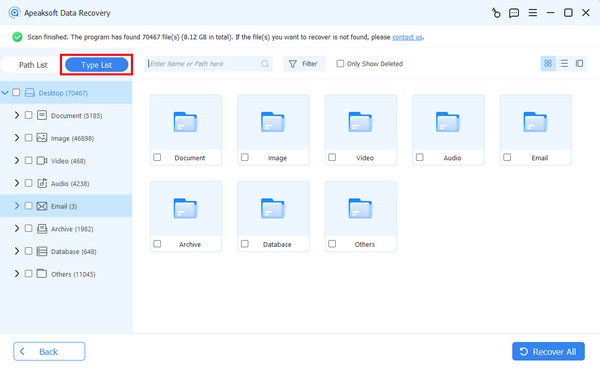
Step 3. When the scan is complete, check the file category you want to recover, such as documents, pictures, or audio. If you want to locate a piece of data quickly, you can use the Type List or search box in the top left corner of the page.
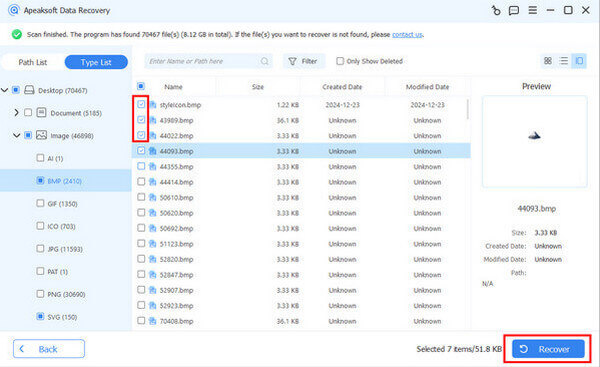
Step 4. Click on the file to preview the contents and confirm that the contents are to be restored. Finally, check the target file, click Restore, and choose a safe location to save. It is recommended to be different from the original location to avoid data overwriting. If it is not convenient to change the location, it does not matter; you can easily recover the overwritten files later.
Conclusion
Overall, Recover My Files data recovery software can still be used on a basic recovery basis, but it is limited in efficiency and multi-device compatibility. In contrast, Apeaksoft Data Recovery is a more reliable choice with a higher success rate, wider device support, and secure data recovery in multiple scenarios.
Related Articles
If you lose some photos due to accidental deletion or factory reset, here are top 8 photo recover apps for iOS and Android.
iSkysoft iPhone Data Recovery is a powerful tool to recover lost data from iPhone. Learn how to use the program and the best alternatives.
Do you know what is Keepsafe? Learn this secret photo vault and how to recover deleted Keepsafe photos from your smartphone from this helpful tutorial.
When you lose important data on your phone, Dr Fone may help you. Check this review of Dr.Fone to see if it can help with your phone stuff..



