8 Best SanDisk Recovery Software for Beginners: Free or Paid

As a leader in the flash memory industry, SanDisk has an extensive product line, including SD cards, Memory Stick cards, and USB drives. According to our research, some SanDisk users are suffering from data loss, such as accidental deletion, card formatting, file system crash, and more. Therefore, our article identifies the top 8 SanDisk card file recovery software.
PAGE CONTENT:
- Test Environment: Windows 10 Pro (22H2), macOS Sequoia 15
- File Type: We tested the recovery of photos (JPEG, PNG), videos (MP4, MOV), audio files (MP3), and documents (DOCX, PDF).
- File Size: Range from 12KB to 4.8GB.
- Test Method: Copy prepared files to the SD card, make sure they open normally, and delete them. Then run recovery software programs to see their recovery rate and average processing time, and if the process is easy to do.
- Reminder: Recovery success rates and speed may vary depending on the device model, OS version, and whether the deleted files have been overwritten.
Top 8 SanDisk Recovery Tools at a Glance


Best for Partition Recovery
 Stellar Data Recovery
- Platform
- Best for
Easy partition & media recovery
- Price $59.99/Year
Best for Memory Cards
 SanDisk RescuePRO Deluxe
- Platform
- Best for
SD card & flash media
- Price $39.95/Year (Standard)
| Tools | How powerful is it? | How easy is it to use? |
| Apeaksoft Data Recovery | ⭐⭐⭐⭐⭐ 5/5 | ⭐⭐⭐⭐⭐ 5/5 |
| Disk Drill | ⭐⭐⭐⭐⭐ 5/5 | ⭐⭐⭐⭐⭐ 5/5 |
| Stellar DR | ⭐⭐⭐⭐ 4/5 | ⭐⭐⭐⭐ 4/5 |
| R-Studio | ⭐⭐⭐⭐⭐ 5/5 | ⭐⭐⭐ 3/5 |
| Recuva | ⭐⭐ 2/5 | ⭐⭐⭐⭐⭐ 5/5 |
| FreeUndelete | ⭐⭐⭐ 3/5 | ⭐⭐⭐ 3/5 |
| PhotoRec | ⭐⭐⭐ 3/5 | ⭐⭐ 2/5 |
| SanDisk RescuePRO Deluxe | ⭐⭐⭐ 3/5 | ⭐⭐ 2/5 |
Top 1. Apeaksoft Data Recovery

Platform: Windows/Mac
Key Features
- Recover all popular file types with no overwriting.
- Scan your SanDisk blazing fast, without missing anything.
- Retrieve files after a factory reset or formatting.
- Let you recover data selectively with simple clicks.
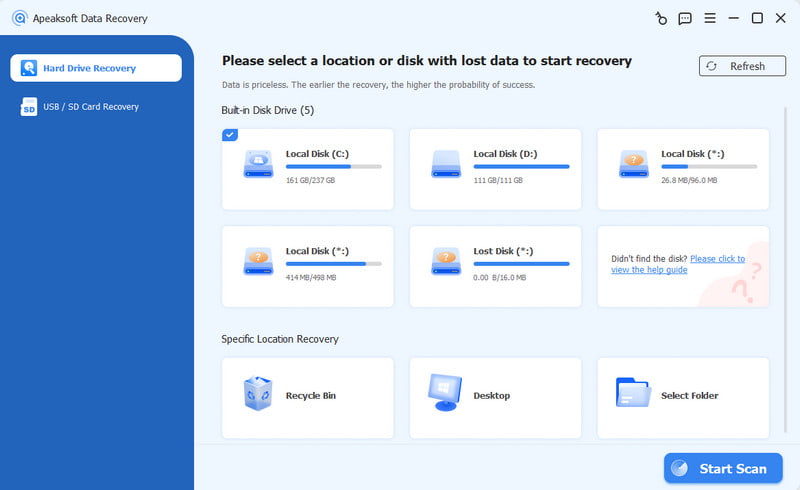
Apeaksoft Data Recovery is one of the best SanDisk data recovery software for Mac and Windows. It can meet almost all of your SanDisk recovery needs. It supports photos, videos, documents, and other file types. Moreover, it can recover accidentally deleted files, formatted cards, and more.
- Support a wide range of file types.
- Available in almost all situations.
- Preview lost files before recovering on SanDisk.
- Work for all SanDisk products.
- Protect file quality.
- May take a while with lots of files on your card.
Top 2. Disk Drill

Disk Drill
Platform: Windows/macOS
Key Features
- Recover data from any storage device.
- Restore files from formatted, damaged, and failed drives.
- Create a byte-to-byte backup to protect failing drives.
- Monitor the health status of any storage device with S.M.A.R.T.
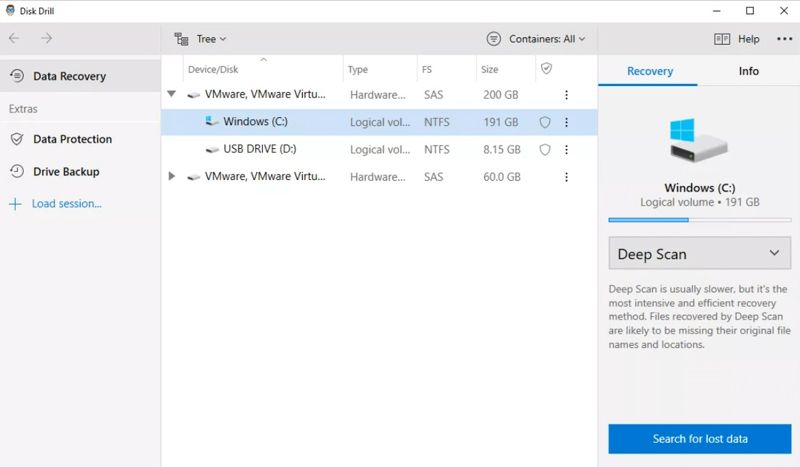
Disk Drill is another leading SanDisk file recovery software for Mac and Windows. It features a clear and user-friendly interface. That allows beginners to recover files from their SanDisk SD cards without technical skills.
- Easy to use.
- Support a wide selection of file types.
- Offer a deep scan mode.
- Available for a few situations.
- The Pro edition is expensive.
- Deep scan can be time-consuming.
Top 3. R-Studio

R-Studio
Platform: Windows/macOS/Linux
Key Features
- Compatible with almost all file systems.
- Equipped with advanced features to recover SD cards.
- Offer a preview of recoverable files with various parameters.
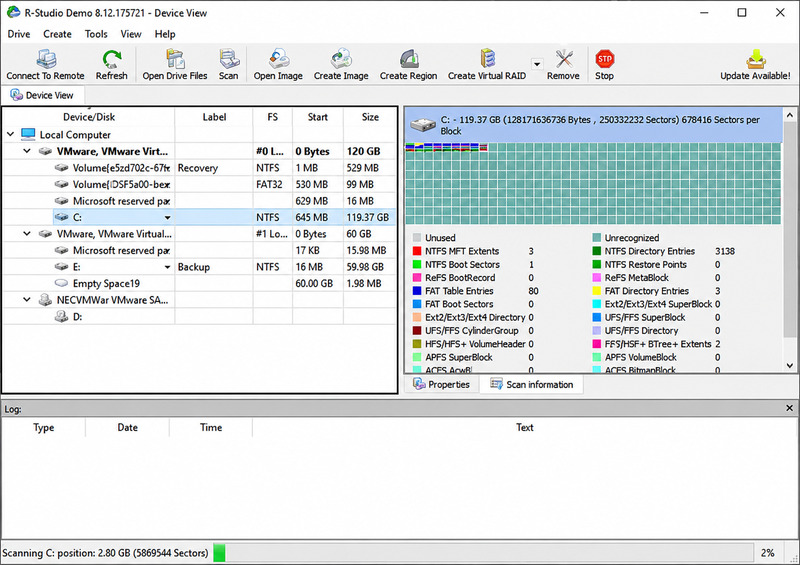
If you need SanDisk file recovery software, R-Studio is a pro option. It can recover files that have already been deleted on SanDisk cards in complex scenarios with advanced features and tools. Many IT experts are using it.
- Support a variety of file systems.
- Lightweight and fast.
- Advanced features for complex situations.
- Work on Windows, macOS, and Linux.
- Trial version recovers files up to 256KB.
- Interface is outdated.
- Require tech background.
Top 4. Stellar Data Recovery
Stellar Data Recovery
Platform: Windows/macOS
Key Features
- Provide quick scan and deep scan modes for faster recovery.
- Repair partially damaged JPEGs, AVI files, and other formats after recovery.
- Create byte-to-byte backups of SanDisk cards.
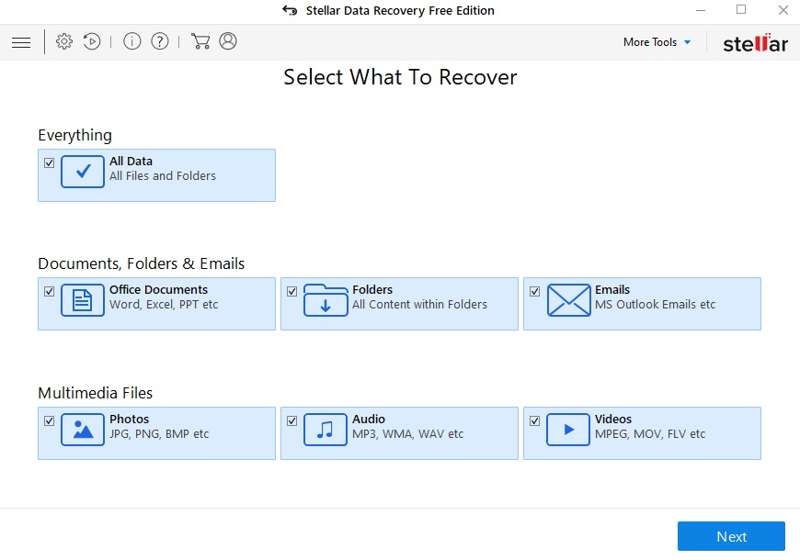
Stellar Data Recovery is a flexible SanDisk SD card recovery tool. It enables users to get back deleted, lost, or formatted files from an SD card, USB stick, and other storage devices, with high-end features. Optimized for media recovery, it's a good option for recovering lost videos and photos.
- Recover files up to 1GB for free.
- Offer advanced data recovery features.
- Scan SanDisk cards fast.
- Support both media files and documents.
- The deep scan is slow.
- It is expensive.
Top 5. Recuva

Recuva
Platform: Windows
Key Features
- Provide basic recovery functions without file limits.
- Offer an intuitive, user-friendly interface for easy navigation.
- Include a deep scan mode for searching data thoroughly.
- Translated into 30+ languages, accessible to users worldwide.
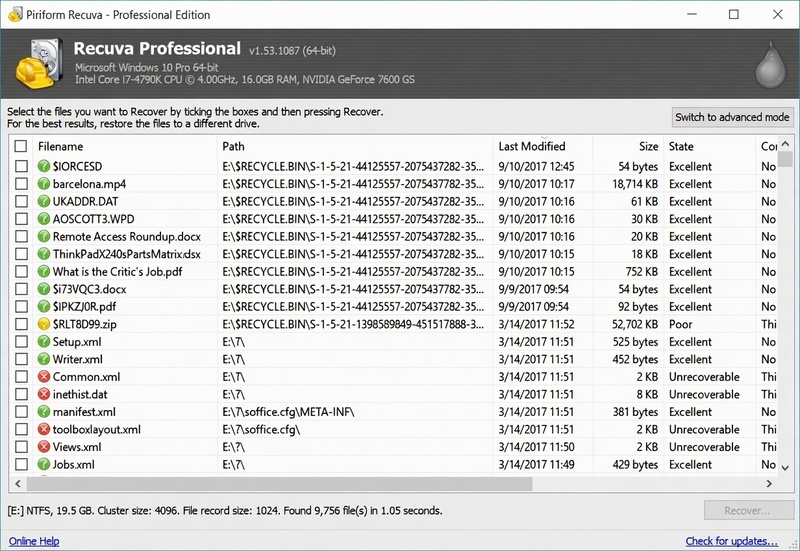
Recuva's free version lets you recover data on your SD cards with easy steps. The Professional version can get more lost files and handle more complex situations.
- Offer a free version.
- Integrate a clear UI.
- Preview lost files.
- Provide a portable version.
- Preview is limited.
- It may not work for formatted disks.
Top 6. FreeUndelete

FreeUndelete
Platform: Windows
Key Features
- Provide completely free recovery of deleted files with no recovery size limit.
- Support multiple file systems, including FAT12, FAT16, FAT32, and NTFS.
- Display each recoverable file’s recovery status: Excellent, Good, Poor, or Overwritten.
- Offer a simple Windows Explorer-style interface.
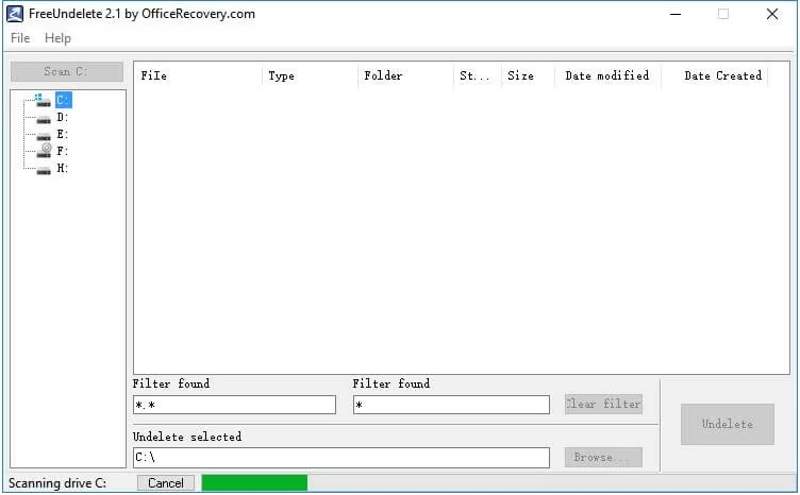
FreeUndelete is a free SanDisk data recovery software for personal use. It can restore deleted files from both SD cards and local hard drives. The clean UI makes the SanDisk file recovery smooth and stressless. It's best for basic recovery.
- Free for personal use.
- Locate specific files with Filter.
- Conserve original file quality.
- Only available on Windows.
- Can't recover long-lost files.
Top 7. PhotoRec

PhotoRec
Platform: Windows/Mac/Linux
Key Features
- Recover more than 480 file extensions by identifying file signatures.
- Work with damaged, formatted, or inaccessible SD cards and other storage devices.
- Support a wide range of file systems, including FAT, exFAT, NTFS, ext2/3/4, HFS+, and APFS.
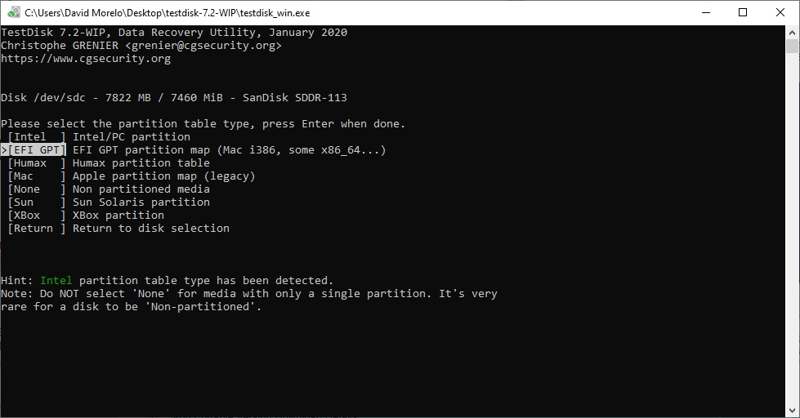
PhotoRec is a great SanDisk card photo recovery tool for tech-savvy users. It uses command lines to scan your cards and recover photos from SD cards. According to our tests, it works for even long-lost files.
- Available for many platforms.
- Free and open source.
- Supports various formats.
- Works for long-lost files.
- Customer support is poor.
- The interface can be frustrating for beginners.
Top 8. SanDisk RescuePRO Deluxe
SanDisk RescuePRO Deluxe
Platform: Windows/Mac
Key Features
- Optimize recovery for memory cards used in digital cameras, camcorders, drones, and mobile devices.
- Provide a preview function to help identify recoverable files before restoring them.
- Offer an easy-to-use wizard interface that guides users through the recovery process.
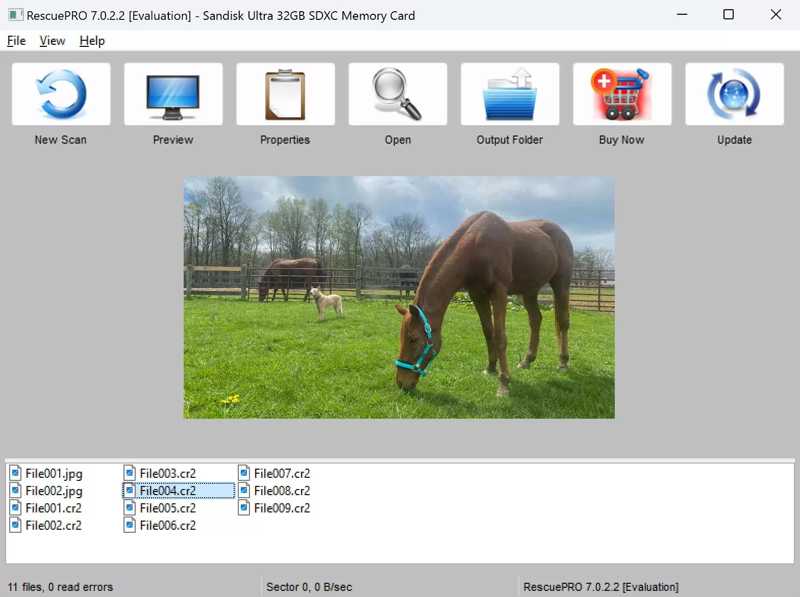
RescuePRO Deluxe has a long-standing partnership with SanDisk. A free one-year license or download code for the software is included for many microSD and SanDisk SD cards recovery. Plus, it comes with high-end backup features.
- Compatible with most media files.
- Work with formatted SanDisk cards.
- Rescue corrupted files from memory cards.
- Preview files before recovery.
- The RAW recovery is only available in the Deluxe edition.
- The interface is unintuitive.
Pro Tips You Need to Know about SD Card Recovery
Stop using the SanDisk card immediately when it goes wrong.
Once new files overwrite the deleted files, they become extremely difficult to recover. So stop using the card immediately to prevent new data from coming in.
A card that says "format required" does not mean you have to format it.
Many people see something like " You need to format the disk before you can use it. "on screen and immediately click Format, which is unnecessary. Usually, this message means the computer can't understand the SanDisk card's file system. Since it'll be harder to recover a formatted SD card, a better option is to run recovery software and recover files to another drive.
When should you stop DIY recovery?
When the problem is digital, like files deleted or a card formatted accidentally, DIY tools are enough to deal with it. But when the computer can't detect the SD card, or the card makes noises and gets unusually hot, it usually means the card is physically damaged. Better to look for professional help.
Conclusion
We reviewed the 8 best SanDisk card recovery software, free or paid. Choose a basic or an advanced tool based on the disk you need to recover. Overall, Apeaksoft Data Recovery is the best option for people without tech knowledge to get back lost and deleted files from SanDisk cards easily.
 Apeaksoft Data Recovery
 Recover deleted or lost data on Windows and Mac computer.
Secure Download
Secure Download
Related Articles