Top 5 SD Card Data Recovery Tools for Android: Safe & Reliable

Are you bothered by data loss on Android after accidentally deleting files or formatting your phone? This article is for you. We will explain how data is deleted from an SD card, why computer-based recovery software is the best for you, and introduce 5 tested tools for recovery from an SD card for Android.
PAGE CONTENT:
Part 1. Data Recovery from SD Card for Android: Is It Possible
The short answer is yes, because chances are the lost data still exists on your SD card.
When you format the SD card or delete data from it, it does not erase the data immediately from the storage. Instead, the system marks the data's saving space as available, and waits for new files to replace the "deleted" ones. As new data isn't coming, the "deleted" data stays there. So, you must stop using the phone as soon as possible after the data loss, to prevent new data from coming in. When the data hasn't been replaced yet, it can be retrieved using specialized tools.
Part 2. Why On-Device SD Card Recovery for Android is Subpar
SD card data recovery for Android can be limited and risky if it's performed on the subject phone itself.
Android Restrictions
Modern Android devices use Scoped Storage, which blocks recovery apps from deep-scanning the SD card. But if you take the SD card out and connect it to a computer, professional desktop tools can access its storage easily. You're more likely to find lost data in this way.
Potential Overwriting
If you're installing the recovery app to the same SD card, it can write new data to the storage during the process and overwrite the deleted files, hence they're gone for good. This is especially risky on SD cards used as adoptable storage – even if you have selected the native internal memory as storage for the app, new data may still be put to the SD card without you knowing.
Part 3. Top 5 PC-Based Free SD Card Recovery Software for Android
We measure the capability of each tool from the following perspectives:
Can it recover lost files successfully?
Is the process fast?
Is it easy to use?
Tips: Recovery software works when the SD card is physically healthy. They can fix data loss caused by deletion, formatting, or corruption, but not by crashing or falling into water. If those were what happened, a professional repair lab may offer a better chance of retrieving data.
We tested each data recovery tool under the same controlled environment using consistent methods.
- Test Environment: All tests were performed on Windows 10 (22H2) and macOS Sequoia 15.
- File Type: Documents (DOCX, PDF, XLSX), photos (JPG, PNG), videos (MP4, MOV), audio files (MP3, WAV), contacts (VCF), and compressed archives (ZIP, RAR).
- File Size: From small documents of around 10 KB to large video files exceeding 1 GB.
- Test Method: We deleted sample files from the SD card, then inserted the SD card into the computer, and ran the programs. Each tool was tested three times with the same SD card and device.
- Verification Method: Recovered files can be opened and accessed without errors.
- Important Note: Results may vary depending on the device model and system version.
1. Apeaksoft Data Recovery

Platform: Windows/Mac
Key Features
- Recover lost files from SD cards without overwriting anything.
- Support all popular file types with no limit.
- Scan your SD card fast and display lost data in preview.
- Let you recover data selectively on an easy-to-follow interface.
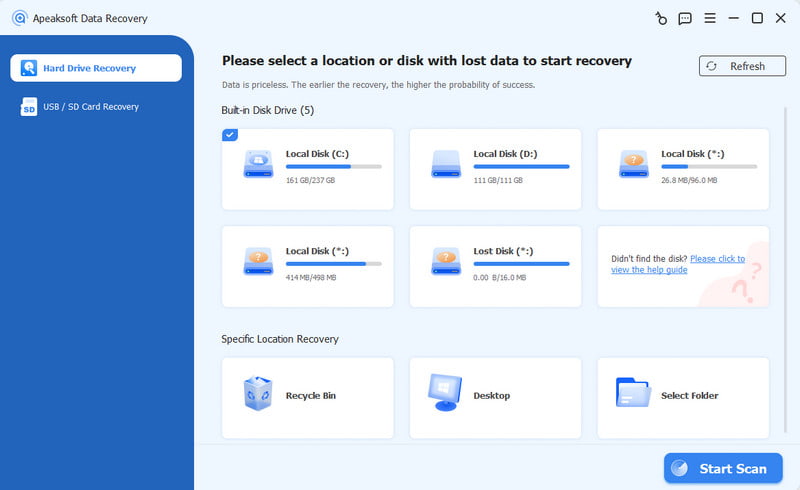
Apeaksoft Data Recovery is a versatile tool designed for almost all recovery scenarios. With powerful features and a simple workflow, it's a great option for non-techy users. It scans the SD card fast and thoroughly, displays recoverable files on a clean interface, and lets you select files to retrieve.
2. Disk Drill

Disk Drill
Platform: Windows/Mac
Key Features
- Deep scan for the raw data from an SD card.
- Advanced recovery for photos and videos from the camera.
- Support a wide range of formats and file systems.
- Easy-to-understand interface.
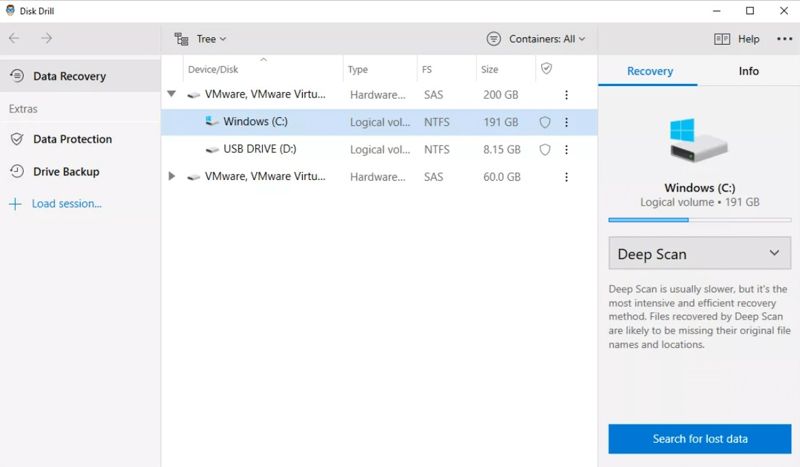
Disk Drill supports data recovery from an SD card for Android in various scenarios, including accidental deletion, formatting, corruption, virus damage, and more. It's unique in that it offers advanced camera recovery to reconstruct fragmented video files. It's good for both beginners and professional photographers. The free version allows data recovery up to 100 MB.
3. EaseUS MobiSaver

Easeus Mobisaver
Platform: Windows
Key Features
- Recover messages, contacts, photos, and videos from Android.
- Works with most Android phones and tablets.
- Export contacts in CSV, HTML, and VCF formats to your PC.
- Scan your SD card storage and show a preview.
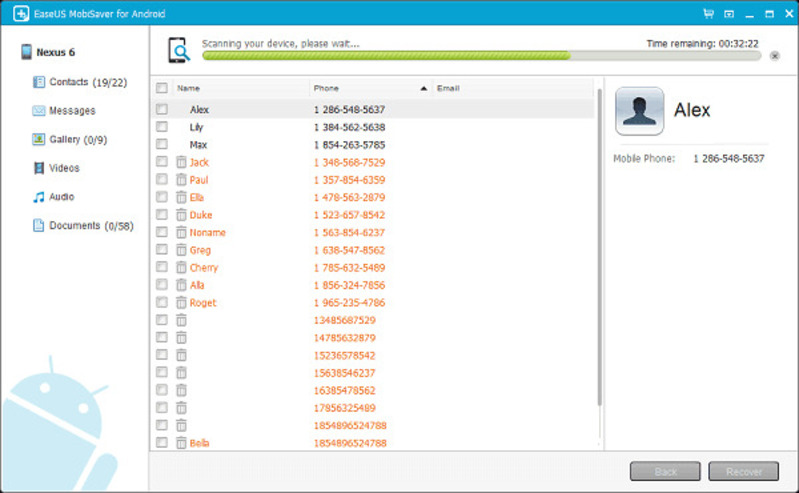
EaseUS MobiSaver is a user-friendly SD card recovery software for Android. It is good at recovering lost contacts and messages. Apart from the SD card, it can also scan Android internal memory and Google Drive. You can use it by connecting the Android to the computer. The free version offers a quick scan and preview, and lets you recover 1 file at a time. But for unlimited recovery, you'll need a paid licence.
4. PhotoRec

PhotoRec
Platform: Windows
Key Features
- Recover deleted, formatted, or corrupted data from SD cards.
- Read-only scanning to avoid overwriting.
- File family filters to focus scans.
- Works across many file systems.
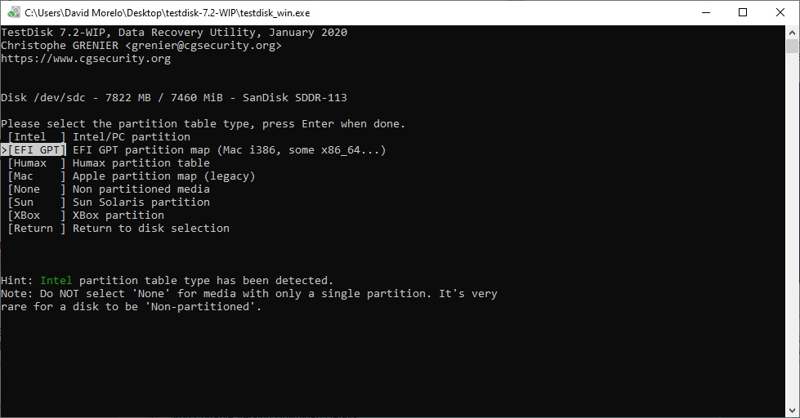
PhotoRec is a completely free SD card recovery tool for Android. It can recover more than 480 file extensions and specializes in recovering photos from SD cards, even long-lost ones. Based on command lines, it's free and open-source, but you'll need some tech knowledge to use it without hassle.
5. Recuva

Recuva
Platform: Windows
Key Features
- Let you choose from Quick Scan and Deep Scan modes to find lost data.
- Recover files from SD cards without size limits.
- Restore folder structure when metadata is intact.
- Easy workflow for beginners, and advanced options for chronic use.
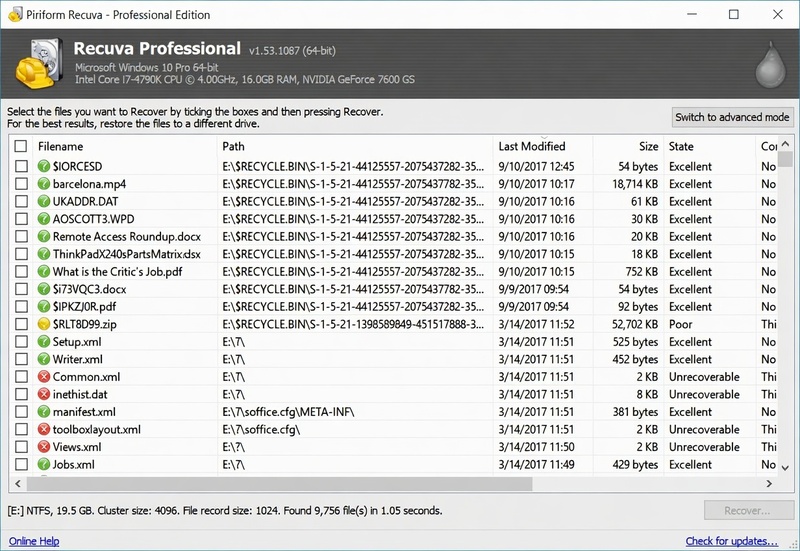
Recuva is best for quick, free recovery of recently deleted files. It's free for basic recovery, with no size limit. But it's downranked because the development has been slow since the last notable update in 2024. Plus, the UI looks somewhat dated, and the result is not so pretty on large files.
Tips: Frequently update an SD card backup to prevent losing important data again.
Conclusion
In the article, we reviewed the 5 best SD card recovery tools for Android. Which one suits you best depends on your needs. Apeaksoft Data Recovery is overall the most recommended. It can handle almost any situation, while it doesn't require advanced knowledge of computers or SD cards. Save your lost data now.
Related Articles