5 Best iTunes Alternative Programs for PC/Mac Computer

With macOS Catalina, Apple stopped iTunes and replaced it with three separate apps. While the music manager is still available on Windows and old versions of macOS, Apple stopped updating the program. It makes sense that more and more users reported bugs in iTunes. The good news is that there are iTunes alternative programs for Windows and Mac. Our article identifies and shares the top list for iPhone and iPad users.
PAGE CONTENT:
Part 1: Comparison of 5 Best iTunes Alternatives
Methodology
We have collected and tested the most popular iTunes alternatives on the market. Moreover, we reviewed hundreds of users. According to our research and review, we identify the top 5 iTunes alternative programs. When testing, we focus on a few aspects, like price, system requirements, supported file formats, ease of use, and more.
| Price | Support Devices | Best for | |
| Apeaksoft iPhone Transfer | $15.6 per month, $49.96 lifetime | iPhone 4 and above, All iPad iPod Touch 7 and earlier | Music management and transfer |
| WALTR PRO | $9.95 per month, $35 per year | iOS and iPadOS 5 or higher | Music syncing |
| iMazing | $39.99 for one device, $64.99 per year | iPhone 5 and above | iPhone backup |
| MediaMonkey | Start at $5.49 | iOS and iPadOS 5 or above | iPhone music management |
| DearMob iPhone Manager | $29.95 per year, $39.95 lifetime | iOS 7 and later | High-quality video transferring |
Part 2: Top 5 iTunes Alternatives
Top 1: Apeaksoft iPhone Transfer
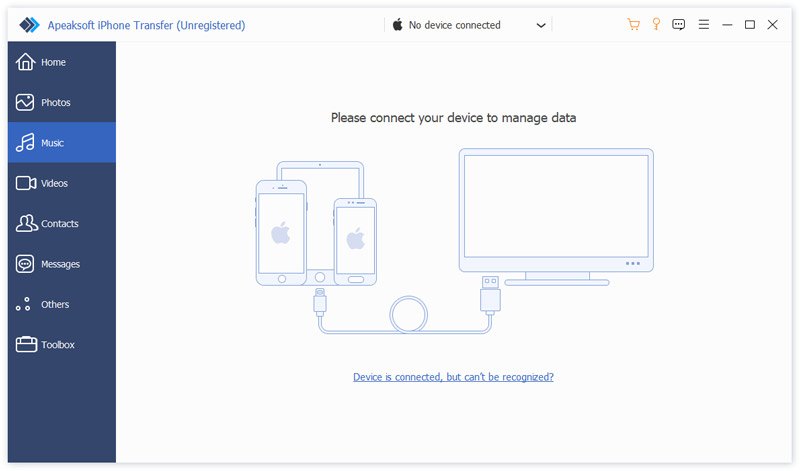
Apeaksoft iPhone Transfer is one of the best alternative for iTunes for Mac and Windows. It allows users to move music files and more between iOS devices and a computer. Plus, it comes with bonus features, like a ringtone maker.
Secure Download
Secure Download
- Transfer music between an iPhone and a computer.
- Manage iPhone music on a computer.
- Support a wide range of file types.
- Sync files between iOS devices quickly.
- Offer bonus features.
- It requires a USB cable.
Top 2: WALTR PRO
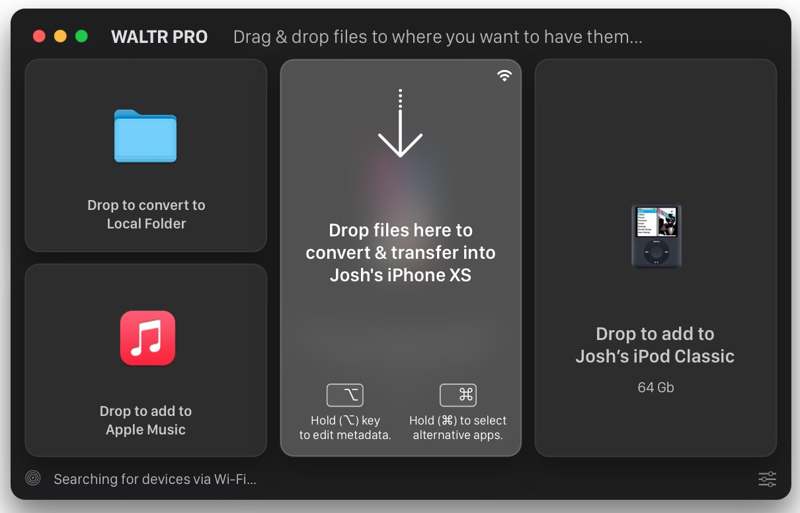
WALTR PRO is a good alternative to iTunes. It enables seamless file transfer across iOS devices and computers. It can handle 36 file formats, including popular music files. Moreover, it automatically converts file formats.
- Automatically convert file formats.
- Transfer 4K videos to iOS devices.
- Include AI Metadata Editor.
- Support the latest iPhone and iPad models.
- It is slower than competitors.
- It is expensive.
Top 3: iMazing
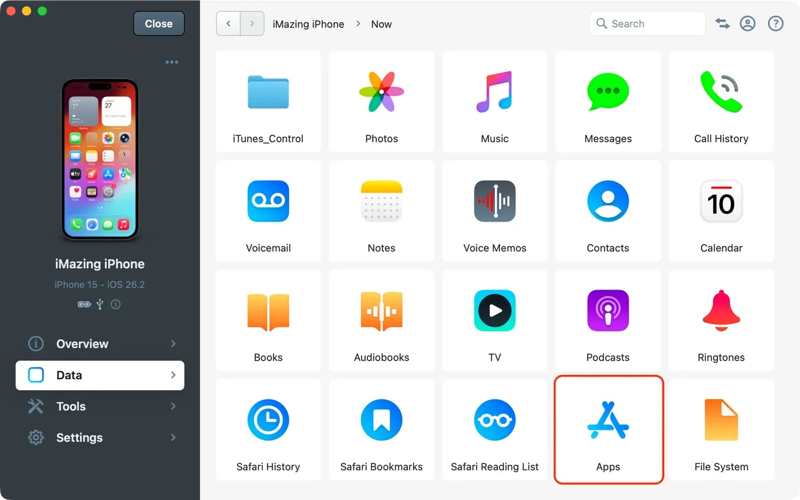
iMazing is an alternative software to iTunes. It lets users manage and transfer data from iPhones, iPad devices, and iPods without iTunes. It helps users to back up, transfer, and manage files on a computer.
- Recover data from corrupted backups.
- Manage iOS data on a computer.
- Support for messaging apps.
- Cross platforms.
- The restore feature is slower than iTunes.
- It lacks features, like a music converter.
Further Reading
Top 4: MediaMonkey
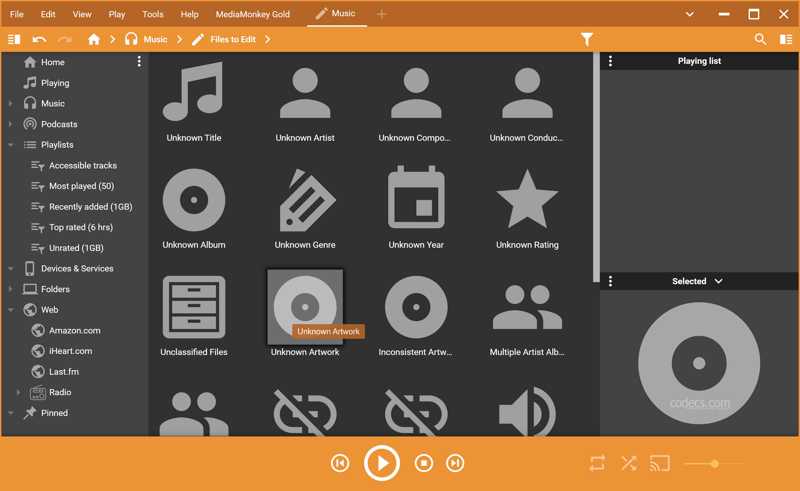
MediaMonkey is an iTunes music manager alternative. It is able to transfer music files from iPhone to computer and manage them by playlist, genre, and more. Similar to iTunes, MediaMonkey is a music library for iOS.
- Fully customizable.
- Support almost all music file formats.
- Automatic file tagging.
- Include a full feature of the music library.
- It is only available for Windows.
- The GUI looks messy.
Top 5: DearMob iPhone Manager
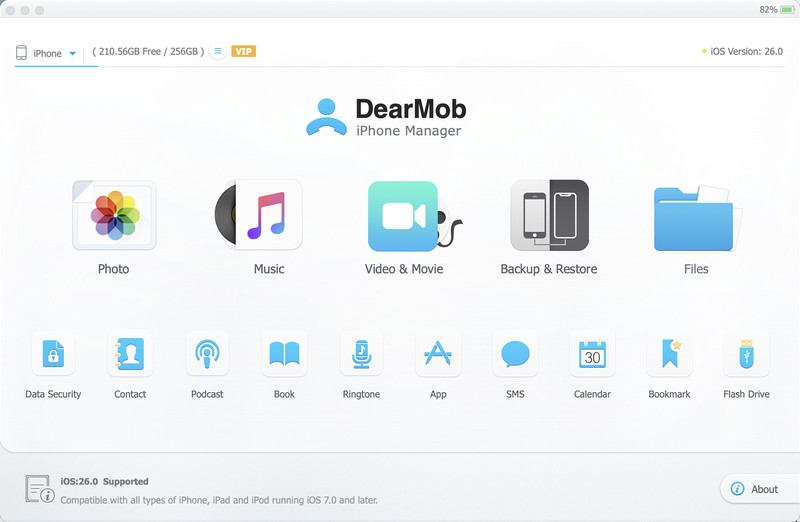
DearMob iPhone Manager is an alternative software to iTunes. It helps users to manage, back up, transfer, and restore media files on an iPhone or iPad. In addition to music files, it works for contacts, SMS, and more.
- Transfer files from iOS to a computer quickly.
- Back up files safely.
- Support a wide variety of files.
- Accessible to everyone.
- Advanced features are only available in the paid version.
- It doesn’t support old devices.
Part 3: How to Use an Alternative Program to iTunes
Step 1. Install an iTunes alternative
Download and install an alternative to iTunes, such as Apeaksoft iPhone Transfer. Then, launch it from your desktop. It is compatible with Windows 11/10/8/7/XP/Vista and macOS 10.7 or above.
Step 2. Connect to your iPhone
Plug your iPhone into your computer with a Lightning cable. If prompted, make sure to trust this computer. Then, the software will scan your iPhone and load all data by type.
Step 3. Transfer iPhone data
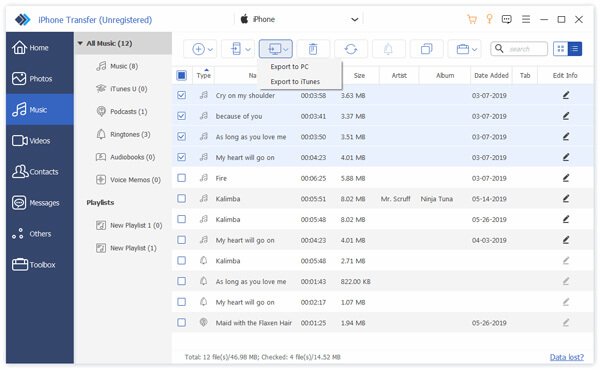
To manage your music, go to the Music tab and view all music files on your iOS device. Select the music files you want to transfer, click the PC button, and choose Export to PC. Then, set an output folder.
Conclusion
Now, you should learn the top 5 best iTunes alternatives for Windows and Mac. Some of them integrate a music library and a manager. Others allow users to transfer media files and documents between iOS devices and computers. Apeaksoft iPhone Transfer is a powerful tool to manage, transfer, and back up media files and other data on iOS devices.
 Apeaksoft iPhone Transfer
 Transfer iOS data among iOS devices, computer and iTunes.
Secure Download
Secure Download
Related Articles