



[2026] How to Use vnROM FRP Bypass APK & Does It Still Work Now

Key Takeaways
- vnROM FRP is a free FRP bypass tool.
- It is mainly effective on older Android devices (Android 5-8).
- Its performance drops significantly on Android 9 + due to Google updates and patches.
- It relies on Android loopholes and vulnerabilities.
- It requires extra tools like OTG and a USB drive during the vnROM FRP process.
- If you are stuck on FRP and want a simpler workflow and broader version support, try professional software instead.
Troubled by the Google Account lock on your Android phone? Cannot use some features? Google keeps asking for Google account verifications?
You're not alone! You must have often seen vnROM FRP Bypass when you search for a free solution online. How much are you familiar with it? Is it safe? Does vnROM still work in 2026?
In this guide, we will share our hands-on testing results of vnROM FRP Bypass, including its actual performance on different Android versions, its limitations, and other FRP bypass options if it is failed.
PAGE CONTENT:
Part 1: What Is vnROM FRP Bypass
vnROM FRP Bypass is a tool that bypasses factory reset restrictions (FRP) on Android phones. It's not a single app, but it combines several APK files to remove the Google Account lock. You can check the tutorials on the FRP vnROM website, which explain how to obtain and use the necessary tools for the FRP removal process.
There are some extra features of vnROM FRP Bypass. For example, you can disable Google Play on your Android, bypass SMS restrictions, etc. FRP vnROM can be more than a Google lock remover, but an all-in-one Android unlock tool.
But before the FRP vnROM APK download, it will help if you learn more about this tool. You should know about its supported brands, models, Android versions, etc. After all, it takes time to learn the user manual of vnROM FRP Bypass.
vnROM FRP Bypass mainly supports Samsung phones. The most compatible Android versions are from Android 5 to Android 8. If you want to unlock the Google Account lock on Android 9 or higher, the success rate will greatly decrease. This is a big drawback of FRP vnROM, which you should take into consideration.
What We Liked
- In our test, it worked on some older Android devices (Android 5–8), but results were not consistent.
- It is completely free to use and more accessible than most paid FRP tools.
- Some methods do not require a PC, which can be suitable for basic users.
What We Disliked
- The success rate is inconsistent during the tests, especially on Android 9 and above.
- It's not a Google official FRP bypass method and may be risky.
- There are multiple complicated manual steps like TalkBack and OTG.
- Newer Android security updates significantly reduce its effectiveness.
Part 2: Does vnROM Still Work in 2026
Based on our testing and user feedback in 2026, vnROM FRP bypass shows limited effectiveness overall.
It occasionally worked on older Android devices (Android 5-8), although the success was inconsistent and highly dependent on device model and system version. On Android 9 and above, success is rare and inconsistent due to strengthened Google security patches.
Our Tested Results
| Device | Android Version | Result | Notes |
| Galaxy S7 | Android 7 | Success | OTG + TalkBack method worked |
| Galaxy S8 | Android 8 | Partial | YouTube exploit required retry |
| Redmi Note 9 | Android 10 | Failed | APK install blocked |
| Samsung A12 | Android 11 | Failed | Setup Wizard patched |
| Pixel 4a | Android 13 | Failed | FRP fully enforced |
Part 3: How to Download and Use vnROM FRP Bypass APK
If you have an old Android phone and want to remove the FRP, it's feasible to unlock the FRP with vnROM FRP Bypass. As for how to download and use FRP vnROM, it deserves your attention.
Difficulty: ⭐⭐⭐⭐☆
Success Rate: 30%-50%
Estimated Time: 20-40 minutes
Best for: Android 6–8
Preparations
• A USB drive
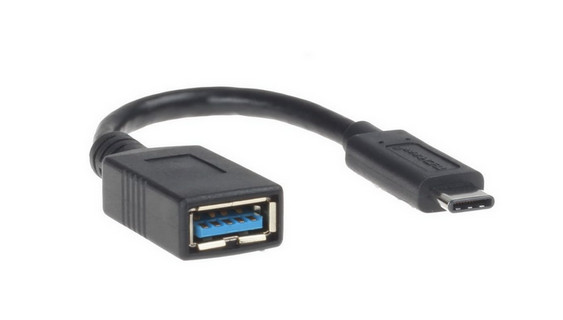
• An OTG cable
• A stable Wi-Fi connection
How to Download vnROM FRP Bypass APK
Step 1. Go to the vnROM FRP Bypass website - https://vnrom.net/bypass/.
Step 2. Click FRP_Bypass.apk.
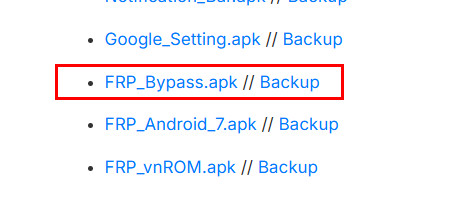
Step 3. Go to the top-right corner and double-click the download package.
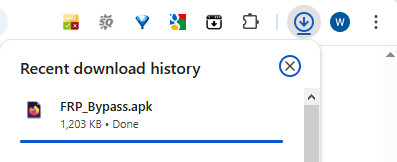
How to Use vnROM FRP Bypass [Step-by-Step]
Step 1. Insert a USB into your computer and open it.
Step 2. Drag and drop the download package you’ve just downloaded into your USB.
Step 3. Restart your Android phone and connect your USB to it with an OTG cable.
Step 4. Connect to a stable Wi-Fi before the Google verification.
Step 5. Back to the main screen and triple-press the screen to activate TalkBack.
Step 6. Triple-press the Home button again to go to the Help & Feedback page. Press Get Started with Voice Access.
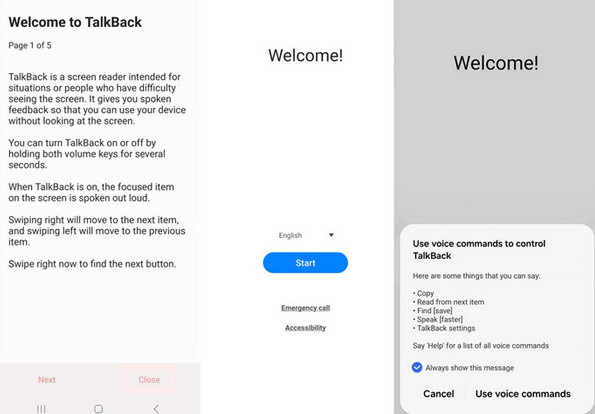
Step 7. A YouTube video will pop up. Choose Get Started with Voice. Then, click your profile and enter Terms and Privacy Policy.
Step 8. Long-press Bookmarks, and then click Download History - My Files. Find and install vnROM files here.
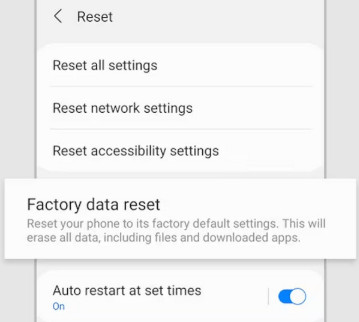
Step 9. Go to Settings and factory reset to start the FRP removal.
Part 4: Why vnROM FRP Doesn't Work on New Android Devices
The FRP of vnROM worked well in older versions of Android. However, Google has patched many loopholes that vnROM relied on, such as browser access, APK sideloading, and external storage permissions. Some devices may still be unlocked, but the process is less reliable and often requires multiple attempts. On newer phones, this method often fails or becomes ineffective halfway through.
Common vnROM Failure Scenarios
Since the vulnerabilities vnROM exploited have been restricted, the bypass process often stops halfway. Based on our tests and forum feedback, users often encounter the following problems:
- Stuck on the YouTube screen, and the browser cannot be opened.
- The phone cannot recognize the OTG drive.
- The vnROM APK cannot be installed.
- The device will return to the Google verification screen (FRP loop) after reset.
Quick Fixes People Try (But Rarely Work)
To address these issues, people have tried various solutions, which we list below. Although these methods sometimes do work, their success rate remains unstable but they can still serve as a good reference:
- Restart the setup process and repeat the steps.
- Switch to a Wi-Fi network to trigger the browser page.
- Boot the phone into safe mode to bypass the restrictions.
- …
Part 5: Other Options When FRP vnROM Fails
After testing the common solutions above, it is clear that for most modern Android devices, vnROM is no longer reliable. Many users still get stuck on the Google verification page even after multiple attempts.
Rather than relying on outdated vulnerabilities, using a FRP removal tool specifically designed for newer Android versions, such as Apeaksoft DroidAide Android Unlocker, and iToolab UnlockGo, can be more stable.
To better understand the difference, here is a quick comparison:
| Product | Android 11+ Support | Success Rate | Ease of Use | Safety | Device Compatibility |
| VnROM FRP | Limited / often fails | Unstable and inconsistent | Complex manual steps | Unknown APK risk | Mostly older Samsung devices |
| Apeaksoft DroidAide Android Unlocker | Broad support | High | Step-by-step guided process | Trusted solution | Wide Android support |
| iToolab UnlockGo Android | Broad support (11–14) | High (varies by device) | Simple guided process | Trusted software | Wide Android support |
Alternative 1: Apeaksoft DroidAide Android Unlocker

Downloaded by over 1,000,000 users
- Bypass the FRP lock by connecting your device simply.
- Designed for newer Android versions
- Easy and intuitive guide suitable for beginners.
- Stable desktop-based FRP removal workflow.
Secure Download
How to Bypass FRP with Apeaksoft Android Unlocker
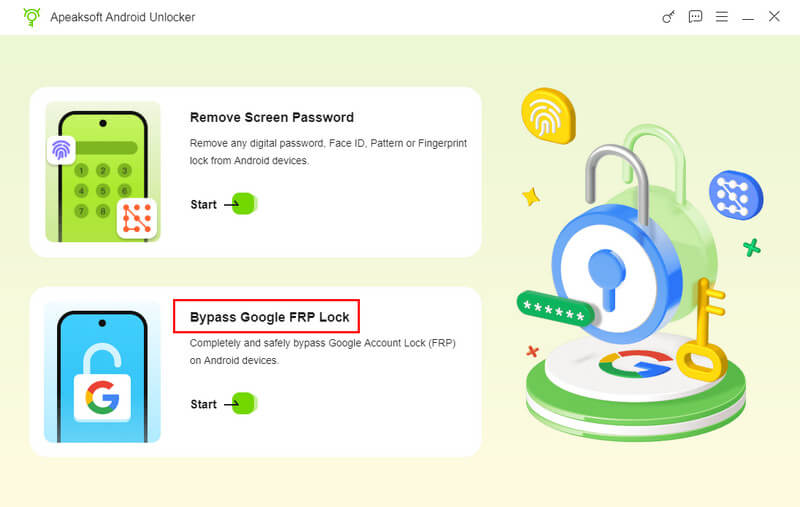
Step 1. Install and launch the program on your computer, then choose Bypass Google FRP Lock from the main interface.
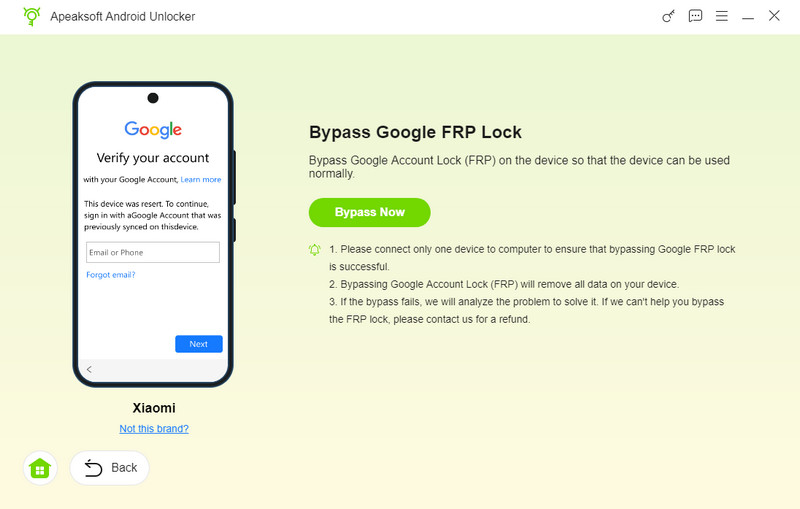
Step 2. Plug your phone into your computer with a USB cable, check your phone’s model, and then click Bypass Now.
Step 3. Follow the instructions on the interface to enter the recovery mode. Then, wait patiently to remove the FRP lock.

Tips: Don’t forget to restore the Android phone after FRP removal.
Alternative 2: iToolab UnlockGo Android
- Remove FRP lock through a guided desktop process.
- Supports multiple Android brands and system versions.
- Includes on-screen prompts to help users enter required modes step by step.
- Balanced usability and compatibility across different device models.
How to Bypass FRP with Apeaksoft Android Unlocker
Step 1. Download and install iToolab UnlockGo Android on your computer.
Step 2. Run it and choose bypass FRP mode.
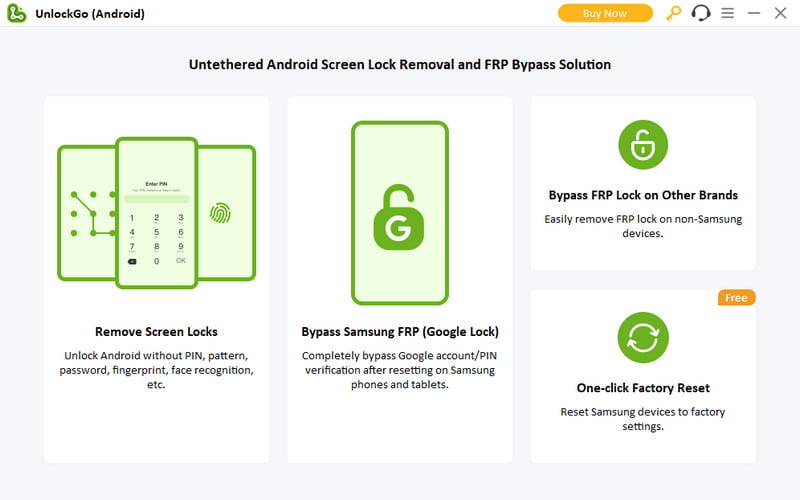
Step 3. Connect your Android phone to this tool.
Step 4. Follow the on-screen instructions and start the FRP removal process.
Part 6: FAQs of vnROM FRP Bypass
Is it safe to use vnROM FRP Bypass?
vnROM can't promise 100% safety when you bypass the Google Account lock on your Android because it is an unofficial FRP bypass solution. Please use it with caution.
Is it illegal to use vnROM FRP Bypass?
The legality depends on how the tool is used. Please ensure you bypass the FRP lock only on your device, or it's illegal.
Why is there an FRP screen after my factory reset my Android phone?
FRP is Android's security feature. It will be triggered once you have factory reset your phone to prevent unauthorized access.
Why does vnROM fail on newer Android phone?
Because Google has patched most of the security loopholes that vnROM relies on. You can use other FRP bypassing software as a vnROM FRP alternative.
Conclusion
This article reviews FRP vnROM in detail. You can select this tool to unlock FRP on your phone if it runs older Android OS versions. If your Android OS is new, please turn to Apeaksoft DroidAide Android Unlocker, for this is the best alternative to vnROM FRP Bypass.
 Apeaksoft DroidAide
 Unlock your Android passwords and bypass the FRP lock easily.
Secure Download
Related Articles




