Detailed Guide on iforgot.apple.com - Each Feature Included

It's quite a common situation that you forget the Apple ID password and can't sign into your Apple account. So Apple has a specific iforgot.apple.com site for users to unlock their Apple ID and reset passwords. When you are having trouble signing in, you can go to the iforgot.apple.com to solve the problem.
This post will guide you to use iforgot.apple.com unlock to unlock Apple ID step by step. Moreover, we introduce you to a powerful iOS Unlocker to easily unlock your Apple account.
PAGE CONTENT:
Part 1. What Is iforgot.apple.com
Have you ever heard of iforgot.apple.com? It is an official password recovery website developed by Apple to help users reset their Apple ID password (now called an Apple Account password) if they forgot Apple ID password. It is of great use for iPhone, iPad, and Mac users who encounter Apple Account login issues.
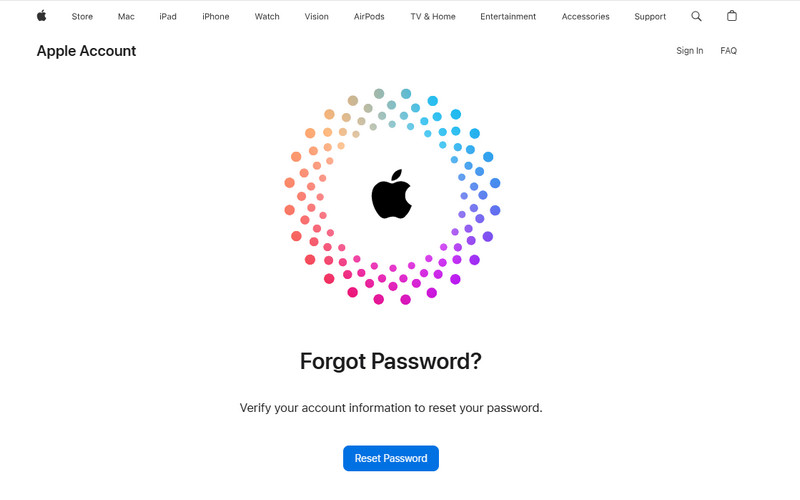
How many ways does iforgot.apple.com provide to Reset Apple ID password?
iForgot.apple.com mainly provides 3 main ways to reset your Apple Account password based on your available verification options: resetting the password with a trusted device or recovering your account when you cannot access a trusted device.
| Method | How It Works |
| Reset with a Trusted Device | Reset your password directly using a trusted iPhone, iPad, or Mac already signed in to your Apple Account. |
| Reset Without a Trusted Device | Reset your password using another Apple device, such as a new device, someone else’s iPhone/iPad, or an Apple Store device. |
| Account Recovery | Request account recovery when you cannot access your trusted devices or complete verification. |
When to use iforgot.apple.com?
- You have forgotten the Apple ID and password.
- You want to reset the password of your Apple account.
- Your Apple ID has been locked somehow.
- You suspect that your Apple Account password has been compromised.
- You cannot access your trusted device to verify your identity.
- It is for free so you don’t need to pay extra money to seek help from the Apple support center near you.
- It is endorsed by Apple so it is absolutely safe. There is no need to worry about permanently losing your Apple account data.
- The success rate depends because it requires you to provide some information that you may not remember.
- The process is relatively slow, and you need to be patient.
Part 2. How to Use iforgot.apple.com to Reset Apple ID [Each Explained]
Suppose you forgot your Apple ID password, and get a prompt message saying that your Apple ID has been locked for security reasons or this Apple ID has been disabled for security reasons because you have entered the wrong password too many times. In that case, you can go to the iforgot.apple.com site to reset your password, verify your identity, and unlock your Apple account.
1. Reset Apple Account Password with a Trusted Device
Here are steps about how to use iforgot.apple.com unlock:
Step 1. Go to iForgot.apple.com on your trusted browser.
Step 2. Click the Reset Password option to proceed. Then, enter your phone number and the characters to continue. If you cannot obtain a phone number, you can enter your email to use iforgot.apple.com unlock without phone number.
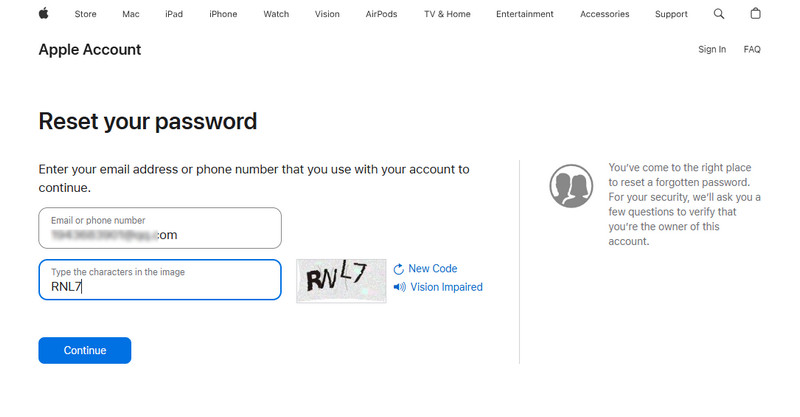
Tips: If you are signing with email, there is an additional step requiring you to verify your phone number.
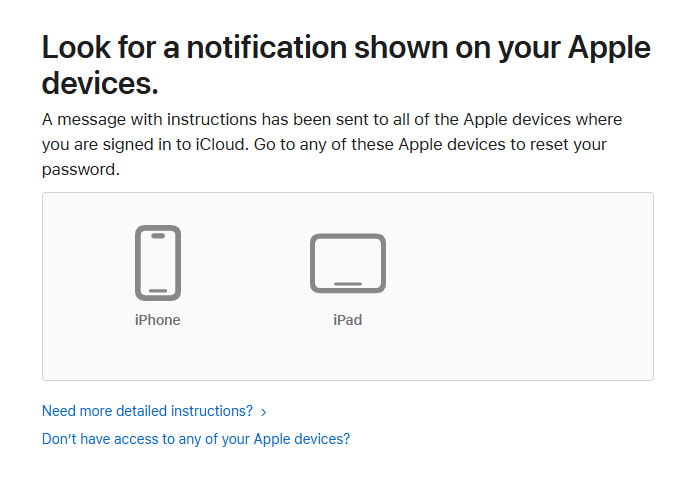
Step 3. You will see the trusted devices on the following page. Go to your trusted device and follow the onscreen instructions to reset your Apple Account password.
2. Reset Apple Account Password Without a Trusted Device
If you don't have a trusted device, don't worry. iforgot.apple.com also provide several ways on how to achieve iforgot Apple ID password reset via other devices:
Step 1. Enter your Apple Account and characters in the picture as usual.
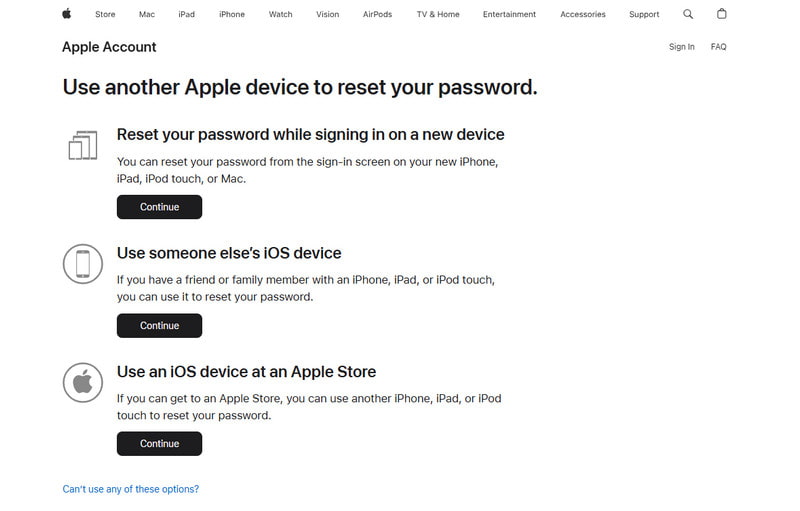
Step 2. On the trusted device page, click Don't have access to any of your Apple devices in blue.
Step 3. Then, iforgot.apple.com will provide you 3 alternative ways to reset your Apple Account password on other devices, including on a new device, on someone else's iOS device, and even on devices at an Apple Store. Click the Continue button, and you will see the detailed instructions.
3. Reset Apple Account Password via Account Recovery in iForgot
If you cannot reset your Apple Account password using a trusted device or complete the standard verification process, you can use Account Recovery in iForgot. During this process, Apple may ask you to provide a reachable phone number to receive recovery updates, even if it is different from your original trusted phone number.
Step 1. Continue from Step 3 in the previous method. Instead of clicking Continue, select Can't use any of these options? to proceed with Account Recovery.
Step 2. Follow the on-screen instructions to provide a reachable phone number for Apple to contact you about the account recovery request. Enter the verification code.
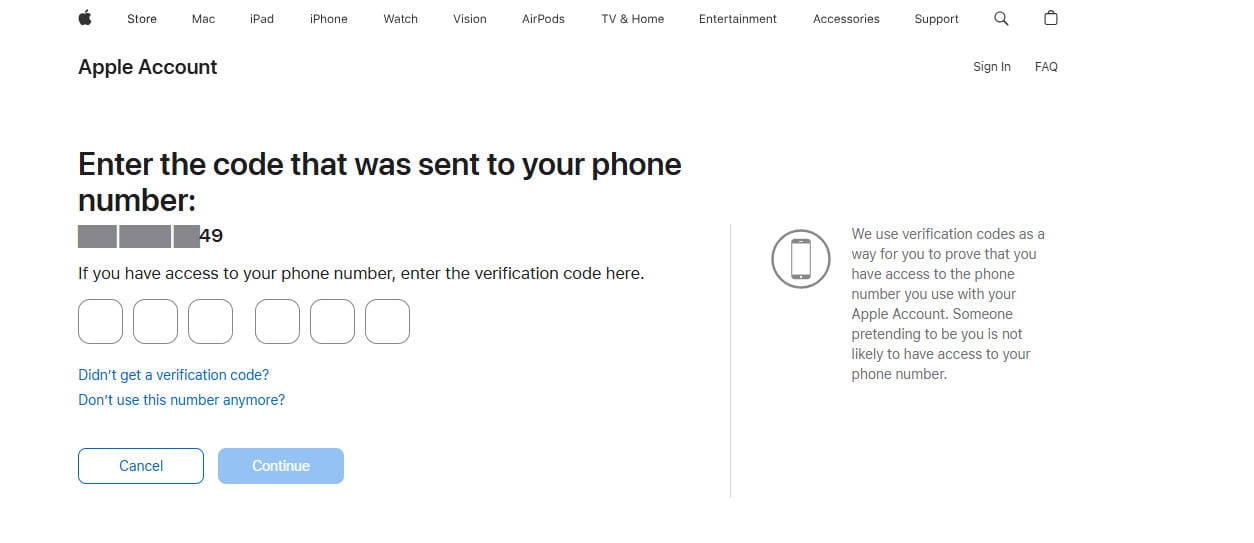
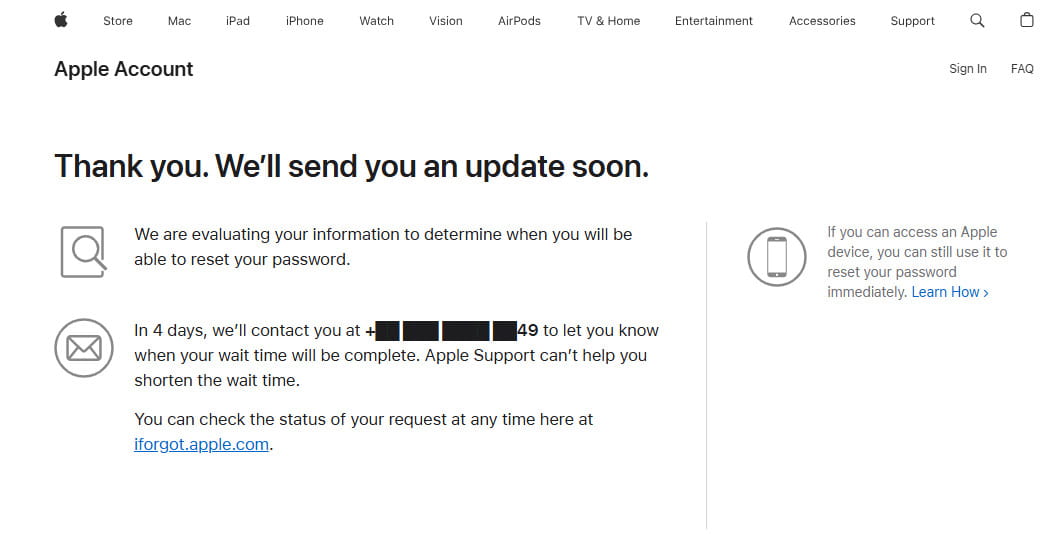
Step 3. Submit your account recovery request and wait for Apple to complete the verification process. The waiting time depends on your account situation.
Bonus: How to Remove Apple ID from iPhone Without Password
If you want to remove the Apple ID currently signed in on your iPhone, but cannot remove it because you forgot the password and you failed to use iforgot.apple.com. Can I unlock my Apple account without iforgot.apple.com? The answer is Yes! You can use a professional iOS unlocking tool, such as Apeaksoft iFoneKit iOS Unlocker, to remove the Apple ID from your device.

Downloaded by over 1,000,000 users
- Unlock and remove Apple ID without a password easily.
- Reset iCloud password and Apple ID with 100% security.
- Unlock iPhone screen lock, Face ID, Touch ID, and digital password.
- Compatible with both Mac and Windows.
- Support all iOS devices and versions (iOS 26/27 included).
Follow the steps below to learn how to unlock Apple ID without iforgot.apple.com unlock:
Step 1. You can click on the download button above to free download this iOS unlocker tool on your computer.
Step 2. Select the Remove Apple ID feature, and then you need to connect your iPhone to your computer with a USB cable.
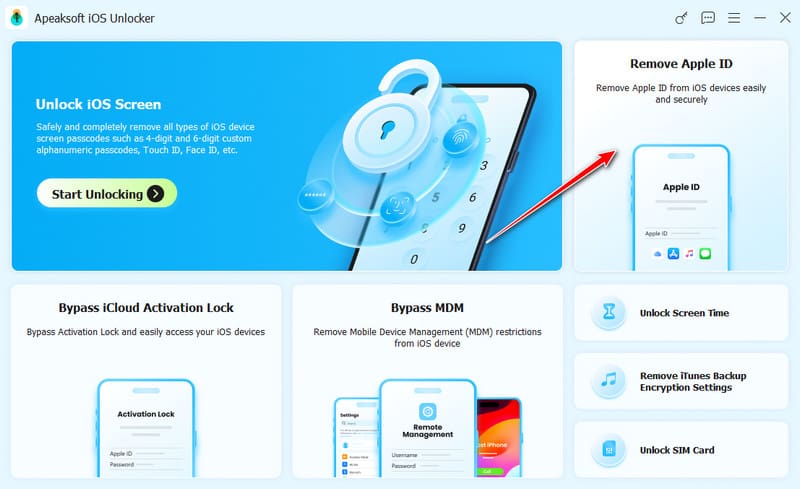
Step 3. Click on the Start button to remove your Apple ID and related password. If the Find My is disabled on your iPhone, it will finish the whole process without any other operations.
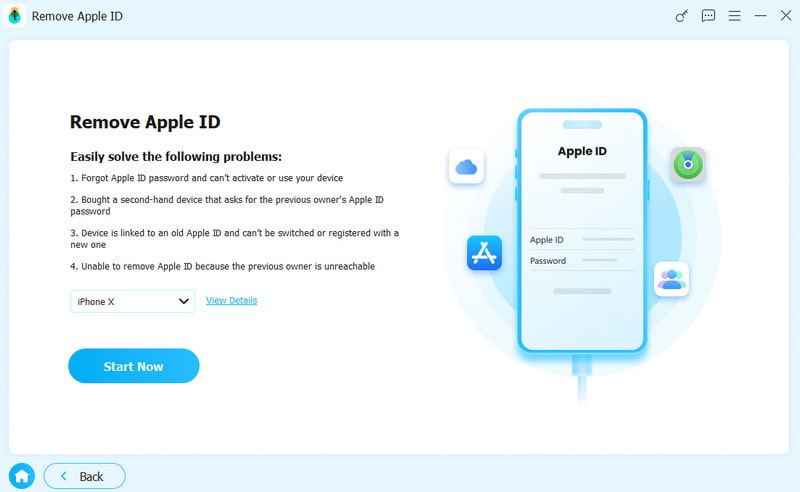
Step 4. If the Find My feature is enabled on your iOS device, you should follow the on-screen instructions to reset your iPhone. If the reset process fails, you can click the on-screen Retry button to reflash the device.
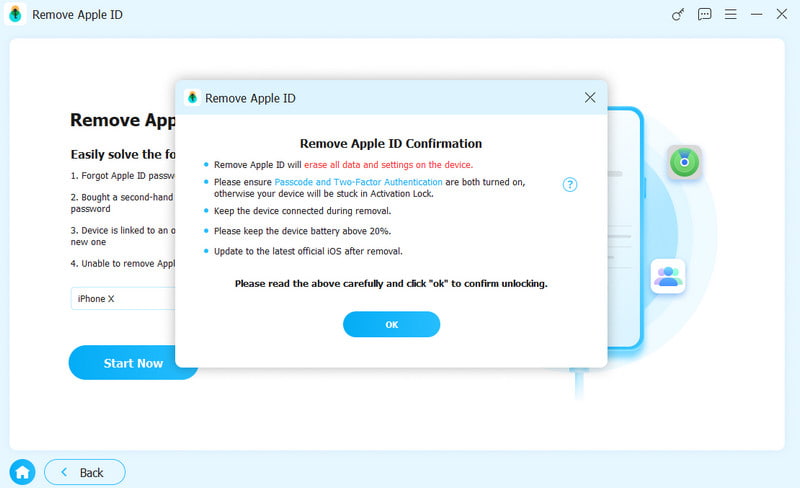
Tips: Apeaksoft iOS unlock also works when you want to have an iCloud password reset. And you should keep in mind that removing Apple ID will erase all data on your iOS device. So it is essential to manually backup iPhone.
Conclusion
This post provides a detailed guide on how to use the iforgot.apple.com website to unlock unlock Apple ID when your Apple ID is locked or disabled. Also, we have introduced a powerful iOS unlocker tool to help you solve a package of iOS issues, including resetting passwords without the help of the iForgot Apple ID, unlocking iPhone without passcode /Face ID, etc.
If you want to solve all your iOS problems with only one program, don't hesitate to download Apeaksoft iOS Unlocker for free!
 Apeaksoft iFoneKit
 Unlock all types of iOS passwords from iPhone, iPad and iPod.
Secure Download
Secure Download
Related Articles