How to Remove Activation Lock of iCloud in Safe Manners

iCloud Activation Lock is a security feature developed by Apple to prevent unauthorized access. However, if you forget your Apple ID and password, or purchased a second-hand device that is still linked to the previous owner, iCloud Activation Lock will hinder your normal usage on your own device.
That's when you need iCloud Activation Lock removal. This post summarizes several official ways to remove iCloud activation lock for free to regain access to your iPhone, iPad, or other Apple devices.
Disclaimer
You can only remove iCloud activation lock on your own device. iCloud Activation Lock removal from a stolen/lost device is not supported and may violate Apple's Terms of Service.
PAGE CONTENT:
- Part 1: What Is iCloud Activation Lock
- Part 2: Remove iCloud Activation Lock Using Apple ID and Password
- Part 3: Removing Activation Lock via iCloud (Remote Removal)
- Part 4: Reset Your Apple ID to Remove the Activation Lock
- Part 5: Asking Apple Support for iCloud Activation Lock Removal
- Bonus: How to Bypass iCloud Activation Lock Without Previous Owner
- Part 6: FAQs About iCloud Activation Lock Removal
Part 1: What Is iCloud Activation Lock
According to Apple Official, iCloud Activation Lock is a security feature to prevent unauthorized access to your lost or stolen iPhones, iPads, and other Apple devices. Apple introduced Activation Lock to protect your iOS devices from data and privacy leakage. If your iPhone gets stolen, your device is taken by others. However, with iCloud Activation Lock, a stolen device becomes nearly unusable without the correct Apple ID credentials. Therefore, it will at least protect your data and privacy, which could be more important than the device.
How iCloud Activation Lock Works
iCloud Activation Lock is enabled when you sign in with an Apple account and turn on Find My. After your device is erased or reset, the iCloud Activation Lock will be triggered, and you need to enter the linked Apple ID and password to get into your device. Keep in mind that resetting an iPhone does not remove Activation Lock.
How to Check If a Device Has iCloud Activation Lock
Before iCloud activation lock removal or purchasing a second-hand iPhone or iPad, you should check if iCloud Activation Lock is enabled.
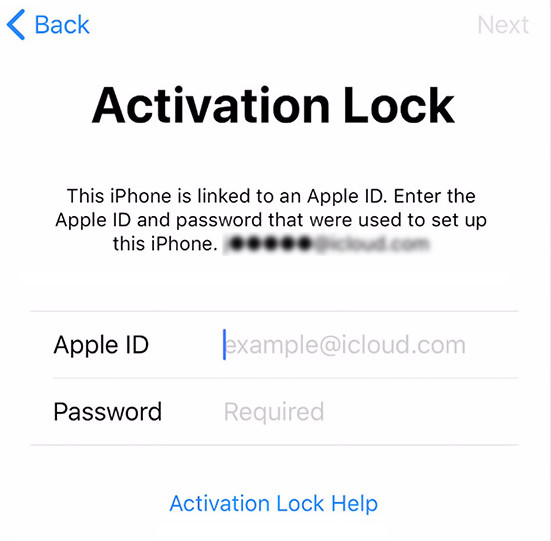
Turn on the device. If it asks for an Apple ID and password, Activation Lock is enabled. If the device prompts you to set it up as new, then the Activation Lock is disabled.
If you are going to buy a second-hand iPhone, you can ask the seller to disable Find My iPhone and remove the device from their iCloud account before you purchase it. Otherwise, you'll need iCloud Activation Lock removal to access the device.
Part 2: Remove iCloud Activation Lock Using Apple ID and Password
The simplest way to delete iCloud Activation Lock is by entering the iCloud-combined Apple ID and password associated with the device. If you own the device and remember the credentials, follow these steps to do Apple Activation Lock removal.
Turn on the device. Enter your Apple ID and password when prompted. Once authenticated, Activation Lock removal is done, and you can set up your device.
Part 3: Removing Activation Lock via iCloud (Remote Removal)
If you are going to sell or give away your iOS device but forget to delete iCloud Activation Lock on your device, you can disable Activation Lock remotely. If you purchased a second-hand device that is still linked to the previous owner's Apple Account, you can ask the previous owner to follow the same steps to help you remove iCloud Activation Lock remotely.
Step 1. Go to iCloud.com and sign in with your Apple ID. Click Find My.
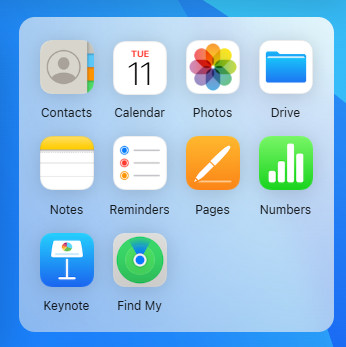
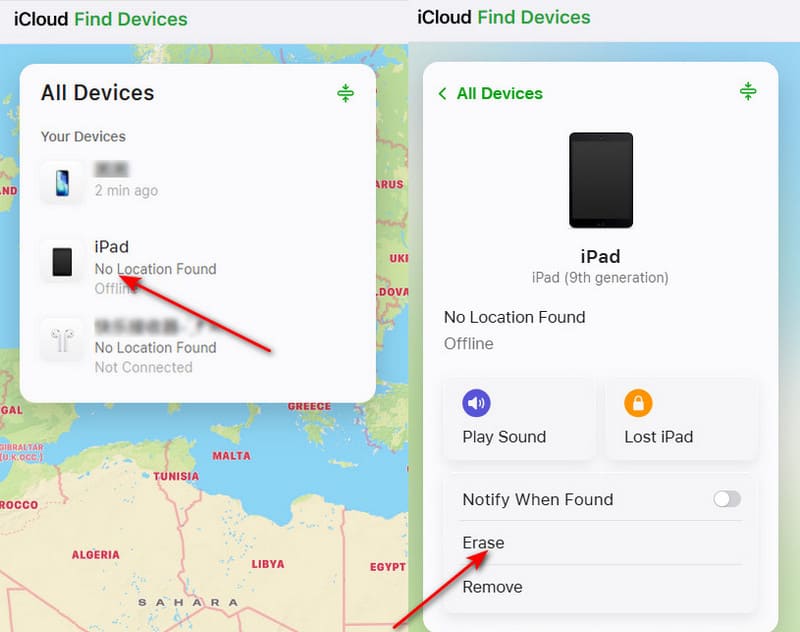
Step 2. Select All Devices and choose the device you want to remove. Since Apple requires you to erase the device first and then remove it from your account to fully disable Activation Lock, you need to click Erase to erase your the device. Then, click Remove to completely delete Activation Lock.
Part 4: Reset Your Apple ID to Remove the Activation Lock
If you forgot your Apple ID password , you can you can reset your Apple Account password to regain access to your account and then use it to remove Activation Lock.
Step 1. Click Activation Lock Help from the activation lock screen on your device.
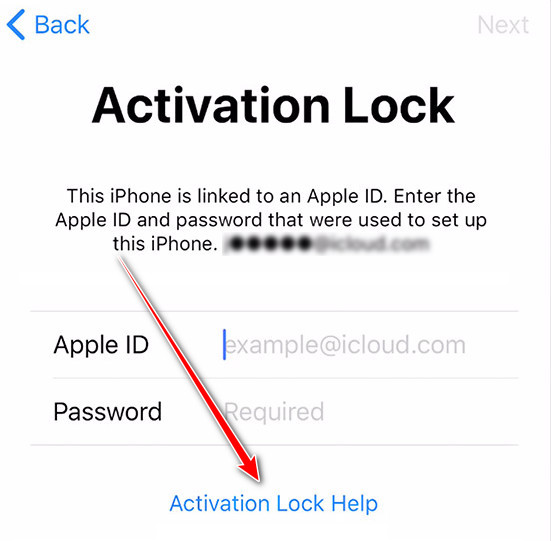
Step 2. You will be lead to the official page. Here, you need to click Reset your password at iForgot.
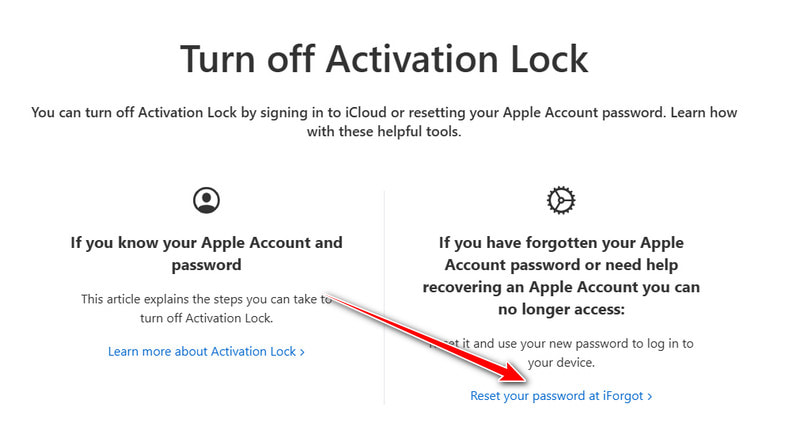
Step 3. Follow the onscreen instructions to reset your Apple ID password using a trusted device, email, or phone number.
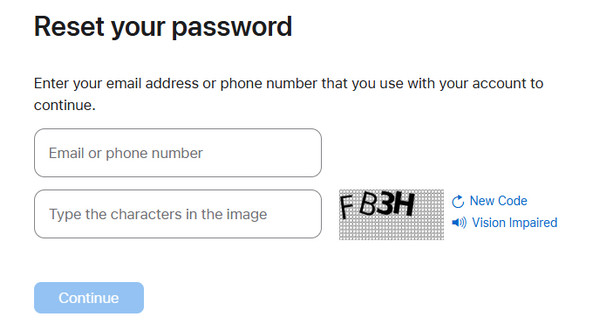
Step 4. Keep your new Apple ID password in mind and use it to get rid of the iCloud activation lock.
Part 5: Asking Apple Support for iCloud Activation Lock Removal
If you forgot your Apple ID credentials and can’t regain access, you can contact Apple Support for assistance. You will need to provide proof of purchase (such as a receipt) to verify that you are the rightful owner.
Step 1. Also click Activation Lock Help on your device to visit Apple's Activation Lock Support page to submit a request and provide proof of your ownership.
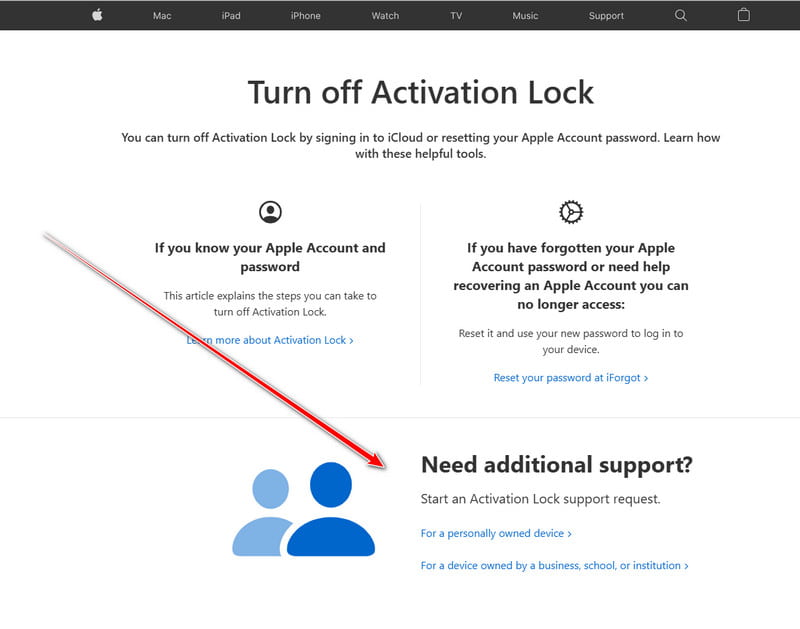
Step 2. Apple will review the request and may delete Activation Lock if they verify your ownership information.
Bonus: How to Bypass iCloud Activation Lock Without Previous Owner
If you forget your Apple ID password, you can go to iforgot.apple.com and follow the instructions to reset your password using your combined email or security questions. If you forget your Apple ID, go to Apple's Find Your ID page and enter your personal details to retrieve your Apple ID.
If you cannot get your Apple ID or password, how can you remove the iCloud Activation Lock? Maybe you can try bypassing iCloud Activation Lock. Apeaksoft iFoneKit iOS Unlocker offers a powerful ability to do that. When you get a second-hand iOS device, this program is your best resort to remove unnecessary and annoying restrictions.

Downloaded by over 1,000,000 users
- Bypass the iCloud Activation Lock without Apple ID or password.
- Get rid of iCloud lock without previous owner.
- Connect your iPhone to your computer to bypass Activation Lock.
- Remove Apple ID and password or screen passcode on iOS devices.
Secure Download
Secure Download
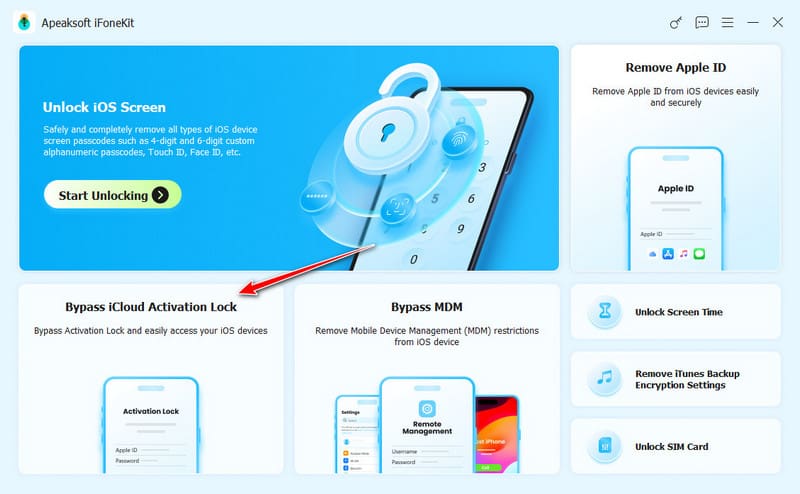
Step 1. Download and install Apeaksoft iFoneKit iOS Unlocker and launch it. Connect your iPhone to your computer. Then, click the Bypass iCloud Activation Lock button.
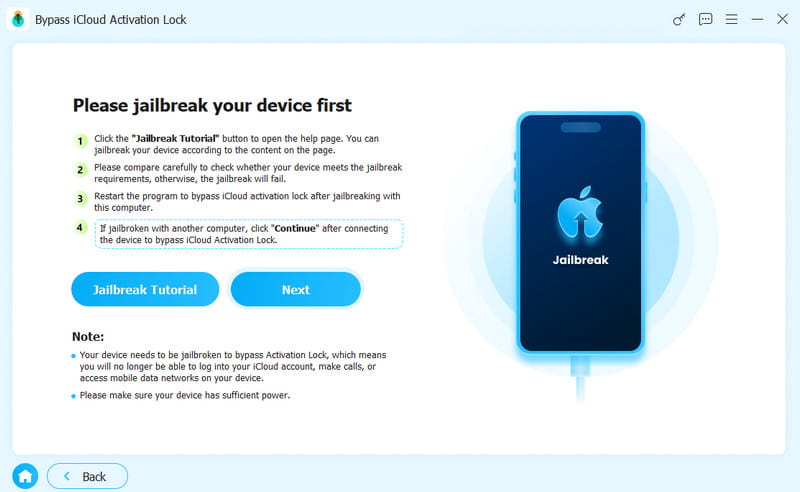
Step 2. Then, follow the on-screen guide to jailbreak your iPhone or other iOS devices.
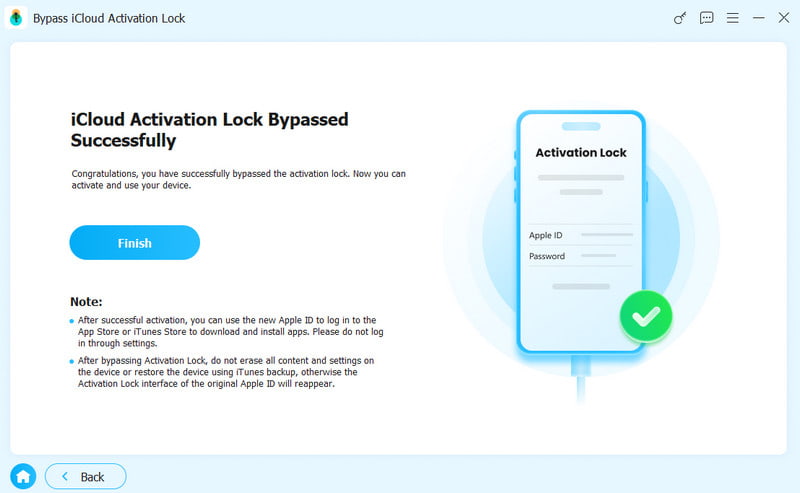
Step 3. Finally, you just need to click the Start Bypassing Activation button to delete iCloud Activation Lock on your iOS device.
Part 6: FAQs About iCloud Activation Lock Removal
How to Remove iCloud Activation Lock on Apple Watch?
If you need to remove Activation Lock on an Apple Watch, you can keep your Apple Watch and iPhone close together. Then, open the Watch app on the iPhone. Then, go to the My Watch tab and tap All Watches at the top. Then, tap the info button next to your Apple Watch. Select Unpair Apple Watch and confirm. Then, enter your Apple ID password to delete iCloud Activation Lock.
Can I bypass Activation Lock without an Apple ID?
Officially, the linked Apple Account credentials are needed to remove Activation Lock. If you cannot access your account, some third-party tools such as Apeaksoft iFoneKit iOS Unlocker provide an alternative way to help you bypass Activation Lock on supported devices.
Does factory reset remove Activation Lock?
No. Factory resetting an iPhone only erases data and settings. Activation Lock remains enabled until the device is removed from the linked Apple Account.
Conclusion
iCloud Activation Lock is a powerful security feature that protects Apple devices from theft and unauthorized access. If you are the owner of your iOS device and need to bypass Activation Lock, you can use the official methods offered above, such as entering your Apple ID credentials, removing the device via iCloud, or contacting Apple Support. If you're purchasing a second-hand device, always ensure the Activation Lock is disabled before completing the purchase.
If you have no way to do an iCloud Activation Lock removal, you can use Apeaksoft iOS Unlocker. It is the ultimate solution to delete iCloud Activation Lock when you cannot know your Apple ID and password.
 Apeaksoft iFoneKit
 Unlock all types of iOS passwords from iPhone, iPad and iPod.
Secure Download
Secure Download
Related Articles