

5 Best Pro and Free Seagate Hard Drive Data Recovery Tools

Seagate hard drives are portable devices produced by Seagate Technology Holdings, which is an American data storage manufacture. It offers a range of external hard drives for various needs, from portable to desktop, from backup to file transfer. If you lose data from your Seagate drive that is so important for your work or life, a Seagate data recovery software program will be helpful. This article identifies the top list.
PAGE CONTENT:
Part 1: Comparison of the Best Seagate Hard Drive Data Recovery Software
Methodology
We researched the most popular data recovery software and identified the programs that supported Seagate hard drives. Then, we tested them in our lab and collected hundreds of users’ reports. When we tested the best Seagate hard disk data recovery software, we focused on a few factors, like the price, supported file systems, compatible file formats, success rate, interface, and more.
| Price | Supported Drives | Success Rate | |
| Apeaksoft Data Recovery | $22.45 monthly, $55.96 yearly, $71.96 lifetime | All Seagate hard drives, SSDs, HDDs, memory cards, USB flash drives, etc. | 98.7% |
| Rescue Data Recovery Service | Depending on your device and files | Latest Seagate hard drives | 96.5% |
| Recuva | Free $24.95 yearly | Latest Seagate hard drives | 95.4% |
| TestDisk | Free | Most Seagate hard drives | 92.5% |
| Windows File Recovery | Free | New Seagate hard drives | 90.2% |
Part 2: Top 5 Seagate HDD Recovery Services
Top 1: Apeaksoft Data Recovery
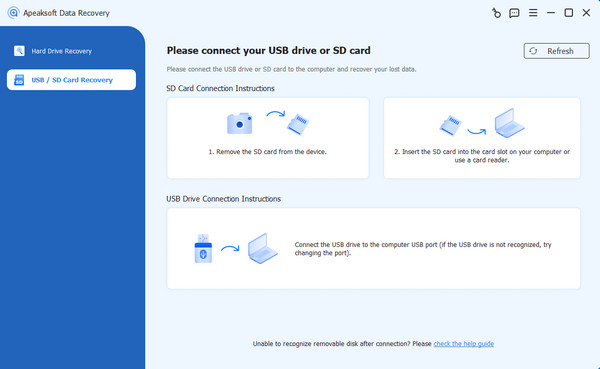
Apeaksoft Data Recovery is one of the best Seagate hard disk data recovery software. It can scan any hard disk and look for lost and deleted data quickly. Moreover, the intuitive interface simplifies the workflow.
- Retrieve data from Seagate hard disks.
- Preview lost data on Seagate drives.
- Support hundreds of file types and formats.
- Work on NTFS, FAT, exFAT, EXT, etc.
- Available for file deletion, formatting or damaged disks.
- It takes a while if you have lots of data on your drive.
Top 2: Rescue Data Recovery
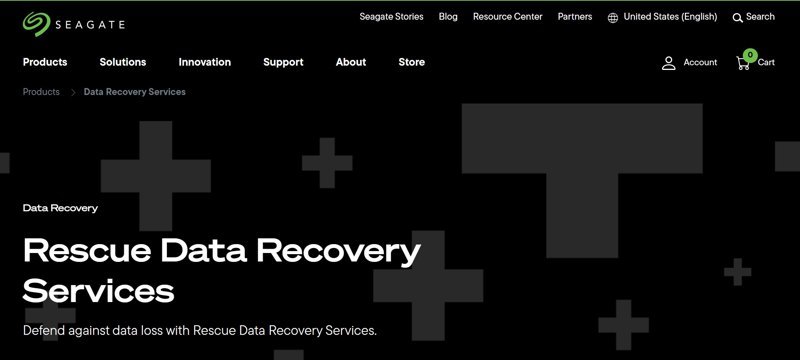
Seagate Rescue Data Recovery Services is the official data recovery service for Seagate customers. Most Seagate drives now include data recovery services. You can send your drives to the service if your data is lost.
- Recover data from corrupted or damaged devices.
- Available to Seagate HDDs, SSDs, or flash drives.
- Save recovered data on an encrypted storage device.
- Return the damaged drive in the mail.
- The turnaround time is typically 30 business days.
- You must ship your hard drive.
Top 3: Recuva
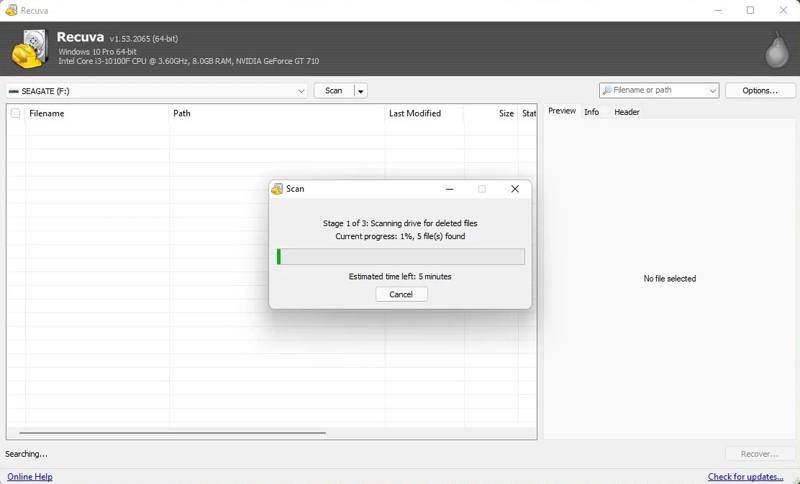
Recuva is a flexible Seagate HDD data recovery program. If you recently lost important files on your Seagate hard drive, Recuva is a low-cost solution. The onscreen instructions guide users to restore files in a series of simple steps.
- Incredibly affordable.
- Easy to use.
- Offer a good Seagate HDD recovery.
- Provide a free version with limits.
- It may fail to restore SSD files.
- It cannot recover as many files as its competitors.
Top 4: TestDisk
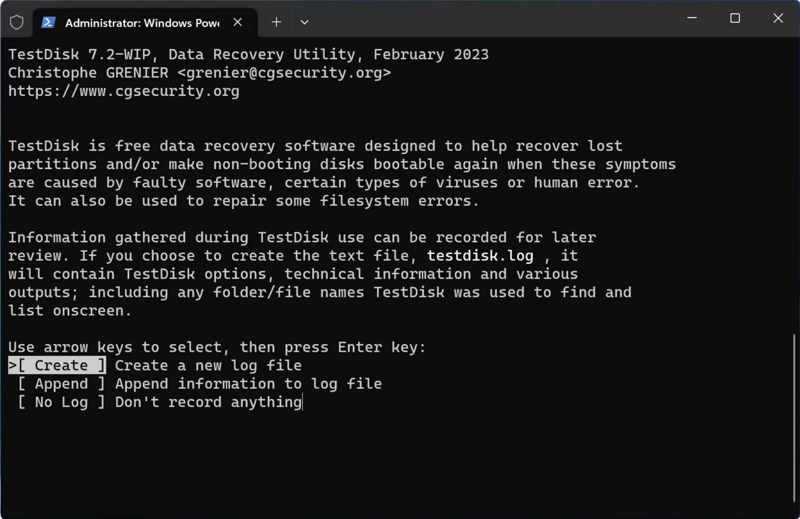
TestDisk is an open-source Seagate external drive data recovery application on Windows, macOS, and Linux. Due to the command-line design, it is widely used among tech-savvy individuals. However, the portable design makes it popular.
- Completely free and open source.
- Repair Seagate hard drives.
- Work on multiple operating systems.
- Lightweight and portable.
- The text-based interface is not friendly to beginners.
- It lacks a preview or filter.
Top 5: Windows File Recovery
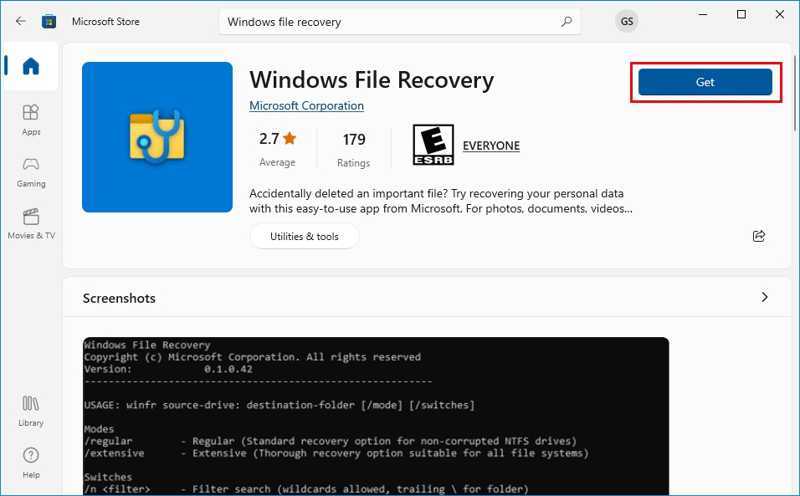
Windows File Recovery is another free data recovery software for Seagate file recovery on Windows 11/10. It was released by Microsoft in 2020 and designed for data recovery from Seagate drives on PCs.
- Recover data from Seagate quickly.
- Retrieve recently deleted files on NTFS.
- Offer multiple modes for different situations.
- Free of charge.
- Users cannot preview lost files.
- The Signature scan is weak.
Part 3: How to Recover Data from Seagate HDD
Step 1. Install the Seagate data recovery tool
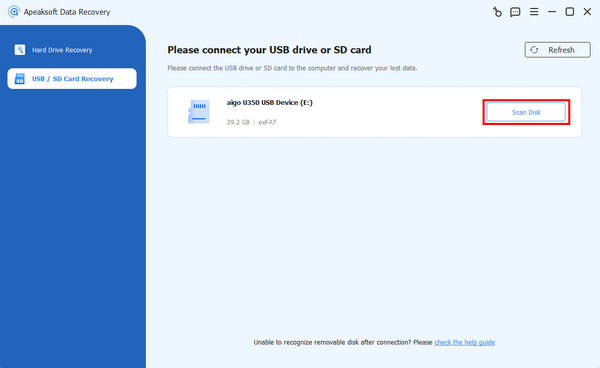
Download and install a Seagate data recovery tool on your computer, such as Apeaksoft Data Recovery. Connect your Seagate hard drive to your computer. Go to the USB / SD Card Recover tab. To recover data from an internal hard drive, choose Hard Drive Recovery.
Step 2. Preview lost data
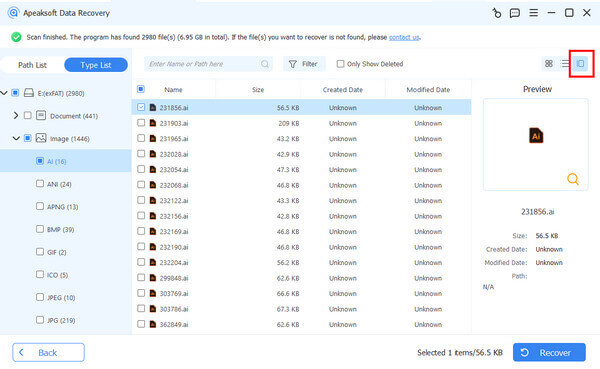
Select the Seagate drive from the list, and click Scan Disk. Wait for the process to finish and preview your files. You can go to Type List to view files by type or Path List to find files by directory.
Step 3. Recover the Seagate drive
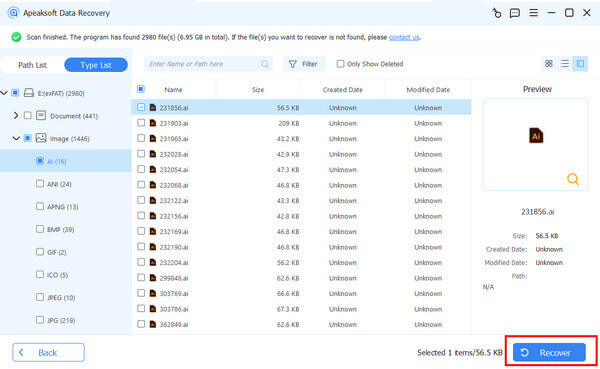
Finally, select the files you want to retrieve and click the Recover button. Set an output folder and confirm Seagate drive recovery.
Conclusion
This article reviewed the top 5 recovery tools for Seagate, including Rescue Data Recovery Services. Some of them are free to use, while others offer advanced features after you purchase a license. Apeaksoft Data Recovery, for example, offers a cost-effective solution for data recovery on Seagate hard drives.
Related Articles




