

FonePaw iPhone Data Recovery: Everything You Need to Know

FonePaw iPhone Data Recovery can be very helpful if you lose valuable data on an iPhone, especially when there are precious photos, messages, or documents involved. Fortunately, FonePaw iPhone Data Recovery offers a practical way to retrieve deleted or lost data directly from your device or backup. This guide provides a comprehensive look into how FonePaw iPhone Data Recovery works, a detailed FonePaw iPhone Data Recovery review, the detailed recovery process, and a reliable alternative tool worth considering in 2026.
PAGE CONTENT:
Part 1: A Basic Introduction to FonePaw iPhone Data Recovery
Designed to help users restore deleted or lost data from iPhones, FonePaw iPhone Data Recovery supports recovering photos, messages, contacts, notes, and more. As a reliable data recovery solution, it stands out for its intuitive interface and broad compatibility with various iOS versions. Before getting into its features and recovery performance, it's essential to understand how this program operates and what kinds of data it can retrieve.
No matter what device you are using, Windows, Mac, or iPhone, FonePaw iPhone Data Recovery offers the appropriate version for all of them. You can give it a try in a free trial to see if it can successfully fix the problem with your device, so as to determine whether you need to make a purchase. Regarding its pricing plans, you can choose from three options: $49.95 per month, $55.97 per year, and $66.47 for a lifetime.
Part 2: Pros & Cons: How Does FonePaw iPhone Data Recovery Perform
In short, if you are looking for a professional tool that can help you successfully solve potential problems with your equipment, then FonePaw iPhone Data Recovery. For those users who wish to gain a deeper understanding of the various features of this tool for reference purposes, you can read this section to learn about its advantages and disadvantages.
As its most powerful feature, FonePaw iPhone Data Recovery offers three practical recovery modes (direct device, iTunes, iCloud), allowing users preview files before recovery to avoid unnecessary restores. During this process, you don't need to worry about the issue of compatibility, as it works seamlessly with nearly all iOS versions and iPhone models, requiring no technical expertise.
Yet, like any software, it has distinct strengths and drawbacks worth weighing before purchase. In the first place, although a free trial is offered, it only allows scanning and previewing without actual recovery. And when you purchase a single-device licenses, it turns out that they are restrictive for multi-device users. Despite these factors, its pricing is slightly higher than some budget-friendly alternatives on the market. Therefore, while remaining a trust-worthy workout plan, many users hesitate to decide whether it is worth buying.
Part 3: The Steps to Recover Data with FonePaw iPhone Data Recovery
Recovering lost iPhone data using FonePaw iPhone Data Recovery is a simple process once you're familiar with the steps. Whether recovering directly from your device, an iTunes backup, or iCloud, the software guides you through each stage. Not like many free iPhone data recovery software that lack details, you can connect your iPhone to scan and preview files before restoring them. In this section, the complete procedure will be explained in detail to ensure a smooth and successful recovery experience.
Step 1. Download FonePaw iPhone Data Recovery from the official website. Once the process of downloading is done, open the file to install the software. Click Start Now to proceed.

Step 2. Launch FonePaw iPhone Data Recovery on your device and connect your iPhone to it using a USB cable. Tap Trust this computer on your iPhone. Then, click Start Scan to scan your iPhone.
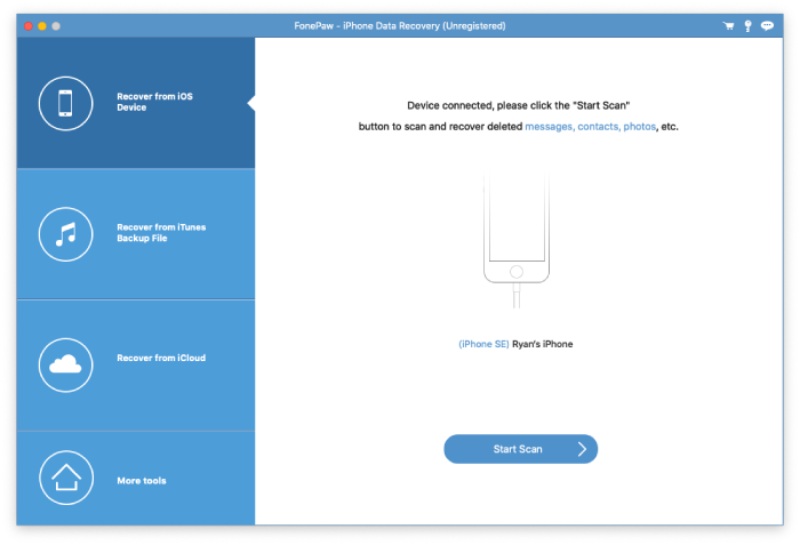
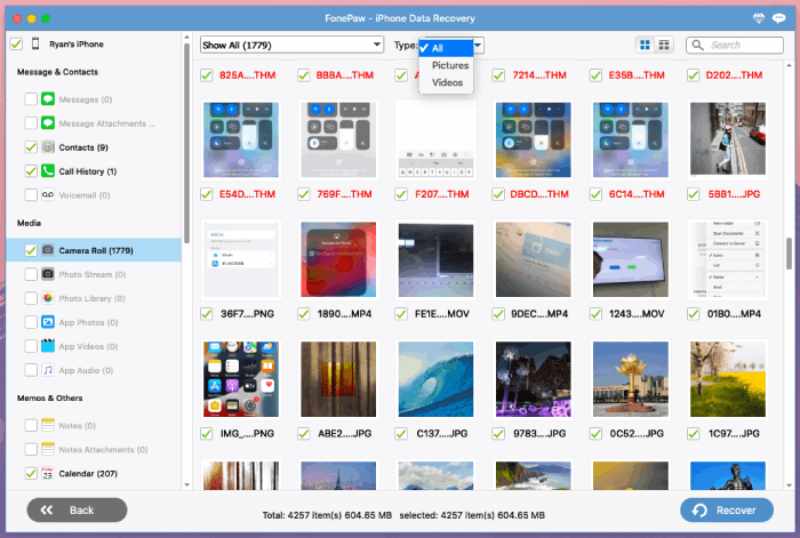
Step 3. After a short time of scanning, all the files and folders will be displayed on the main interface. You can click to select the data you want to recover on your iPhone. Then, click Recover.
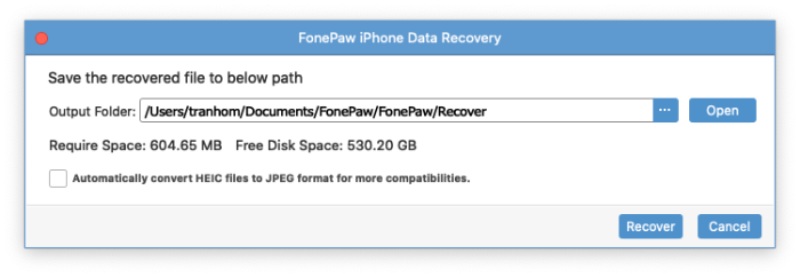
Step 4. A new window will pop up, and you can click More to select an output folder for the data retrieved. Click Recover and wait for the process. The data will be recovered and saved in the output folder you choose.
Part 4: A Powerful Alternative to FonePaw iPhone Data Recovery
While FonePaw iPhone Data Recovery is an effective tool for specific data issues, it still lacks efficiency and more advanced options. Therefore, some users are searching for a faster, more stable, or feature-rich option. And Apeaksoft iPhone Data Recovery stands out as a good option. Whether you want broader device support, higher recovery rates, or an optimized interface, they're all concluded. This alternative offers a seamless experience for those seeking dependable and efficient data recovery across different iOS devices.
Step 1. Download the installation package of Apeaksoft iPhone Data Recovery from the official website. Once finished, install it to proceed.
Secure Download
Secure Download
Step 2. Launch Apeaksoft iPhone Data Recovery on your device and connect your iPhone to it using a USB cable. Make sure the connection is stable.
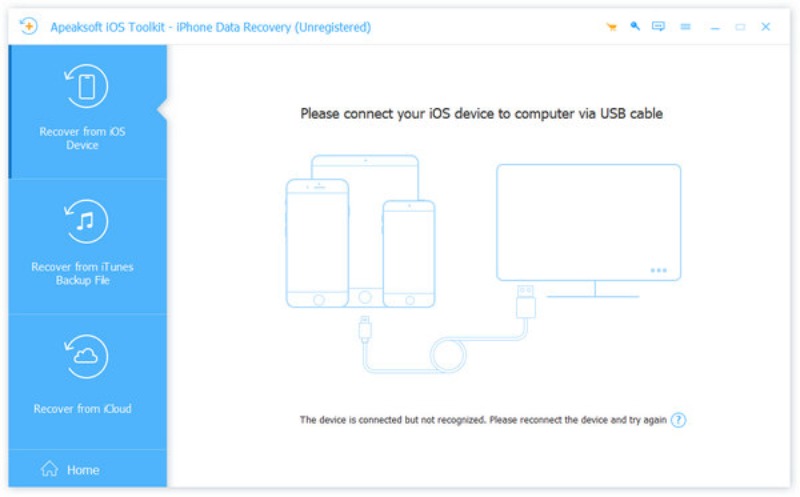
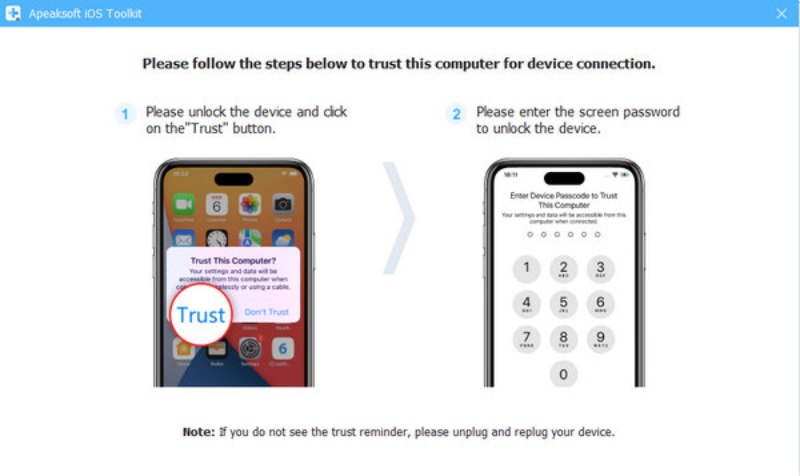
Step 3. You will receive a pop-up window on your iPhone. Tap Trust and then enter your screen passcode to make sure the content is accessible to your computer.
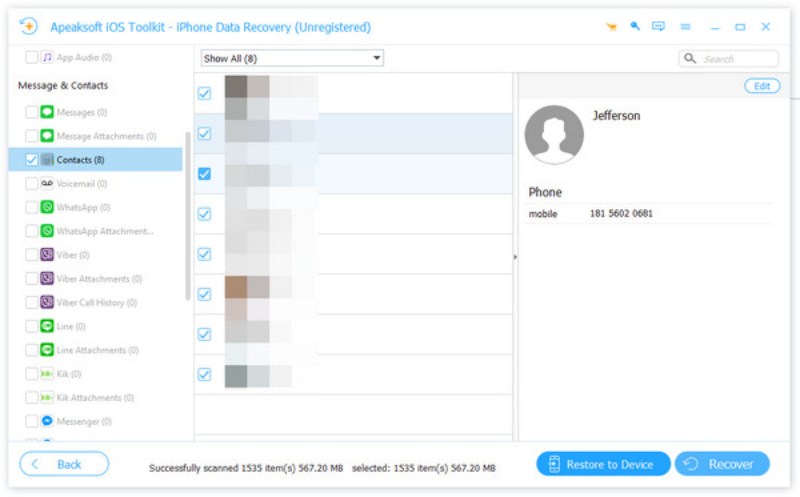
Step 4. When you finish the preparation, click Start Scan on the main interface of Apeaksoft iPhone Data Recovery. After the deep scanning, all data from your iPhone will be displayed. Click to select the lost data you want to recover on your iPhone. Then, click Recover.
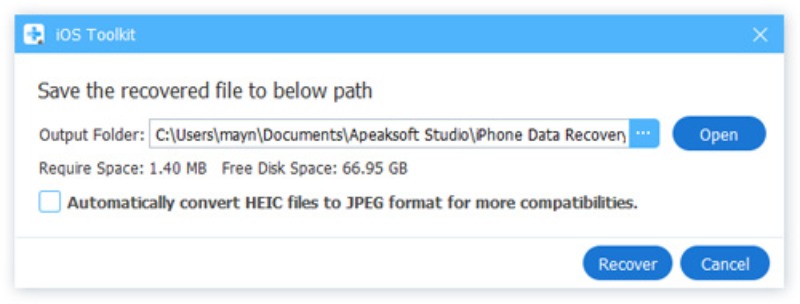
Step 5. You will be asked to choose an output folder for your recovered data. Click More to select the destination. Finally, click Recover and wait for the process of recovering your data from the iPhone to succeed.
Tips: You can also restore iPhone from previous backup with Apeaksoft iPhone Data Recovery.
Conclusion
While data loss can cause a lot of problems, FonePaw iPhone Data Recovery is capable of getting all the critical data back on track by restoring it. However, for users looking for a more comprehensive and reliable solution, Apeaksoft iPhone Data Recovery stands out as a powerful alternative, ensuring that essential data can always be recovered safely and efficiently.
Related Articles




