
Detailed Review of FRP Mobile Tech FRP Bypass for Android

After you factory reset your Android phone, you only find that Google keeps asking for account verification, and you can't use any features of your Android because of this Google Account lock, which is also called FRP. You may notice Direct Open FRP Mobiletech when you search for solutions online.
Is it reliable to remove the Google lock? Please check this detailed review of Mobile Tech FRP, and then you can use it easily or change to other methods if it doesn't suit you.
PAGE CONTENT:
Part 1: What Can Direct Open FRP Mobiletech Do?
Direct Open FRP Mobiletech is a website that offers sets of FRP bypassing tools and download resources that help you remove FRP on your Android phone. It mainly targets Samsung phones. What you need to do is to follow the prompts on the website to install the required apps or desktop programs, and then the on-screen tutorials of Direct Open FRP Mobiletech can teach you how to remove the Google Account lock.
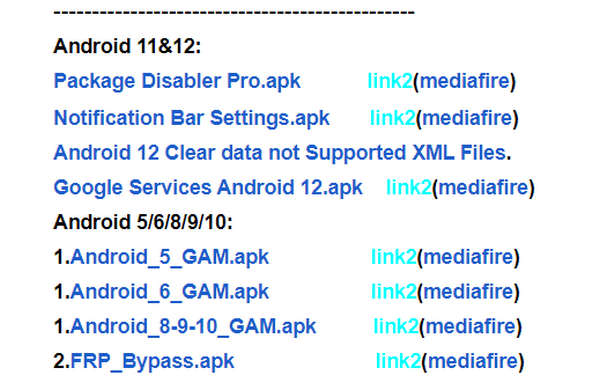
What you should pay attention to is that Direct Open FRP Bypass doesn't have its own app or program, for it only collects third-party apps and programs for FRP removal. For example, you can also notice SamFw FRP and TFT Unlock on the website. Therefore, you don't need to search for an official app or program of Mobile Tech FRP.
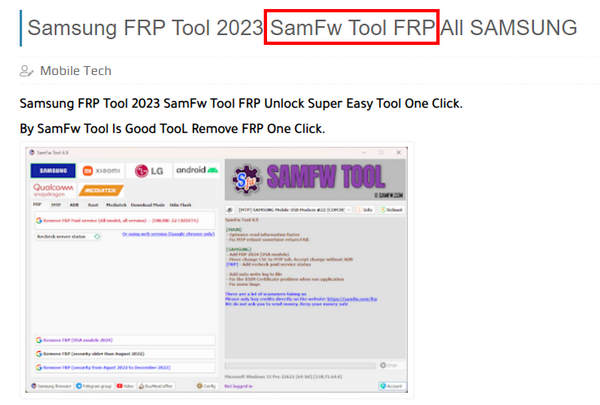
Part 2: Detailed Review of Direct Open FRP Mobiletech
To conduct a comprehensive and fair assessment of Direct Open FRP Mobiletech, we tested all the recommended FRP bypassing methods on multiple Android devices running different Android versions and security patch levels. We mainly focus on the user experience, compatibility, ease of use, and overall success rate.
- Test devices: Samsung Galaxy A15 (Android 14), Samsung Galaxy S22 (Android 13), OPPO A78 (Android 14), vivo Y28 (Android 13)
- Security patch: Latest available security updates
- FRP status: Google FRP lock after factory reset
- Test rounds: 2 rounds per device
It's a good choice to use Direct Open FRP Mobiletech, for the developer keeps offering practical apps and programs with updates to Android OS versions. You can find FRP bypass tools supporting Android 11/12. However, there are also some drawbacks to the Direct Open FRP Bypass. It doesn't offer enough apps and files for newer Android OS versions, and there are not enough tutorials for FRP bypass apps. Fortunately, Direct Open FRP Mobiletech offers specific guides to desktop programs.
Main Features of Direct Open Mobiletech
• Direct Open FRP Mobiletech offers third-party apps and programs to unlock FRP.
• It provides solutions to fix Android debugging failures when you remove FRP.
• If your Android phone has other restrictions, Direct Open FRP Bypass can also help you unlock Android SIM, network, Knox, and other minor tech tips about mobile phones, which allows you to use your phone with ease.
- It gathers multiple FRP bypass tools in one place, so you don't have to search across different forums.
- It offers detailed guides to FRP removal for different APKs that are relatively easy to follow.
- Most Direct Open FRP Mobiletech downloads are free to access.
- It also offers many practical troubleshooting tips for Android users.
- Based on our tests, its support for newer Android versions was limited.
- The website doesn't clearly indicate which method is best for a specific device. So you need to try the methods one by one.
- It isn't very easy for beginners to use the files.
- The success rate is not guaranteed.
Test Results at a Glance
| Device | Android Version | Result | Notes |
| Samsung Galaxy S22 | Android 13 | Success | FRP removed successfully. |
| Samsung Galaxy A15 | Android 14 | Failed | Unable to access Settings after installation. |
| OPPO A78 | Android 14 | Failed | Device was not detected. |
| vivo Y28 | Android 13 | Success | FRP removed successfully. |
*We tested the FRP Bypass APK + Apex Launcher method recommended by Direct Open FRP Mobiletech.
Part 3: How to Use Direct Open FRP Mobiletech
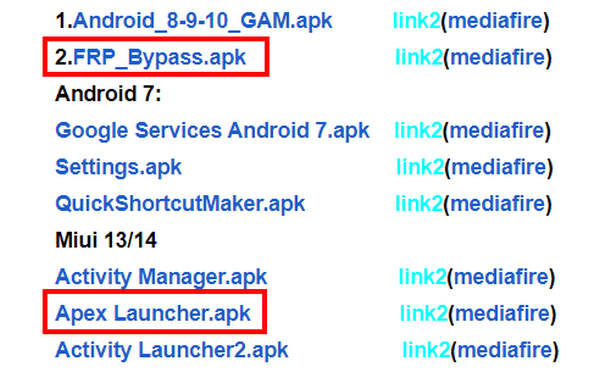
If you want to use the apps on Direct Open FRP Mobiletech, you should download Apex Launcher APK and FRP Bypass APK. However, you can see that the two apps are classified into different OS groups, which is confusing for beginners and also decreases the effectiveness of bypassing FRP on newer Android versions.
After you install the two apps, you only need to launch them and then follow the on-screen prompts to set them up. Finally, restart your Android phone to remove FRP with Direct Open FRP Mobiletech. Then, you can restore the Android phone without restrictions.
Part 4: Powerful and Reliable Alternative to Mobiletech to Bypass FRP
Since Direct Open FRP Mobiletech is complicated to use and has less support for newer Android versions, why not change to a better solution to unlock FRP? Apeaksoft DroidAide Android Unlocker can remove FRP very quickly with only a USB cable while supporting all Android OS versions.

Downloaded by over 1,000,000 users
- Bypass FRP on Android easily and quickly.
- Clear and unified guide to bypass the FRP lock.
- Support most popular Android models.
- Support the latest Android 17.
- Intuitive and easy-to-follow operations.
- 24/7 official customer support.
Secure Download
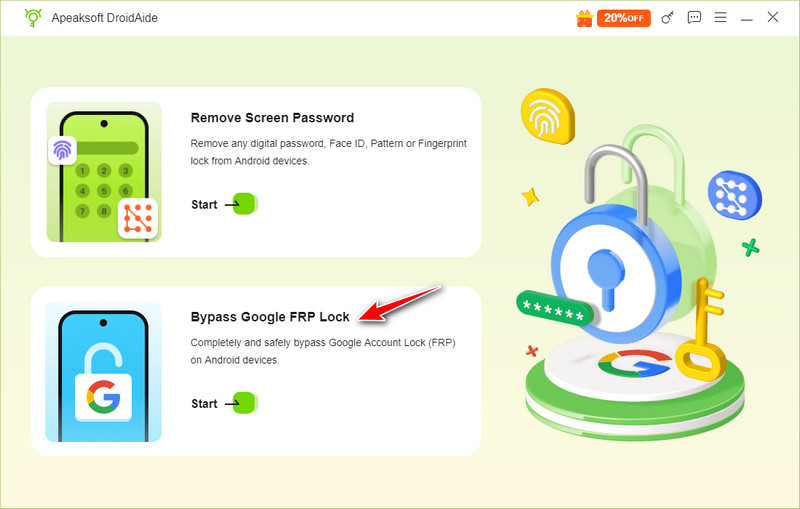
Step 1. Get Apeaksoft Android Unlocker from the button above. Launch it and select the Bypass Google FRP Lock option on the main interface.
Step 2. Connect your device to the computer with a USB cable, check your phone’s model, and then click Bypass Now.
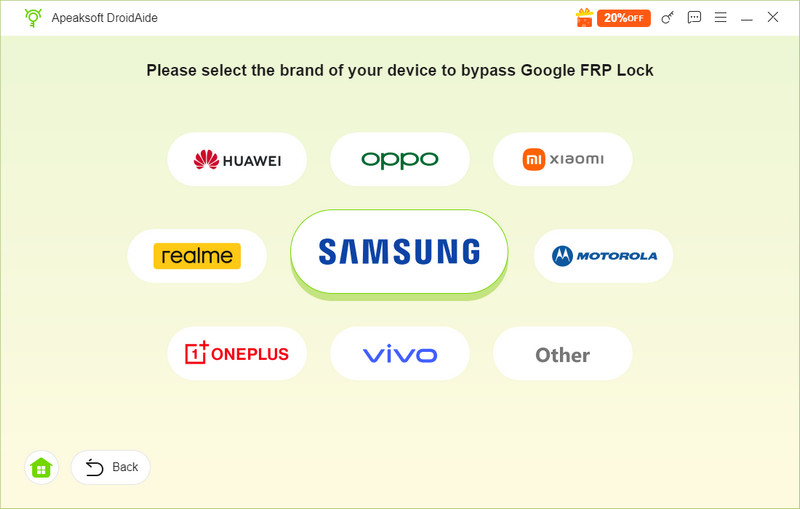
Tips: Usually, the software will automatically recognize your phone’s brand.
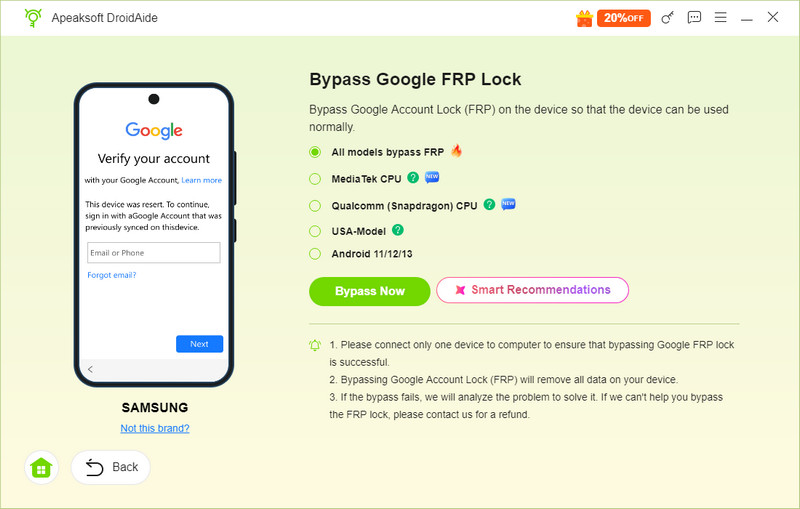
Step 3. Read the precautions on the following page and press the Bypass Now button to confirm.
Step 4. Then, the software will start to configure the environment automatically. All you need to do is wait patiently.
If you are a Samsung user, you should follow the on-screen instructions to enable Samsung debugging mode.
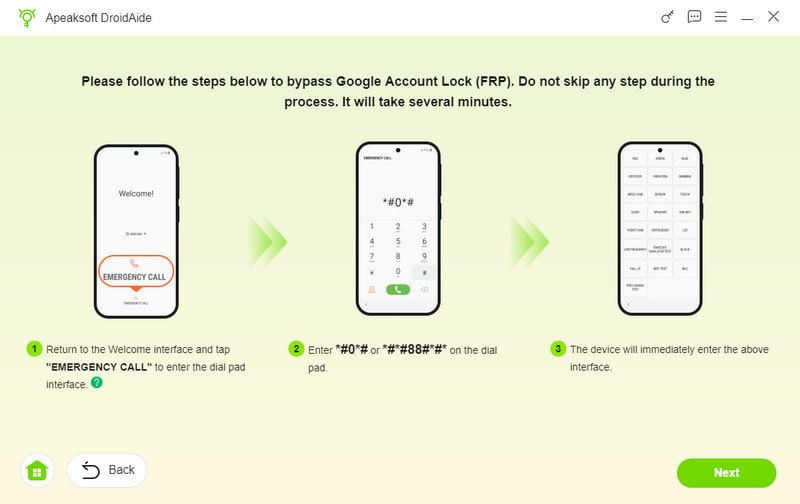
Then, follow the instructions on the screen to activate your device. The FRP lock will be removed soon.
Comparison Between Mobiletech Solution and Apeaksoft DroidAide Android Unlocker
| Dimension | Mobiletech Solution | Apeaksoft DroidAide Android Unlocker |
| Feature | Bypass the Google FRP | Bypass the Google FRP and unlock Android screen |
| Source | Online integrated APK | Apeaksoft’s official software |
| Supported Brand | Samsung, OPPO, realme, vivo, iQOO | Samsung, Realme, Motorola, Xiaomi, Huawei, Oppo, Vivo, OnePlus, and more to come |
| Supported OS | Android 11 and earlier | Android 5 – 16 |
| Ease of Use | Different tools require different setup steps | Straightforward guide and intuitive function button |
| Support | Community guides and website tutorials | Customer service, technical service, and after-sales support |
| Update | Periodically update | Regularly update |
| Potential Risk | Third-party, non-official sources | Official brand backing |
Part 5: FAQs of Direct Open FRP Mobiletech
Is it safe to unlock FRP with Direct Open FRP Mobiletech?
It isn't easy to answer. Those apps and programs recommended on Direct Open FRP Mobiletech can't pass some antivirus programs, but there's no clue or evidence to declare that Direct Open FRP Bypass can affect Android devices.
Why is there no official app on the Direct Open FRP Mobiletech?
Mobiletech is only a blog that collects tech tips for Android users. You can also download practical apps and programs on this website. It's not an app or software.
Why doesn't Direct Open FRP Mobile support Android 16/17?
It seems that Mobiletech suspended support for the FRP bypass. Maybe there are no effective tools or guides to remove FRP on the newer Android 16/17 yet.
Conclusion
Mobile Tech FRP offers a convenient collection of FRP removal tools and guides for Android users, and is an ideal choice for users looking for free solutions to bypass the FRP lock. However, based on our testing, its compatibility with newer Android versions and recent security patches is limited. What's more, if you prefer a more guided FRP removal process with official support, Apeaksoft DroidAide Android Unlocker is an option that you can take into consideration.
 Apeaksoft DroidAide
 Unlock your Android passwords and bypass the FRP lock easily.
Secure Download
Related Articles