


Pangu FRP Bypass APK Review: Features, Pros & Cons, Alternatives

Google introduced the FRP (Factory Reset Protection) feature on Android 5.1 to protect device safety. Once the FRP is enabled, one should verify the Google account after a factory reset of the Android device. Fortunately, there are third-party FRP bypass tools that can regain access to an Android device without the associated password. Pangu FRP Bypass APK is one such tool. This article will share the introduction and review.
Disclaimer
This article is intended for educational and informational purposes only. FRP bypass on a lost, stolen, or unauthorized device is illegal. Please understand the potential legal consequences and take full responsibility for your actions.
PAGE CONTENT:
Part 1: Quick Verdict of Pangu FRP Bypass APK
As one of the popular free FRP bypass tools, Pangu FRP Bypass can remove the FRP lock on your Android phone without your Google password. It is a third-party rebranded tool, available as Pangu FRP Bypass APK (v4.3, updated 2026-02-16) and Pangu FRP Bypass for PC (v4.2, updated 2026-01-16), with full site packages refreshed on 2026-03-31 (reported by third-party download sources - BypassAPK).
Quick Overview
| Category | Evaluation |
| Ease of Use | ⭐⭐⭐ |
| Compatibility | ⭐⭐ |
| Success Rate | ⭐⭐ |
| Safety | ⭐⭐⭐ |
| Overall Score | ⭐⭐⭐ |
| Best For | Users who want a free FRP solution with older Android devices |
| Not Recommended For | Beginners who own new Android devices and have little tech knowledge |
- Bypass FRP lock on Android 4.4 to Android 11 versions.
- Completely free of charge.
- Won't ask for root access and permission.
- Remove FRP without Google account password.
- Support a wide range of phone brands and models.
- You need an OTG cable and a USB Drive to use the APK.
- The APK installation process requires technical expertise.
- It lacks a customer support system.
- The success rate is not 100%.
Part 2: Pangu FRP Bypass APK Download & Use
If you want to experience this Pangu FRP bypass tool, this section will explain its working principle, supported devices, and user guide.
How It Works
Pangu FRP bypass utilizes the specific Android system loopholes to bypass the FRP lock. You can use the Browser Sign-in feature to add a new Google account to your device.
Supported Devices
- Samsung Galaxy series (2015-2018)
- LG devices (2015-2018)
- Lenovo phones (2016-2018)
- Almost all Vivo and Oppo Android devices.
Note that there is no concrete information on the exact supported devices. Therefore, it may take extra time and effort to check whether your specific device is compatible.
User Guide
Since Pangu FRP bypass for PC is relatively easy to use, this section covers only the APK version of Pangu FRP Bypass, which allows you to bypass FRP directly on your phone.
Preparation: a locked Android device, sufficient battery, stable internet connection, USB OTG cable and flash drive, and data backup.
Step 1. Download the Pangu FRP Bypass APK for free from reliable websites.
Tips:
Do not download Pangu FRP bypass tool from unknown sources.
Recommended sites:
Pangu FRP Bypass APK: https://bypassapk.com/downloads/pangu-apk
Pangu FRP Bypass for PC: https://bypassapk.com/downloads/pangu-frp-bypass-for-windows
Step 2. Insert a USB and put the APK file onto it.
Step 3. Use an OTG cable to connect the USB to your Android phone.
Step 4. Open the Settings app, tap Google, choose Security, and enter the Google Play Protect screen. Toggle off the Scan device for security threats option.
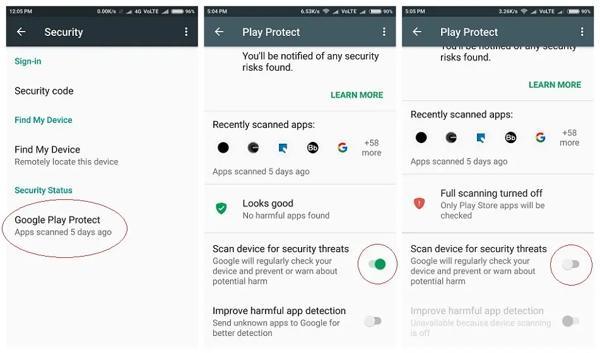
Tips: Remember to re-enable Google Play Protect once the process is complete.
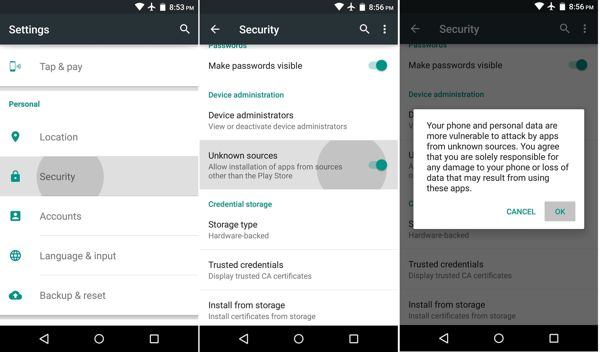
Step 5. Back to the Security screen in the Settings app, and toggle on Unknown sources. When prompted, confirm it.
Step 6. Navigate to the Downloads folder, tap the Pangu FRP Bypass APK file, and hit the Install button to install the APK on your phone.
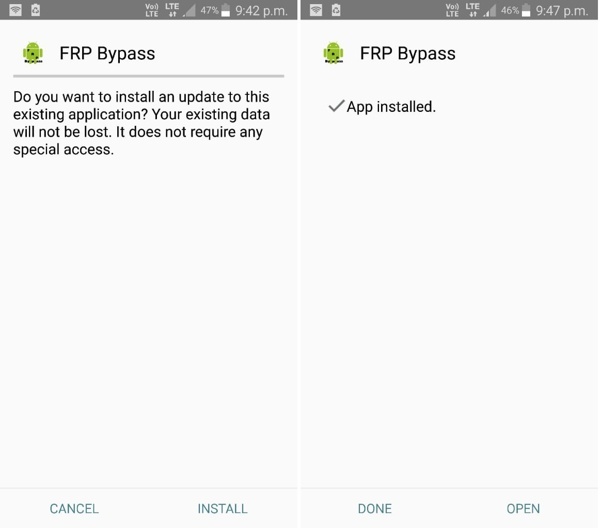
Step 7. Launch Pangu FRP Bypass APK, tap the Menu button at the top right side, and choose Browser Sign-in.
Step 8. Input a new Google account and password, and tap Finish.
Step 9. Then follow the on-screen instructions to complete the setup.
User Experience
- Installation: Hard to get started if you are a beginner. Need some professional technical knowledge.
- Success Rate: Varies significantly depending on the device model and Android version.
- Performance: Smooth overall.
- Safety: No safety issues overall. But when we download the APK, there are warnings from Google Play Protect or antivirus apps. Make sure you trust the source before proceeding.
Part 3: Top 4 Alternatives to Pangu FRP Bypass APK
Quick Overview of the 4 Pangu FRP Bypass Alternatives
| Tool | Best For | Success Rate | Ease of Use | Price Level |
| Apeaksoft DroidAide Android Unlocker | Beginners who want a fast and easy FRP removal | ⭐⭐⭐⭐⭐ | ⭐⭐⭐⭐⭐ | One-time lifetime purchase is more cost-effective, and it often goes on sale. |
| iToolab UnlockGo | Users with multiple Android brands | ⭐⭐⭐⭐ | ⭐⭐⭐⭐ | Mainly subscription-based |
| iMyFone LockWiper (Android) | Users with uncommon or newer devices | ⭐⭐⭐⭐⭐ | ⭐⭐⭐ | Tiered pricing unlocks different features |
| Tenorshare 4uKey for Android | Users who want a fast unlock attempt on mainstream Android devices | ⭐⭐⭐ | ⭐⭐⭐⭐ | Premium pricing |
Top 1: Apeaksoft DroidAide Android Unlocker
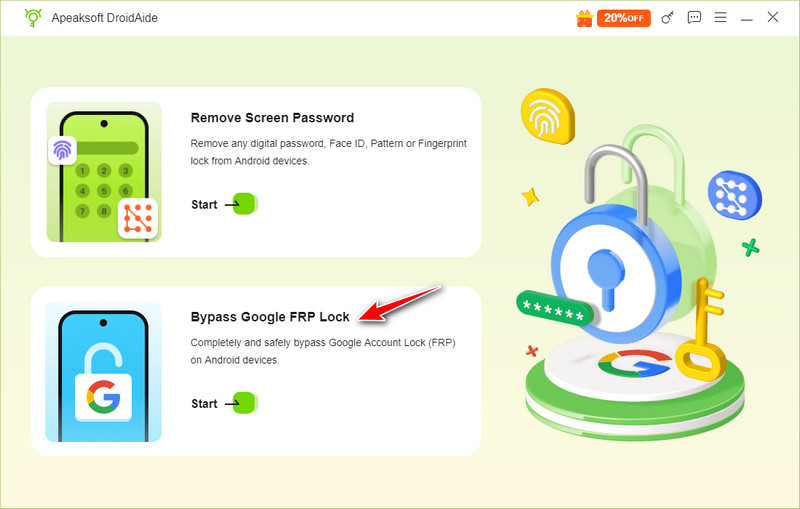
Apeaksoft DroidAide Android Unlocker must be the best alternative to Pangu FRP Bypass you cannot miss.
Why It Ranks 1st:
- Support more Android devices including OPPO, Xiaomi, realme, vivo, Google, Motorola, and more.
- Stable success rate even on newer Android versions.
- 100% safe with a digitally signed software. No malware warnings.
- 7/24 customer and technical support available.
Secure Download
- One click to bypass FRP quickly and effectively.
- Support most Android devices like Samsung, Motorola, OnePlus, etc.
- Offer a 30-day money-back guarantee.
- Intuitive interface and clear function buttons.
- It can only work on a PC.
Top 2: iToolab UnlockGo
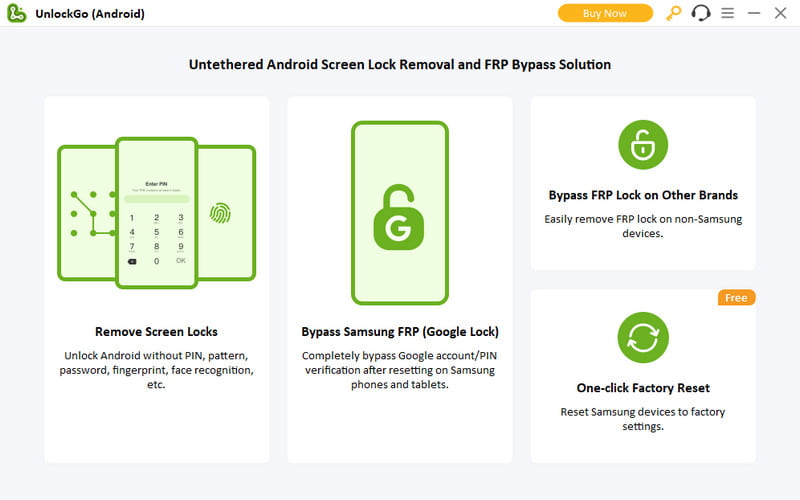
iToolab UnlockGo is one of the best alternatives to Pangu FRP Bypass. It can effectively unlock FRP on almost all Android devices from major manufacturers. However, it is not free and the plans start from $29.95 per month.
- Ease to use.
- Cover a wide range of brands.
- Bypass screen lock and FRP effectively.
- Offer a 30-day money-back guarantee.
- The loading time is slow.
- The subscription is expensive.
Top 3: iMyFone LockWiper (Android)
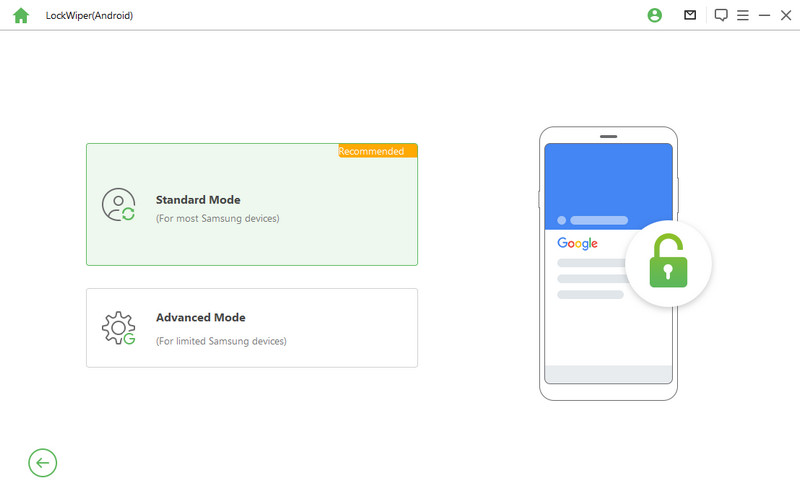
iMyFone LockWiper is another alternative to Pangu FRP Bypass if you have a computer. It lets you get rid of the FRP lock from an Android device without a password. You can purchase a plan at $29.95 per month per device.
- Remove FRP safely.
- Deliver a high success rate.
- Equip a user-friendly interface.
- Support over 6,000 devices.
- It requires a PC.
- The free trial can remove nothing.
Top 4: Tenorshare 4uKey for Android
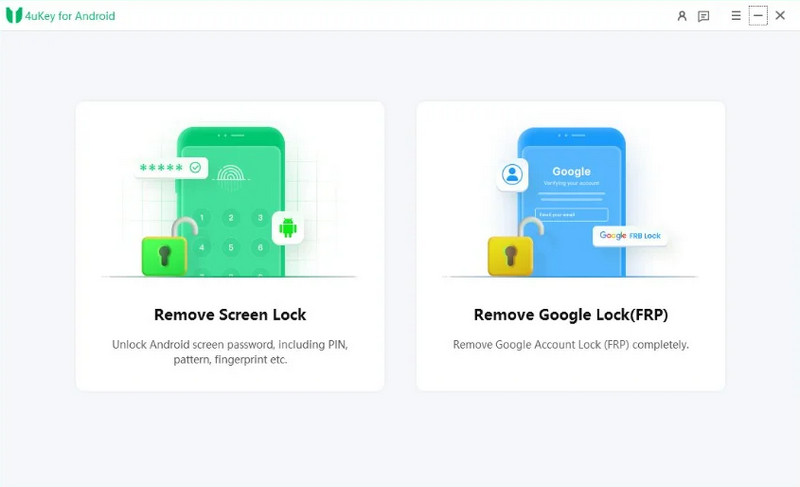
If you have enough budget, Tenorshare 4uKey for Android is an alternative to Pangu FRP Bypass too. Once you subscribe to a plan, which starts from $29.95 per month, you can unlock FRP on your Android phone quickly.
- Integrate an easy-to-use interface.
- Reliable and fast.
- Won't root your Android phone.
- Unlock the Android screen without data loss.
- It may fail when removing FRP.
- It is not available to all Android devices.
Part 4: FAQs About Pangu FRP Bypass
Is Pangu FRP Bypass safe to use?
Yes, the APK is generally safe to use. However, it is important to download Pangu FRP Bypass APK from the official website to ensure you have the authentic version.
Does Pangu FRP Bypass work?
Yes, Pangu FRP Bypass works by exploiting certain vulnerabilities in the Android operating system to bypass the FRP lock. It only supports Android devices from specific brands. You can check the list on the official site.
Is it possible to bypass FRP on Xiaomi with Pangu FRP Bypass?
Although Xiaomi is not on the support list of Pangu, you can try it for a Xiaomi phone to remove FRP. It Pangu doesn't work, You can try Mi FRP bypass tools here.
Conclusion
This article has reviewed one of the popular FRP bypass tools: Pangu FRP Bypass tool. It enables you to bypass the FRP lock on your Android phone without the previous Google password. If it is not available on your device, you can try the alternatives.
 Apeaksoft DroidAide
 Unlock your Android passwords and bypass the FRP lock easily.
Secure Download
Related Articles




