How to Factory Unlock Your iPhone from Any Carrier

When you purchase a new iPhone from the Apple Store or a network provider, chances are that your device arrives locked to a carrier. If you want to switch to another SIM card, your iPhone won't recognize it. Factory unlocking an iPhone is essential for anyone looking to maximize their device's flexibility. This guide shares the proven methods to get rid of the carrier restriction and enables you to use a new SIM card from any carrier.
PAGE CONTENT:
Part 1: What Factory Unlock iPhone Means
iPhone factory unlock is a process that removes the device restrictions imposed by your carrier, allowing your iPhone to accept SIM cards from any compatible network around the world.
The easiest way to tell if your iPhone is factory locked is to insert a new SIM card. If your device cannot detect the card, you have to factory unlock your device.
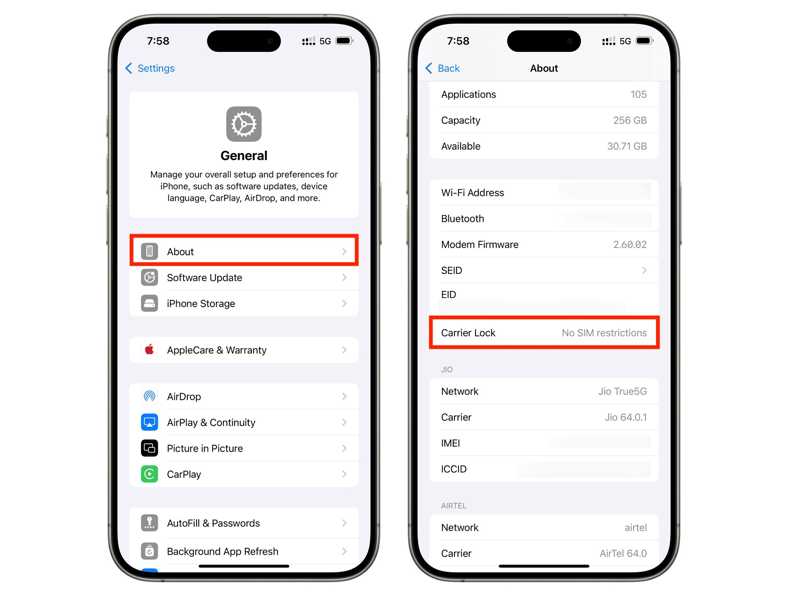
Another way is to go to Settings, General, About, and Carrier Lock. If you see No SIM restrictions, it means that your iPhone is unlocked and not tied to a particular carrier.
Part 2: How to Factory Unlock iPhone
Way 1: How to Factory Unlock iPhone from Carrier
According to our research, most carriers allow users to factory unlock their iPhones after submitting a request. The precondition is that you must follow the device unlock policy. The policy is different, depending on carriers. The common items include:
- 1.Your iPhone must have been purchased more than 60 days ago.
- 2.Your device must be paid in full when purchased or paid off through an installment plan.
- 3.Your device hasn't been reported lost, stolen, or involved in fraud.
- 4.Your account associated with the iPhone must be in good standing.
- 5.You need to offer additional information, like proof of purchase.
For more information, you can access your carrier's website and learn the detailed device unlocking policy.
If you can meet all items in the policy, contact your carrier and submit a request. Once they receive your request, it will factory unlock your iPhone immediately. The customer support for major carriers:
- Verizon: 1-888-922-0204
- AT&T: 1 (800) 288-2020
- T-Mobile: 1 (800) 937-8997
- Mint Mobile: 1 (800) 683-7392
Way 2: How to Factory Unlock an iPhone by a Third-party Service
If you cannot meet the device unlock policy, a third-party unlock service can be helpful. Bear in mind that these services are not free. Moreover, you'd better look for a reputable service, such as UnlockBase.
Step 1. Turn on your iPhone and unlock it.
Step 2. Go to Settings, General, About, and check the IMEI number.
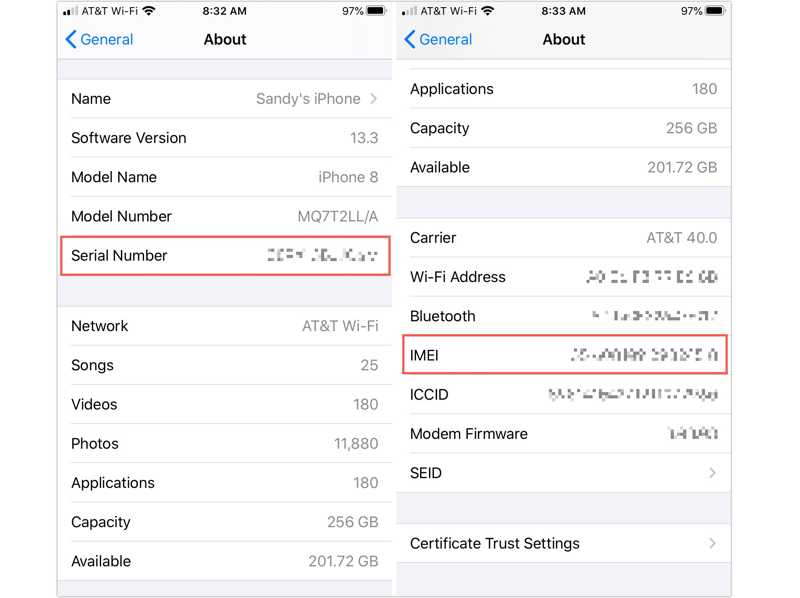
Or open the Phone app, dial *#06, and tap Call to display the IMEI number.
Step 3. Visit a factory unlock service in your browser.
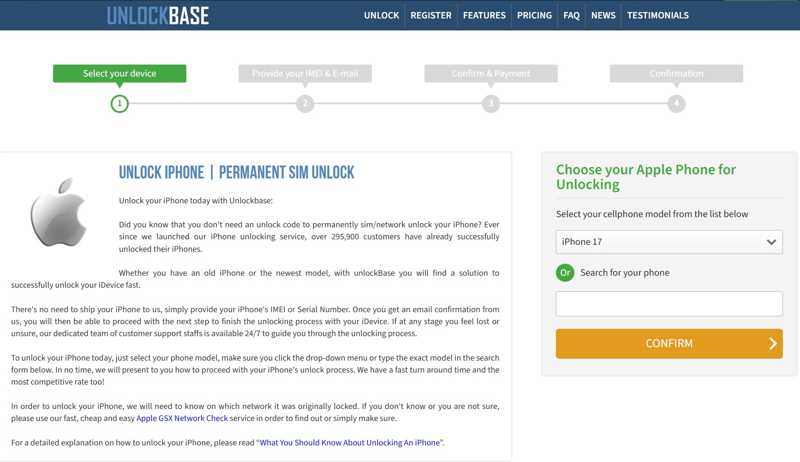
Step 4. Select your phone model and proceed.
Step 5. Enter your IMEI number and offer other information.
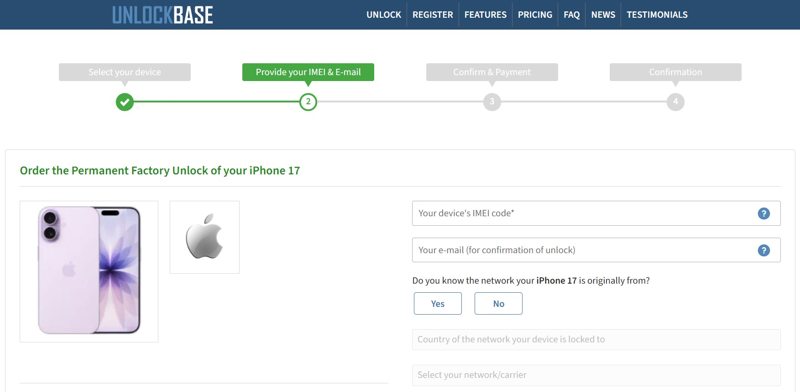
Step 6. Confirm your bill and check out.
Step 7. Once the service unlocks your iPhone, you will receive other steps via email.
Part 3: How to Factory Unlock iPhone on Your Own
Another way to factory unlock an iPhone is Apeaksoft iFoneKit iOS Unlocker. It is able to remove the SIM lock from an iOS device without any restrictions. More importantly, the process won't interrupt existing data on your device. The intuitive design simplifies the process.

Downloaded by over 1,000,000 users
- Factory unlock an iPhone in three steps.
- Don't require a password or jailbreaking.
- Offer bonus features, like MDM bypassing.
- Unlock an iPhone or iPad quickly.
- Work for the latest versions of iOS and iPadOS.
Secure Download
Secure Download
How to Factory Unlock Your iPhone on Your Own
Step 1. Install SIM unlocker
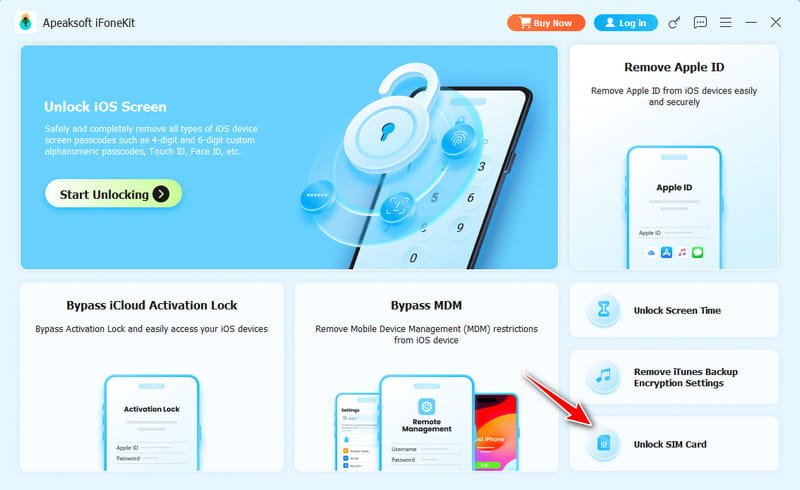
Launch the SIM unlock software once you install it on your PC. It is available on Windows 11/10/8/7/XP/Vista. There is another version for Mac OS X 10.7 or above. Choose the Unlock SIM Card mode to move on.
Step 2. Connect to your iPhone
Link your iPhone to your PC with a Lightning cable. If prompted, tap Trust on your screen to trust this PC. The software will detect your device immediately.
Step 3. Remove SIM lock
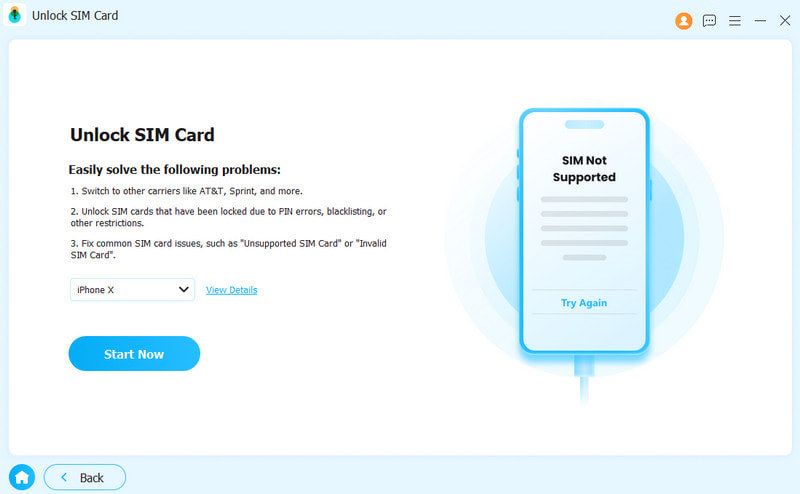
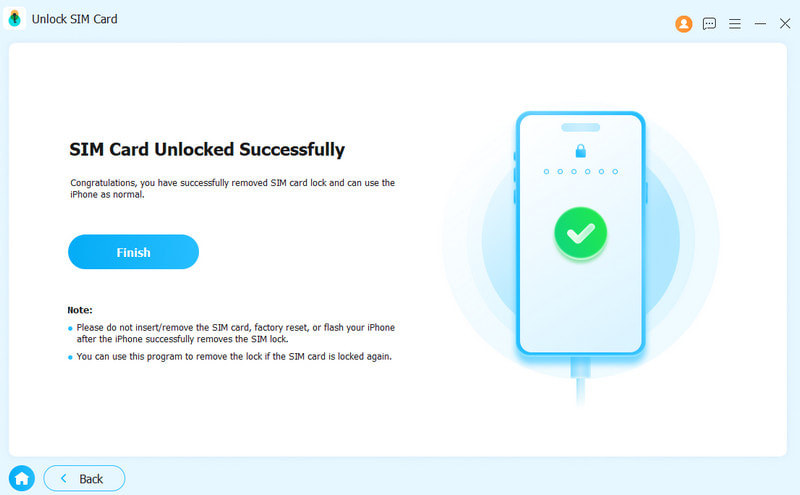
Next, the software will load your device information. Click the Start Now button to continue. Follow the onscreen instructions to set up your device. Then, the software will automatically begin factory unlocking your iPhone. During the process, you need to keep your iPhone connected to the PC. When it is done, switch to any SIM card on your device.
Further Reading
Conclusion
This guide explained what factory unlocking an iPhone means. Now, you should understand the concept. Moreover, you can learn the methods to unlock the SIM lock on your device. Firstly, you can ask for help from your carrier if your device meets the unlock policy. A third-party unlock service is another option. Apeaksoft iFoneKit iOS Unlocker is the ultimate solution to get rid of SIM lock from your iPhone quickly.
 Apeaksoft iFoneKit
 Unlock all types of iOS passwords from iPhone, iPad and iPod.
Secure Download
Secure Download
Related Articles