[Tested] Top 3 iCloud Unlockers Online That Still Works in 2026

There are so many iCloud unlocking tools on the market that offer iCloud unlocking solutions both online and offline. Sometimes it’s complicated to download the desktop software. Instead, you can try the iCloud unlocker online tools to unlock and bypass iCloud-locked iPhone and iPad in one click.
However, some online iCloud unlocking websites have stopped providing services, frequently change domains, or have become unreliable over time. Therefore, users need to be extra cautious when choosing an online unlocking tool.
Over the past month, our team tested over a dozen online iCloud unlockers to evaluate their availability, performance, and overall user experience. Based on our hands-on testing and user feedback, we selected the 3 best-performing tools and share our detailed findings below.
Disclaimer
iCloud unlocking tools should only be used on devices that you own or have legal authorization to access. Bypassing iCloud Activation Lock on stolen or lost devices is illegal and may violate local laws and Apple’s terms of service.
PAGE CONTENT:
Apeaksoft's editorial team independently tests every tool. We verify compatibility, success rates, ease of use, and overall performance using real devices and the latest operating systems. Our reviews are based on hands-on experience, technical analysis, and user feedback. We regularly review and update the content to reflect software updates, operating system changes, and user feedback.
- Testing Period: June - July 2026
- Test Environment: iPhone X running on iOS 16.7
- Simulated Unlocking Scenario: iCloud Activation Lock enabled
- Tested Functions: Unlocking process, required details, pricing transparency, compatibility, and service availability
- Testing Rules: Only publicly available online iCloud unlocker services were evaluated. Services with unclear information, unavailable websites, or misleading claims were excluded from our final recommendations.
- Reminder: Results may vary depending on the device model, iOS version, and Activation Lock status.
| Tool | Accessibility | Required Information | Price | Best For |
| iCloud Bypass | https://icloudbypassonline.com/ | IMEI + Device Model | Not specified | Quick online unlocking attempts |
| UnlockMaker | https://unlockmaker.com/ | IMEI | Free | Users seeking a free option |
| iCloudOnOFF | https://icloudonoff.com/ | IMEI/Serial Number | Paid | Users preferring a paid service |
Top 1: [Quick Online Solution] iCloud Bypass
Website: https://icloudbypassonline.com/
iCloud Bypass provides an iCloud unlock online service to unlock iCloud lock, iPhone lock, as well as iPhone carrier lock. Based on our testing, the process is relatively fast, but success may vary depending on device model, iOS version, and Apple ID status. After entering the IMEI number and the iDevice model into the online web tool, it will create a pathway to access the locked iCloud account.
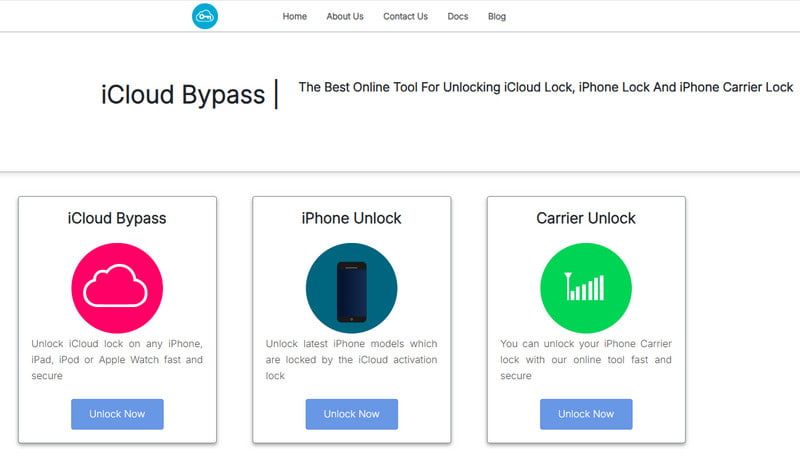
- It offers three modes to bypass iCloud, unlock iPhone and iPhone carrier lock.
- No jailbreak is needed to start the iCloud Bypass process.
- It doesn’t work on Mac versions below Mac OS Sierra.
- The unlocking process lacks transparency regarding technical details and success criteria.
Top 2: [Free Online Option] UnlockMaker
Website: https://unlockmaker.com/
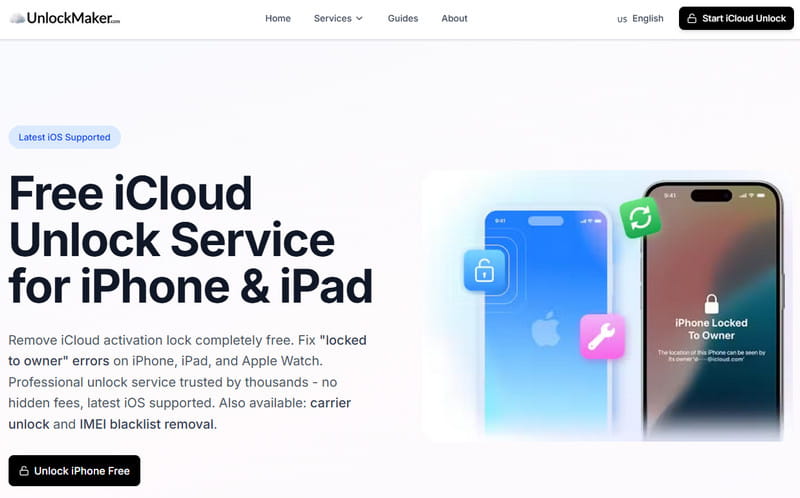
UnlockMaker is an online iCloud unlocker for free that helps people unlock their password-forgotten iCloud accounts. It claims to support multiple iOS versions (including the latest iOS 26/27), but according to user feedback and our testing, compatibility may be limited on newer iOS versions. Just enter your device’s IMEI number into the UnlockMaker online system. Then, the system will synchronize with its remote unlocking servers and initiate the device verification process. Once the IMEI is validated, UnlockMaker will begin processing the iCloud Activation Lock removal automatically.
- Free to access with no software installation required.
- Simple online process.
- Supports a wide range of iPhone and iPad models in theory.
- No jailbreak is required.
- The success rate on newer iOS versions is unstable.
- No official confirmation or verification from Apple.
- Requires the device IMEI, which may raise privacy concerns.
Top 3: [Paid Unlock Service] iCloudOnOFF
Website: https://icloudonoff.com/
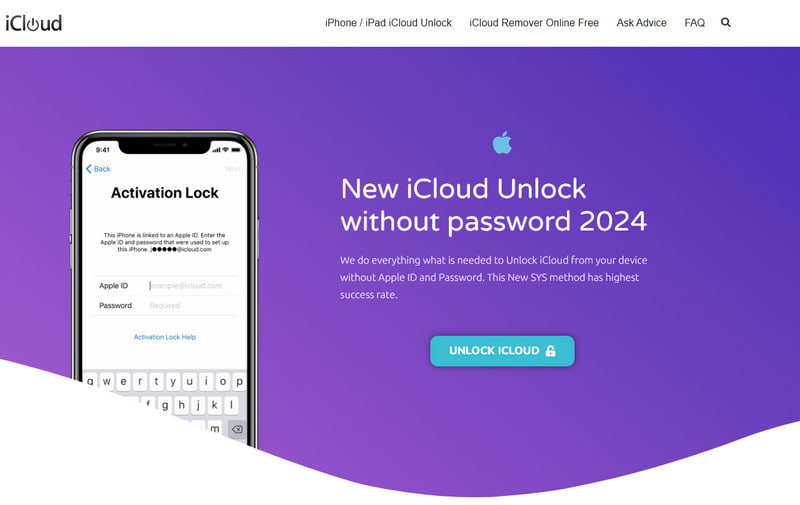
iCloudOnOFF provides a service that claims to unlock iCloud online from any carrier without voiding the warranty. It offers unlocking services for all iPhone, iPad, and iWatch models. Just select the model and carrier of your iPhone and enter the IMEI or Serial number. As the payment is verified and the order is processed, you can unlock your iPhone safely.
- No software installation required.
- Supports multiple Apple devices and carriers.
- Payment is required before the unlocking result is confirmed.
- Processing time may vary depending on the carrier and region.
Bonus: More Reliable Offline Alternative to Online iCloud Unlockers
Online iCloud Unlockers vs Desktop iCloud Unlock Software
| Items | Online iCloud Unlocker | Desktop iCloud Unlocker |
| Installation | No | Required |
| Process | Server-based | Device-based |
| Transparency | Limited | Higher |
| IMEI required | Often | Usually No |
Compared with most online iCloud unlockers, offline desktop solutions usually provide a more transparent unlocking process and clearer usage guidance, allowing users to see each step of the unlocking procedure instead of waiting for uncertain server-side results.
Moreover, in many cases, users may not be able to find or access the IMEI of their iPhone, especially when the device is locked or unresponsive. In such situations, using third-party desktop tools like Apeaksoft iFoneKit iOS Unlocker that work directly with the connected device can be a more practical and flexible alternative.

Downloaded by over 1,000,000 users
- Offline Alternative to iCloud unlock online service.
- Bypass the iCloud activation lock without IMEI.
- Simple and easy-to-follow procedures.
- Apeaksoft's official source and endorsement.
- 24/7 available customer and technical support team.
Secure Download
Secure Download
How to Bypass the iCloud Activation Lock
Before you start: Since this method will erase all your data, please back up your iPhone in advance.
Step 1. Free download, install, and launch Apeaksoft iFoneKit iOS Unlocker on your computer.
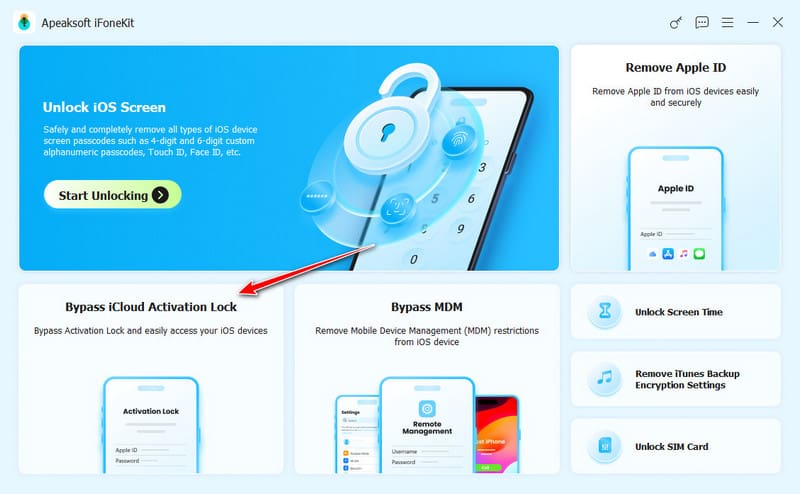
Step 2. Connect your iOS device to your computer and choose Bypass iCloud Activation Lock on the main interface.
Step 3. Check your device’s info and click the Jailbreak Tutorial button to jailbreak your device.
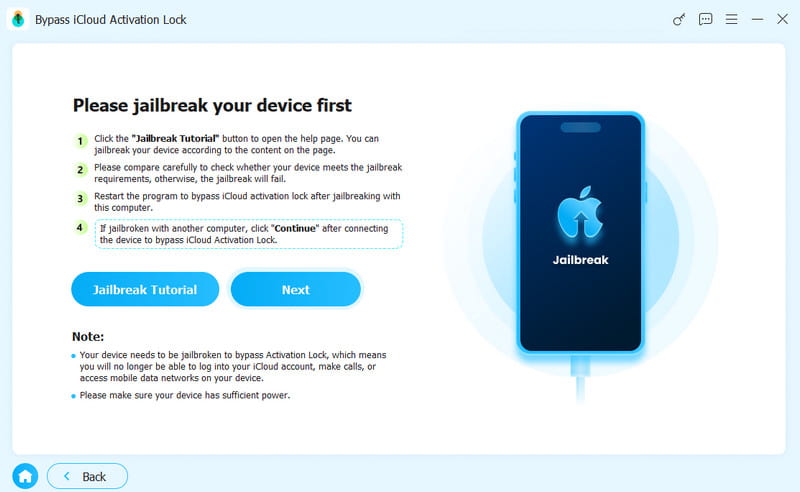
Tips: Jailbreaking may cause security issues, instability, or data loss - back up your iPhone first and proceed with caution.
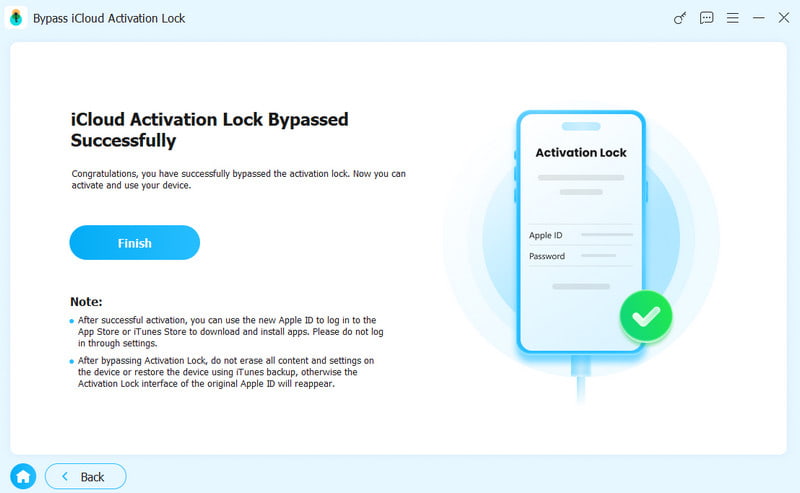
Step 4. After a successful jailbreak, the program will start to bypass the iCloud activation lock automatically.
FAQs of iCloud Unlocker Online
Can I unlock a stolen iPhone?
No. Unlocking a stolen or lost iPhone that does not belong to you is illegal in most countries. Apeaksoft iFoneKit iOS Unlocker is designed for users who have legitimate ownership of their devices but cannot access them due to forgotten credentials.
Is unlocking iCloud illegal?
Unlocking an iCloud-locked iPhone is not illegal if you own the device or are authorized. However, bypassing iCloud Activation Lock on a lost or stolen iPhone is illegal and may violate Apple's terms of service. If you forgot your Apple ID password or cannot access your account, try Apple's official account recovery methods first.
Will a factory reset remove iCloud lock?
No. Factory resetting your iPhone won’t remove iCloud activation lock. Once the iPhone is locked with iCloud activation lock, it can’t be erased, reset or modified to get to normal work.
Conclusion
If you forgot your iCloud account or password after a factory reset, you can unlock iCloud online easily. Compared to the other iCloud Unlocker Online tools, Apeaksoft iFoneKit iOS Unlocker is the best choice to remove Apple ID, bypass Screen Time passcode and unlock iPhone with various issues.
 Apeaksoft iFoneKit
 Unlock all types of iOS passwords from iPhone, iPad and iPod.
Secure Download
Secure Download
Related Articles