How to Unlock A TracFone for Use with Any SIM Card

Many users choose TracFone because it offers affordable prices and flexible prepaid options, making it suitable for temporary use or as a backup phone. However, when they want to switch to another SIM card or use international roaming, they find their phone locked to the original network, preventing them from switching freely. Are you also troubled by this invisible limitation? TracFone unlock is not complicated; as long as you master the correct method, you can break the limitation and release the true value of your device. This article will explain various unlocking methods, allowing your phone to use whichever card you want.
PAGE CONTENT:
Part 1. Common Scenarios Requiring TracFone Unlocking
Although TracFone offers affordable prepaid plans, its carrier restrictions may prevent you from changing SIM cards or switching to another network at will. Here are some common situations where a TracFone unlock may be needed:
• Changing carriers
Many users find that after using a service for a while, the signal coverage is not ideal or the fees are not cost-effective, prompting them to wish to switch to another service provider. However, if their phone is locked and they cannot use a new SIM card, they must consider performing a TracFone unlock operation.
• Using foreign SIM cards
Against high international roaming fees, more and more users wish to use local operators' SIM cards when traveling abroad to save on communication costs. At this time, TracFone SIM unlock becomes particularly necessary.
• Activate the second-hand equipment
Many people purchase TracFone devices through the second-hand market but find they are still locked to the original carrier. In this case, understanding how to unlock a TracFone is necessary before using a SIM card from another carrier.
• SIM restriction
Some users find that their TracFone device cannot use a SIM card from another carrier because of carrier restrictions. In this case, you should check whether you meet the TracFone unlock policy and proceed accordingly.
Part 2. What Should You Do Before TracFone Unlocking
Before starting to unlock your TracFone device, there are a few things worth checking first. Understanding these details can help you confirm whether your phone is actually carrier locked, choose a suitable unlocking method, and avoid potential data loss during the process.
Confirm whether the device is locked
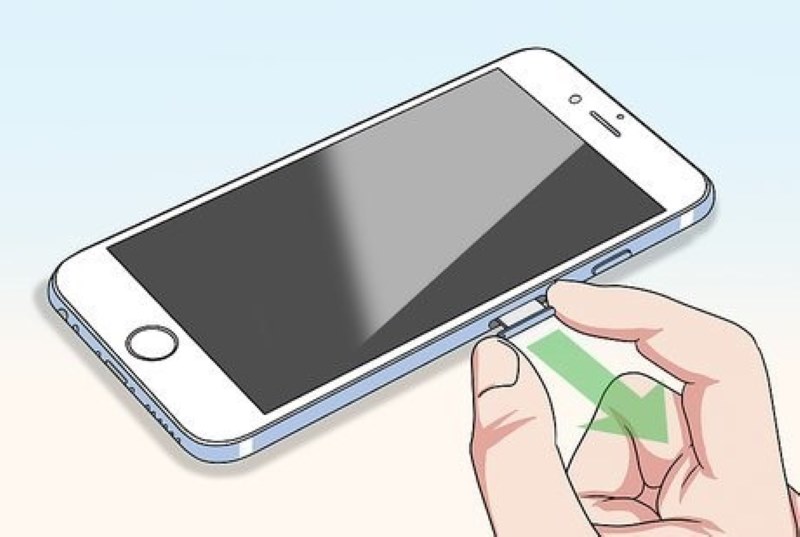
Some devices may not necessarily be locked, especially older devices that may already have been unlocked. You can insert a SIM card from another carrier to check whether the device displays a message indicating that the SIM or network is restricted, thus determining whether a TracFone SIM unlock is needed.
Choose a suitable unlocking method
Different TracFone devices and situations may require different solutions.
| Your Situation | Recommended Method |
| Your device meets TracFone’s eligibility requirements | Official TracFone unlocking method |
| You prefer a software-based solution | A third-party unlocking tool |
| You prefer to unlock your device online | An online unlocking service |
Backup personal data
While the unlocking process itself does not erase data, certain unlocking methods, such as using third-party tools or restoring factory settings, may affect the device's content. It is recommended that you back up your information in advance using iCloud, iTunes, or other tools, just in case you later restore from iCloud backup.
Part 3. How to Unlock a TracFone Phone Officially
TracFone Official Unlock Policy Explained
Before requesting an official unlock, you need to make sure your device meets TracFone's eligibility requirements. The exact requirements may vary depending on the device and when it was activated, but eligible devices generally need to meet the applicable service requirements and must not be reported as lost, stolen, or associated with fraudulent activity.
According to TracFone's latest unlocking policy, the following are the conditions that most devices must meet:
- The device has been activated on the TracFone service for at least 60 days. However, some devices may still be subject to a 12-month active service requirement, depending on when and how the device was activated.
- It has not been reported as lost, stolen, or a fraudulent device.
- The device is in working condition.
- If the user is military, relevant proof can be provided to apply for early unlocking.
Official Way to Unlock TracFone
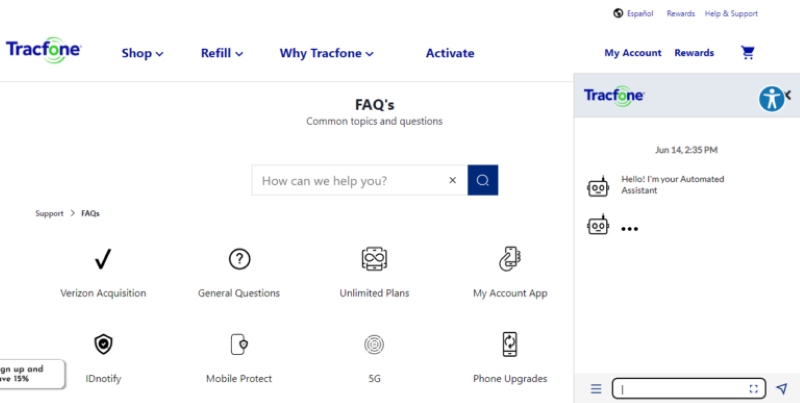
Step 1. Go to the TracFone's official website or call 1-888-442-5102 to submit an unlock request. Enter your device's IMEI or serial number and confirm the phone number associated with the device.
Step 2. TracFone will check whether your device meets the unlock requirements. If your phone is eligible, you will receive the unlocking instructions or code needed for your device.
Step 3. Follow the instructions provided by TracFone to complete the unlocking process. Afterward, insert a SIM card from another compatible carrier to check whether the phone has been successfully unlocked.
Part 4. How to Unlock TracFone Without a Code
If you do not meet TracFone's official unlocking conditions, many users have become concerned about how to unlock TracFone without a code. Fortunately, third-party tools can help you easily remove carrier restrictions without an unlock code. Apeaksoft iFoneKit iOS Unlocker is a powerful unlocking tool that allows even those without a technical background to quickly complete the operation by following the prompts, making it very suitable for beginners or users needing to unlock their devices.

Downloaded by over 1,000,000 users
- Unlock TracFone without a code.
- Freely change the SIM card with one click.
- Automatically identify device information, eliminating the tedious process of manual configuration and data entry.
- Quickly download the firmware and intelligently match it to improve the unlocking success rate.
- It supports unlocking multiple types of locks, including screen locks, Apple ID locks, and screen time locks.
Secure Download
Secure Download
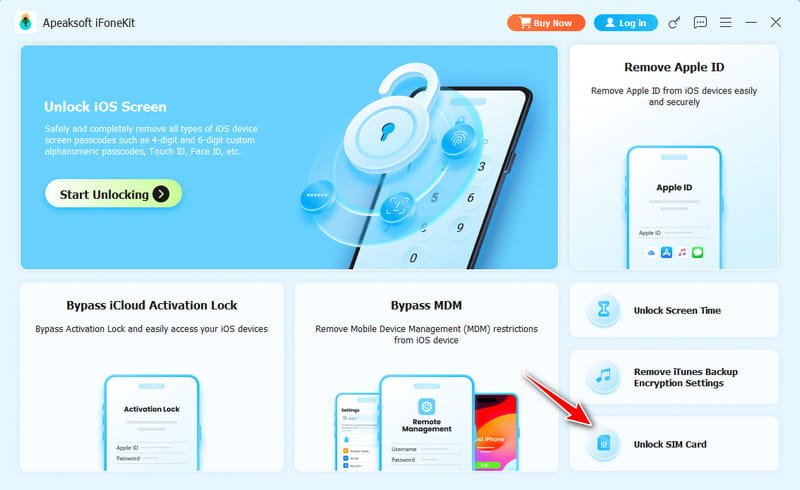
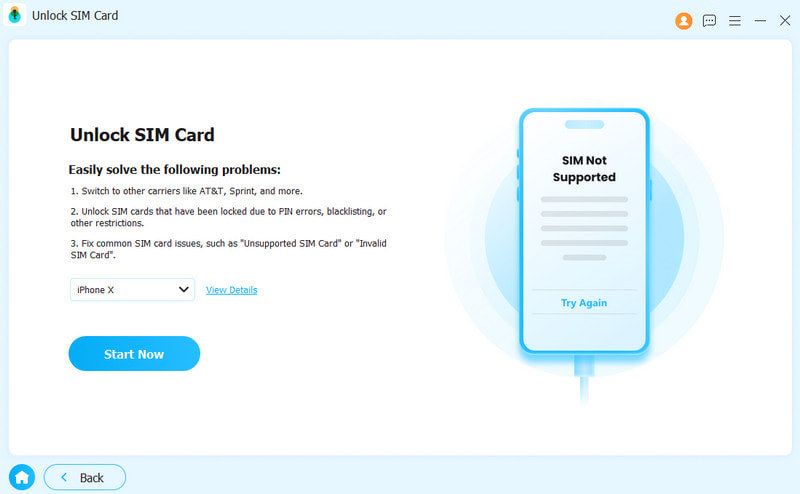
Step 1. Download this TracFone iPhone unlocking tool from the button above for free. If your TracFone is carrier locked, choose Unlock SIM Card.
Step 2. Connect your TracFone iPhone to the computer, ensuring the software can recognize your device accurately. Once confirmed, click Start Now.
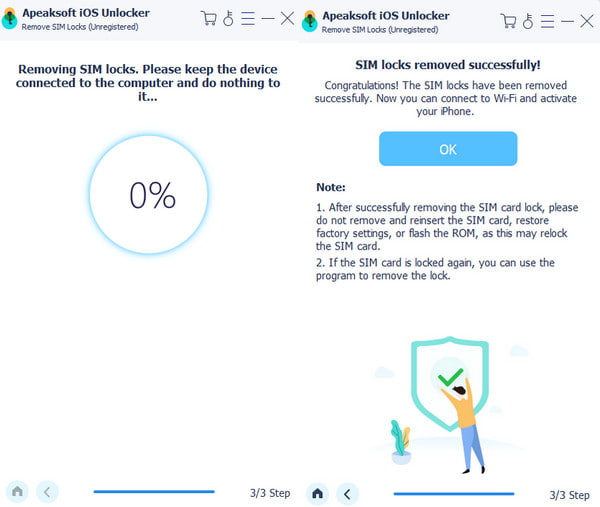
Step 3. Follow the onscreen instructions to set up your device. Then, wait for the system to complete the unlocking process automatically. You can insert other SIM cards for normal use in a few minutes.
Part 5. How to Unlock TracFone Free Online
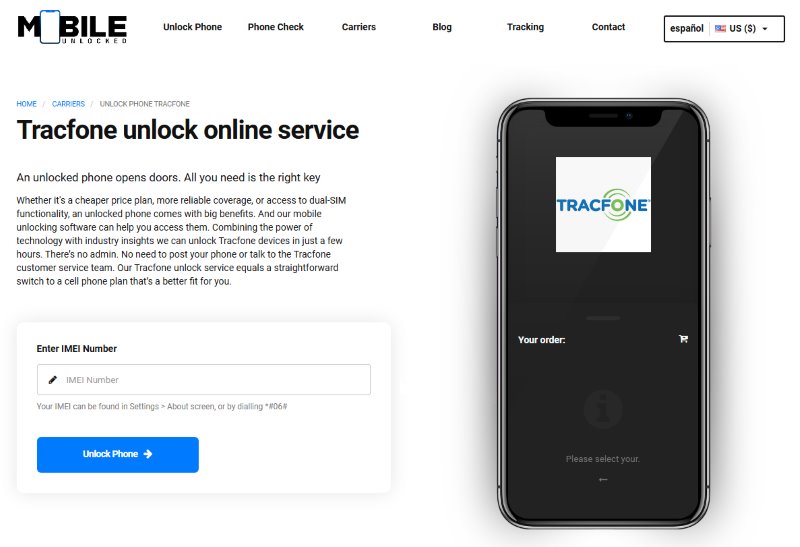
Even without official or third-party software, unlocking TracFone free online using the IMEI number is feasible. This method is particularly suitable for budget users, older devices, or users with difficulty with official reviews. Some service platforms support unlocking TracFone for free online with the IMEI number. However, you must still be careful when choosing legitimate channels to avoid privacy breaches or scams.
Step 1. First, you need to obtain your TracFone's IMEI number. You can call *#06# to check.
Step 2. Choose a reliable online unlocking platform; some offer basic free services, while advanced services may incur charges.
Step 3. Enter the IMEI number, device brand and model, country/region, and current carrier (TracFone). Some platforms will automatically check if unlocking is supported.
Step 4. It usually takes 24 hours to a few days to wait. Once the verification is passed, you will receive an email with detailed instructions. Follow the instructions to remove the TracFone SIM. The system will prompt you to enter the unlock code, and once you have done so, you will have completed the TracFone SIM unlock operation.
Conclusion
Whether changing devices, traveling abroad, or wanting to freely choose your carrier, knowing how to unlock a TracFone is an important step to enhancing your device's freedom. Suppose you do not meet the official unlocking conditions or do not want to wait. In that case, Apeaksoft iOS Unlocker offers a faster and more intuitive unlocking solution, especially suitable for users who want to unlock quickly without a code. Try it now to remove restrictions and completely free your TracFone easily!
 Apeaksoft iFoneKit
 Unlock all types of iOS passwords from iPhone, iPad and iPod.
Secure Download
Secure Download
Related Articles