What Is FRPFile Firmwarebd and How to Use It to Bypass FRP

Google introduces a few security measures on Android. Google FRP, or Factory Reset Protection, is a native security feature introduced by Google on Android 5.1 Lollipop. Once you get a new Android device, you are asked to activate it with a Google account. Then, Google FRP will be enabled automatically. Without the linked Google account, you cannot remove FRP. This article introduces FRPFile FirmwareDB, an online platform to share related utilities.
PAGE CONTENT:
Part 1: What Is FRPFile FirmwareDB
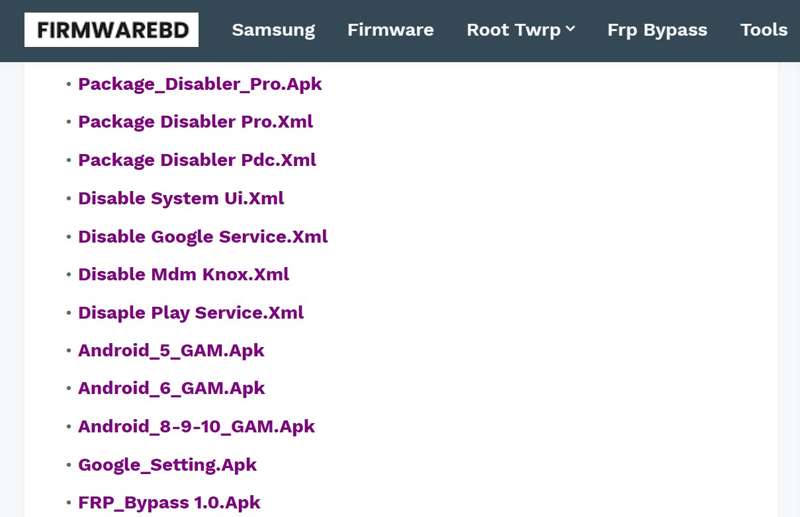
FRPFile FirmwareDB is a third-party online portal that collects FRP bypass tools, firmware files, and relevant utilities. It is not an official website from Google. The platform is a community-driven file archive.
Core Features of FRPFile FirmwareDB
- 1. Provide FRP bypass APKs to bypass Google FRP without a password.
- 2. Offer the firmware files for Samsung, Pixel, Oppo, OnePlus, Moto, and more.
- 3. Unlock Android devices when forgetting screen locks.
- 4. Deliver tutorials to flash the stock ROMs to improve performance.
- 5. Repair the damaged IMEI number and restore network connectivity.
- 6. Root Android devices for more control.
- 7. Update new tools, firmware, and more regularly.
- 8. Provide ROMs and flash files for main phone brands.
- 9. Search for firmware files and tools according to brands and models.
- 10. Available for brands like Samsung, Oppo, OnePlus, Xiaomi, and more.
What We Like
- Offer a wide range of FRP tools and APKs.
- Cover firmware files for all major phone brands.
- Regularly update with new tools for the latest versions of Android.
- Completely free to use and no login or payment requirement.
What We Don't Like
- Some FRP bypass tools and utilities require technical skills.
- The firmware and flash files may not be safe.
- The customer support is limited.
Is FRPFile Firmwarebd Free
Yes, FRPFile Firmwarebd is free to access and available on most browsers. Most files and tools on the platform are free to download and use. However, some utilities require extra fees when unlocking phones or bypassing FRP.
Is FRPFile Firmwarebd Legal
FRPFile Firmwarebd is based on the community. All tools and files are from other developers. Not all items are safe and legal to use.
Part 2: How to Use FRPFile FirmwareDB
Step 1. Open the Settings app on your phone.
Step 2. Navigate to Apps & notifications, Advanced, and Special app access.
Step 3. Tap Install unknown apps, and select your browser.
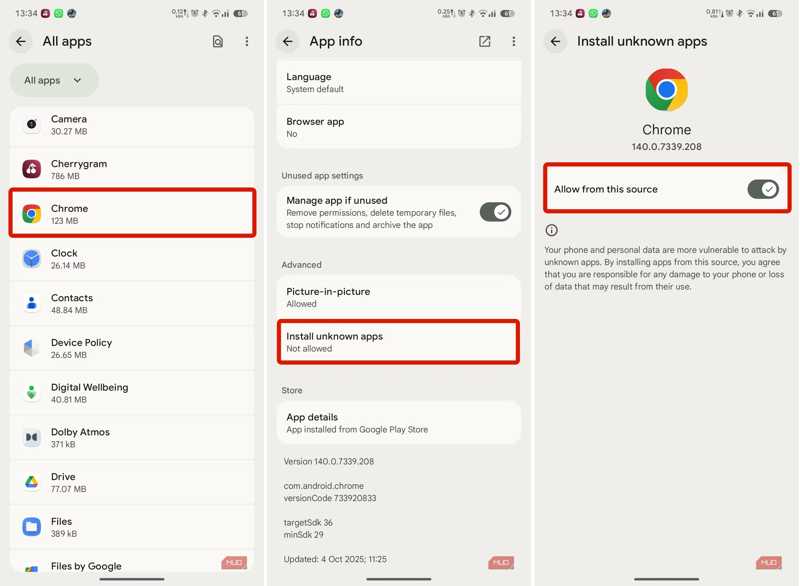
Step 4. Toggle on Allow from this source.
Step 5. Go back to the home interface and open your browser.
Step 6. Search for frpfile/firmwarebd.com and open the website from the result.
Step 7. Find the FRP bypass APK on the list and tap it.
Tips: You can explore other APKs on the web page, such as Smart Switch.
Step 8. After downloading, run the built-in File Manager app.
Step 9. Go to the Downloads folder and tap the APK file.
Step 10. Tap the INSTALL button to install the APK.
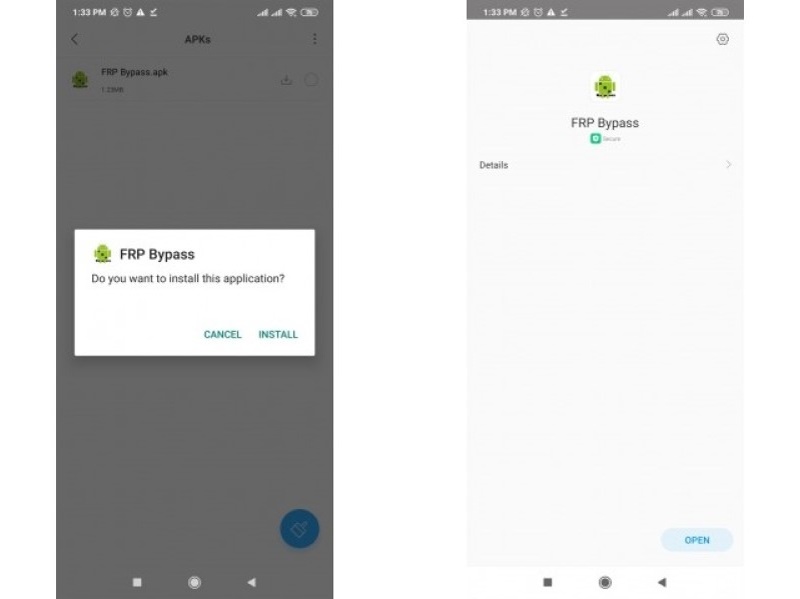
Step 11. When it is done, open the Settings app.
Step 12. Go to General management, and Reset.
Step 13. Tap Factory data reset and hit Reset.
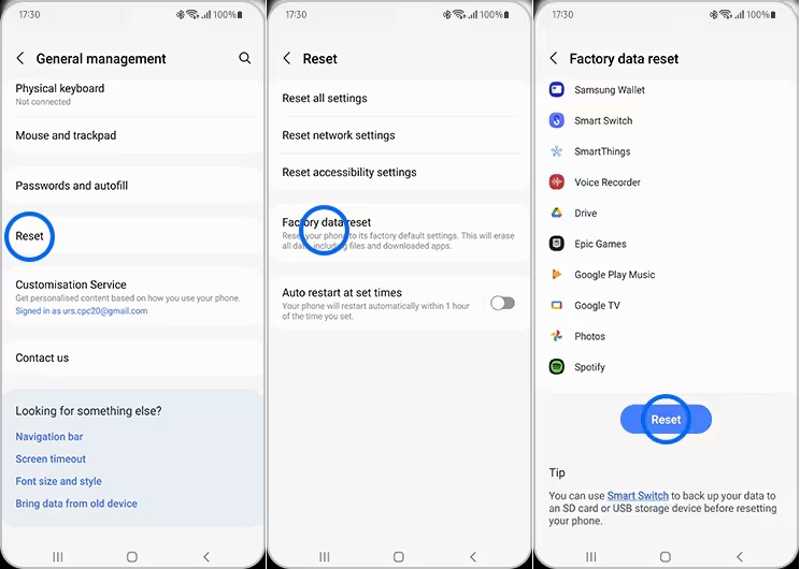
Step 14. Once your phone restarts, set it up as a new device.
Part 3: A Better Alternative to FRPFile FirmwareDB
The FRPFile FirmwareDB is unavailable to all phones. Moreover, the success rate is low. Fortunately, Apeaksoft DroidAide Android Unlocker can help you bypass the FRP lock from your Android device without the linked Google account. The user-friendly interface can simplify the workflow.

Downloaded by over 1,000,000 users
- Bypass FRP lock from your Android phone quickly.
- Don't require the linked Google account.
- Work for all situations, such as resetting phones.
- Support for major Android brands, like Samsung, Moto, Google, etc.
- Offer a bonus feature, such as Android unlock.
Secure Download
How to Bypass FRP from Your Phone Without FRPFile FirmwareDB
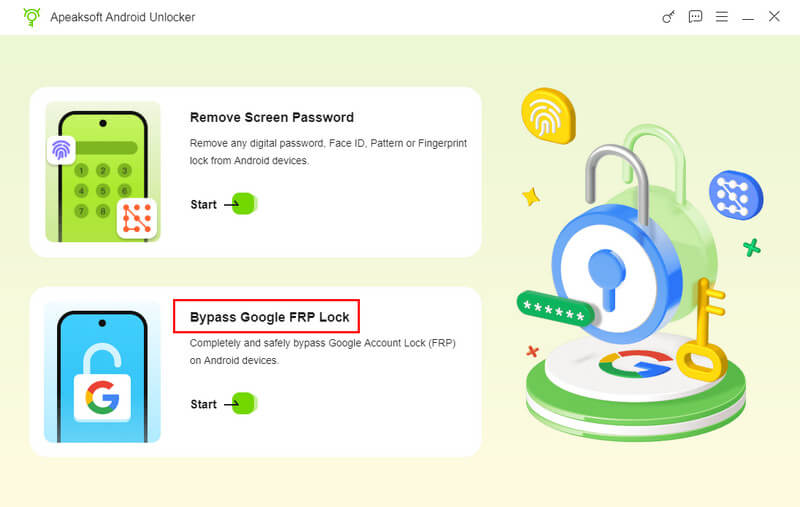
Step 1. Install the FRP bypass tool
Download and install the alternative for FRPFile FirmwareDB on your computer. Then, launch it and choose the Bypass Google FRP Lock mode to proceed.
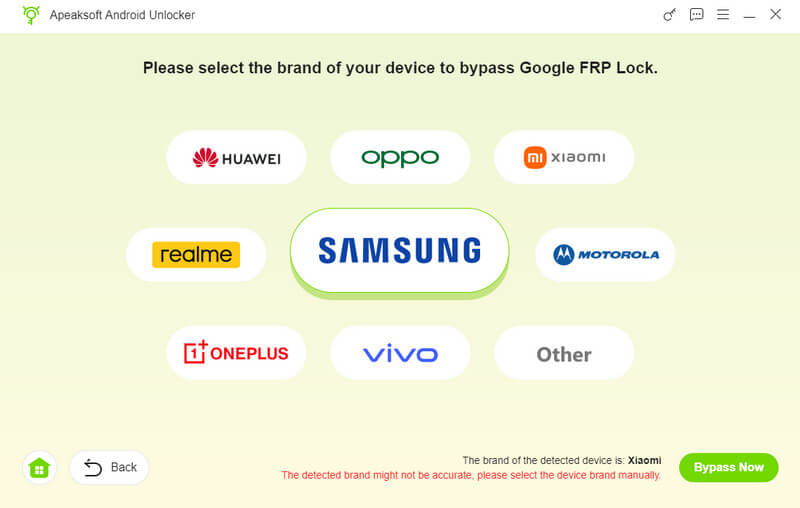
Step 2. Connect to your phone
Choose your phone brand and connect your device to your computer with a compatible USB cable. Make sure to trust this computer. The software will recognize your phone immediately.
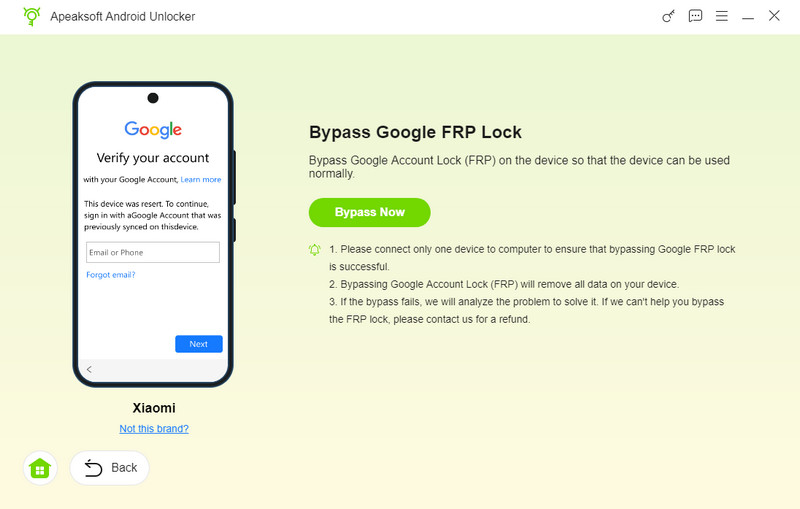
Step 3. Bypass FRP
Click the Bypass Now button to begin bypassing FRP lock automatically. Next, follow the onscreen instructions to activate your device after the configuration is completed. Wait for the process to finish, disconnect your phone, and close the software.
Further Reading
Conclusion
This guide shared how to bypass FRP using FRPFile FirmwareBD on Motorola, Samsung, and other devices. Now, you should learn what the platform is and how it works. Bear in mind that the free platform is not working for all Android brands or devices. Therefore, we recommended an alternative: Apeaksoft DroidAide Android Unlocker. It can bypass FRP lock on almost all Android devices.
Related Articles