

7 Best Free Data Recovery Software in 2026 - Easy and Fast

Did you accidentally delete the files in the Recycle Bin and empty it when you found the files necessary? Don't panic - your files are not gone forever!
In this article, we tested and reviewed 7 best free data recovery software for both Windows and Mac to help you recover deleted or lost files quickly and safely.
PAGE CONTENT:
- Quick Overview of the 7 Best Free Data Recovery Software
- Top 1: Apeaksoft Data Recovery (Windows/Mac)
- Top 2: Recuva (Windows)
- Top 3: MiniTool Power Data Recovery (Windows)
- Top 4: EaseUS Data Recovery Wizard (Windows/Mac)
- Top 5: Disk Drill (Windows/Mac)
- Top 6: Stellar Data Recovery (Windows/Mac)
- Top 7: R-Studio (Windows/Mac/Linux)
- Tips When Choosing Free Software for Data Recovery
Quick Overview of the 7 Best Free Data Recovery Software
| Software | Platform | Free Limit | Scan Time | Success Rate | Best For | Ease of Use |
| Apeaksoft Data Recovery | Windows/Mac | 200MB | 2-5 min | High | All-around recovery, SD card recovery | ⭐⭐⭐⭐⭐ |
| Recuva | Windows | Unlimited | 3-8 min | Medium | Simple file recovery | ⭐⭐⭐⭐ |
| MiniTool Power Data Recovery | Windows | 1GB | 5-10 min | Medium | Basic recovery | ⭐⭐⭐⭐ |
| EaseUS Data Recovery Wizard | Windows/Mac | 2 GB (with tasks) | 8-15 min | High | Beginners | ⭐⭐⭐⭐⭐ |
| Disk Drill | Windows/Mac | 500 MB | 10-20 min | Medium-High | Mac users | ⭐⭐⭐⭐ |
| Stellar Data Recovery | Windows/Mac | Limited preview | 10-25 min | High | Photo/video recovery | ⭐⭐⭐⭐ |
| R-Studio | Windows/Mac/Linux | Demo only | 15-30 min | Very High | Advanced users | ⭐⭐⭐ |
*Note: Scan time is based on testing a 500GB hard drive with mixed file types. Actual time may vary depending on disk size, file system, and damage level.
Apeaksoft's editorial team independently tests every tool. We verify compatibility, success rates, ease of use, and overall performance using real devices and the latest operating systems. Our reviews are based on hands-on experience, technical analysis, and user feedback. We regularly review and update the content to reflect software updates, operating system changes, and user feedback.
- Test Environment: Windows 10/11 Pro (24H2), macOS Ventura & Sequoia 15
- Simulated Data Loss Scenarios: Accidental deletion, emptied Recycle Bin, quick disk formatting, partition damage, system crash failure
- Photos: JPEG compressed snapshots (10 KB-5 MB), RAW camera photos (20-80 MB)
- Documents: DOCX, XLSX, PDF (20 KB-20 MB)
- Videos: MP4, MOV footage (500 MB-5 GB)
- Audio: MP3, M4A audio clips (1 MB-30 MB)
- Testing Rules: Each software is tested at least three times. Only if the restored files open normally without corruption and retain original filenames, the recovery is counted as successful.
- Reminder: Actual recovery success rate depends on different device models, OS versions, and whether deleted files have been overwritten by new data.
Top 1: Apeaksoft Data Recovery (Windows/Mac)
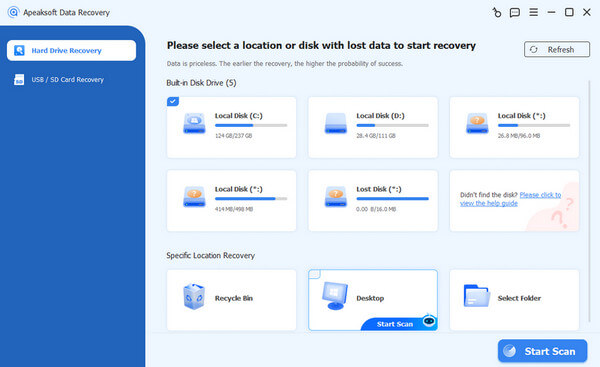
Accidentally deleted important files on your Windows or Mac? Don't worry! Apeaksoft Data Recovery is a tested free data recovery software that works on Windows 7/8/10/11 and macOS. It can help you recover photos, videos, docs, and more from hard drives, USBs, SD cards, and even an emptied Recycle Bin. Based on our tests, it performs perfectly and shows a high success rate.
Secure Download
Secure Download
- Preview files before recovering data files, thus preventing unnecessary recovery.
- Smart search and red highlight for deleted files
- Selectively recover your desired files with one click.
- Supports hard drives, flash drives, USB, Recycle Bin, and SD card recovery.
- High recovery success rate for recent deletions (tested).
- When it comes to large data files, the scanning and recovery process will be relatively slow.
- Free trial may have limitations on total recovered data.
Top 2: Recuva (Windows)
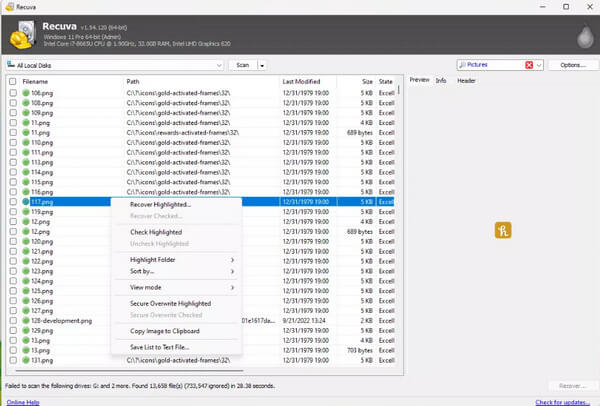
Recuva is free software for data recovery developed by Piriform. This free data recovery software can run on hard drives, flash drives, memory cards, and other devices supported by FAT and NTFS file systems. If you are looking for free data recovery software for Windows 10/11, you cannot miss it!
- It's a good way to recover lost data from a dead hard drive.
- Support portable device scanning.
- It only launched a Windows version. So, if you are looking for free data recovery software for Mac, it is not suitable.
- The recovery speed is slow.
- Its recovery performance is relatively low.
Top 3: MiniTool Power Data Recovery (Windows)
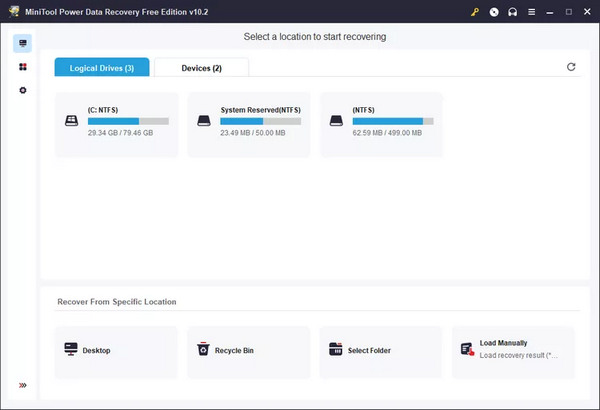
MiniTool Power Data Recovery is free data recovery software for recovering permanently deleted files from both hard drives and external storage. However, there are not enough user-friendly features on its simple interface. You may take time to choose your desired files. However, this free file recovery software is lightweight and can quickly scan your computer.
- Free to return permanently deleted files.
- Support hard disks and external storage and USB connection.
- Support folder recovery.
- Only 1 GB for free recovery.
- It can't recover some program data.
Top 4: EaseUS Data Recovery Wizard (Windows/Mac)
EaseUS Data Recovery Wizard is a free (trial) data recovery software for Windows and Mac that you cannot miss. It helps you recover files from your hard drive, USB drives, SD cards, and other external devices. The software is user-friendly and supports both quick scans and deep scans to restore lost files efficiently. Since it works on both Windows and Mac, it covers a wide range of data recovery scenarios. Moreover, it offers additional features such as partition recovery.
- Quickly scan your drives to recover all common file types.
- Supports external devices like USBs and SD cards.
- Free trial available for initial recovery without full purchase.
- Full recovery requires upgrading to the paid version.
- Deep recovery for large or heavily corrupted files may take longer.
Top 5: Disk Drill (Windows/Mac)
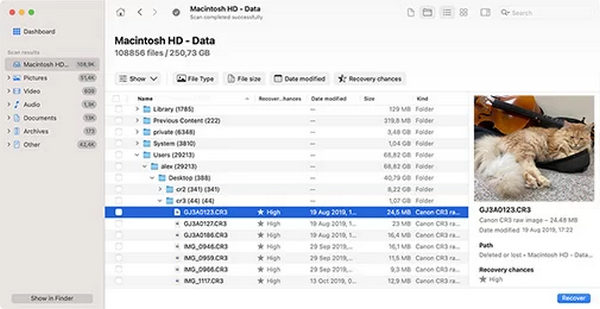
Disk Drill is not a built-in feature on Mac, but still a free data recovery software for Mac. It has a very simple design and friendly operation, which won't confuse you when you use it. This free file recovery software can restore any lost file from any storage device, including internal disk, external hard drives, USB, SD cards, etc. You can preview the files before you choose to recover them.
- Supports various file types.
- Offer a portable option for external devices.
- Deeply scan your Mac to find permanently deleted files.
- It offers only 500 MB for free file recovery.
- The scanning speed is not so fast.
Top 6: Stellar Data Recovery (Windows/Mac)
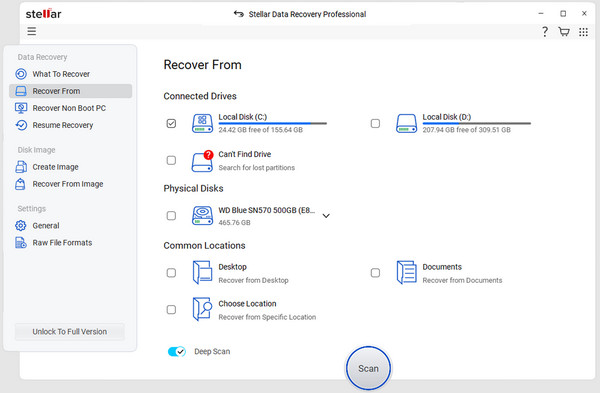
Stellar Data Recovery is a popular free data recovery software for Windows and Mac, which is suitable for beginners. It allows users to recover accidentally deleted files, emptied recycle bins, damaged hard drives, and RAW partitions. Its success rate can reach up to 80% during our tests. However, we note that its deep scan feature is relatively slow compared to other software, and sometimes, there are fragmented files. It provides a free file recovery space of 1 GB, which is not suitable for users who require video recovery.
- Beginner-friendly interface.
- Recover data from a formatted hard Drive, as well as a corrupted one.
- Preview files before the recovery.
- 1 GB free recovery limit.
- Recovery results may vary in complex scenarios
Top 7: R-Studio (Windows/Mac/Linux)
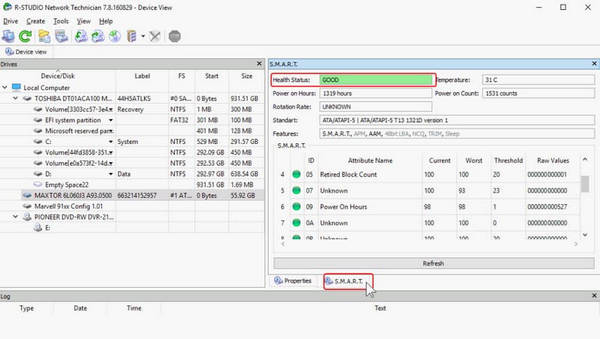
R-Studio is a professional-grade free data recovery software (trial) designed for professional users or IT personnel. It supports recovery of formatted drives, lost partitions, and even complex RAID systems. Compared to most consumer-level tools, it offers more accurate file reconstruction.
Based on our tests, R-Studio reaches the highest success rate up-to 99.8%, especially for complex data loss scenarios. It can even recover the original file name and folder structures. However, its UI is quite complicated, which might discourage many novice users.
- High success rate, especially for complex scenarios.
- Supports RAID recovery and advanced disk structures.
- Restore the original file folder and name.
- Available on Linux.
- Steep learning curve and no official guidance.
- Complex and outdated interface.
- Free limit of 256 KB.
Tips When Choosing Free Software for Data Recovery
When choosing free file data recovery software, you should pay attention to the following aspects:
Operation System
You should choose the software that is compatible with your computer system. We have noted the operation system of the top 5 free data recovery software for PC above. Choose wisely.
File System
You'd better choose the free data recovery tool that can recover lost data from external hard drive and internal hard drives, including FAT, FAT32, NTFS, etc.
File Type
The software you choose should be able to restore different file types, such as photos, videos, audio, etc.
Features
The functions of free data recovery software should be taken into consideration as well. You'd better choose software that enables you to preview before recovery, recover selectively, etc.
Security
The software you choose should not back up or delete your files at will.
Conclusion
There are 5 excellent data recovery software free to use on Windows and Mac. However, they have different drawbacks, such as file volume limits, file format restrictions, etc. Based on our tests, the best free data recovery software is Apeaksoft Data Recovery. You can quickly scan your PC or Mac and retrieve them all with only one click. It supports all kinds of files and can retrieve them even after being deleted years ago.
Related Articles




