


What Is Shark Tool FRP and Its Best Alternative Software

FRP is an important security measure introduced by Google on Android 5.1 and later. It is intended to protect users' device security initially. However, every coin has two sides. If you forget your Google account password, you will be locked out of your Android phone. More importantly, you cannot factory reset your device without the password.
Fortunately, Shark Tool FRP can help you get rid of the Google lock on any Android device without a password or passcode. This article shares the detailed introductions of this FRP bypass tool and the best alternatives.
PAGE CONTENT:
Part 1: What Is Shark Tool FRP - Shark FRP Tool Review
As its name indicates, Shark Tool FRP is a FRP bypass tool. It allows you to remove Google account lock and FRP from Samsung devices with a single click. Moreover, it eliminates the need for firmware flashing. That makes it an intuitive option for FRP bypass.
Key Features of Shark Tool FRP
- Remove Google FRP lock on Android devices and access your device without the original Google account.
- Dedicated Samsung FRP bypass tool. Bypass Google FRP on Samsung with optimized compatibility across many Samsung models.
- Supports remote FRP bypass in some cases, allowing technicians or resellers to unlock devices without physical access.
- Uses a credit system. You need to purchase credits from resellers to perform FRP bypass operations.
Shark Tool FRP Price
Is Shark Tool FRP free? The answer is No. How much to bypass FRP on Samsung using the Shark FRP Tool? It is determined by your phone brand and model. You can contact a reliable reseller and purchase the credits based on your phone. Generally speaking, a single FRP bypass typically costs around $0.95 - $1.20.
Shark FRP Tool Review
- No need for test mode or firmware flashing.
- Support FRP bypass remotely.
- Lightweight and standalone.
- Bypass FRP with one click.
- Easy to use.
- Compatible with a wide range of Android versions.
- It is designed for Samsung phones. Its performance may not be stable on other Android brands.
- Shark Tool FRP requires a PC.
- It is not free, and the price lacks transparency.
- It uses a credit-based payment system instead of a one-time purchase.
- It relies on third-party resellers for credit top-ups, which may pose potential after-sales risks.
- The success rate may be unstable on newer Android versions and newer device models.
Part 2: How to Use Shark Tool FRP
If you’re new to Shark Tool FRP, don’t worry. It is designed to be simple and beginner-friendly. Follow the steps below to remove the Google FRP lock from your device.
Step 1. Start by fully charging your Android phone.
Step 2. Purchase credits from a reliable reseller. You need them to unlock your device using the tool.
Step 3. Make a Shark Tool FRP Download from a trustworthy source online, and install it on your desktop following the instructions. Then open the software.
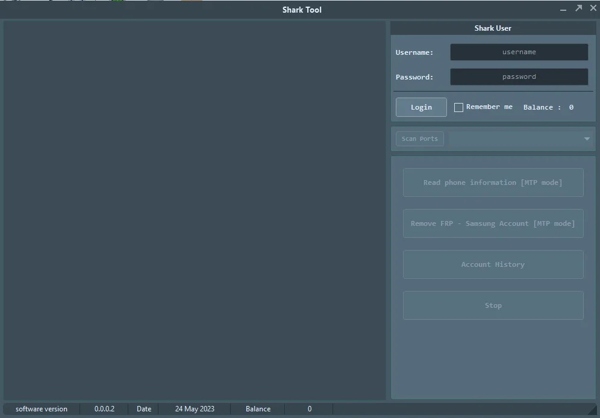
Step 4. Connect your Android phone to your computer with a USB cable.
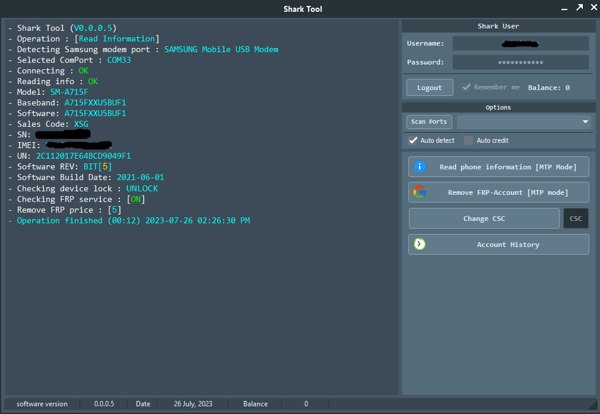
Step 5. Log in to your account. You can ask the reseller to create an account when purchasing credits. Then click Remove FRP Account, and hit Start to begin unlocking your phone.
Part 3: Top 4 Alternatives to Shark Tool FRP for Google FRP bypass
Quick Overview of the 4 Best Alternatives to Shark Tool FRP
| Tool | Free | Success Rate | Brands | Ease of Use | Best for |
| Apeaksoft Android Unlocker | No | 99% (model-dependent) | Samsung, Xiaomi, Huawei, OPPO, Vivo, etc. | ⭐⭐⭐⭐⭐ | Everyday users who want the simplest, highest-success FRP bypass |
| Tenorshare 4uKey for Android | No | 98% (model-dependent) | Samsung, Xiaomi, Huawei, LG, etc. | ⭐⭐⭐⭐ | Users who trust a mainstream brand and want a solid all-in-one tool at a moderate price point |
| Octoplus FRP Tool | No | 90% | Samsung, LG, Moto, Alcatel, etc. | ⭐⭐⭐ | Professional technicians and repair shops handling complex or bulk FRP jobs |
| D&G Password Unlocker | Yes | 50%-70% (unstable) | Older Samsung, Huawei, Moto | ⭐⭐ | Users who need a free FRP bypass option for older Android devices |
Top 1: Apeaksoft Android Unlocker
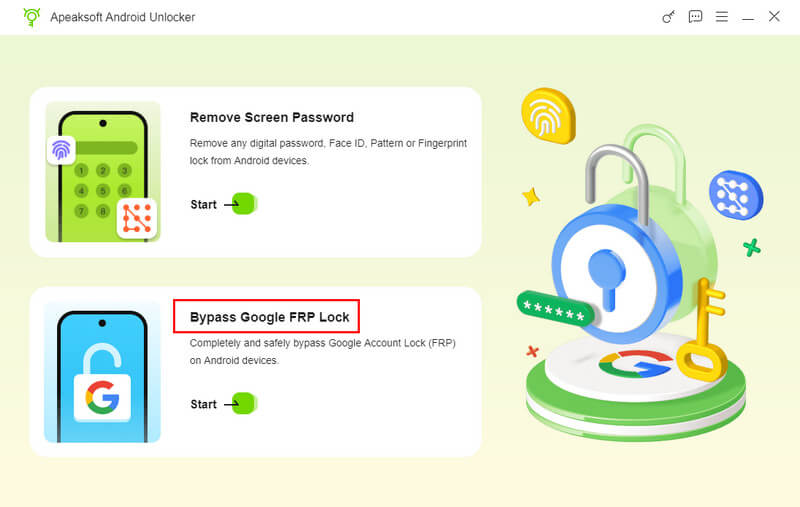
If you find Shark Tool FRP inconvenient to use, try Apeaksoft Android Unlocker!
- Bypass FRP lock with one click.
- Supports major Android brands, including Samsung, Huawei, Xiaomi, OPPO, and Vivo.
- Log in with a new Google account freely after unlocking, with no functional restrictions.
- Designed for beginners with a simple interface and no technical steps required.
- 7/24 customer support and a professional technical team.
- You should prepare a computer to use this software.
- Success rate may vary depending on device model, Android version, and security patch level.
Top 2: Tenorshare 4uKey for Android
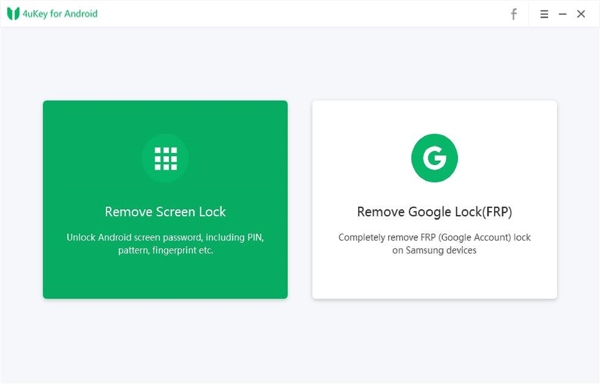
Much like Shark FRP Tool, Tenorshare 4uKey for Android enables you to get rid of the Google lock without the password. Besides, you can get a bonus feature, remove any screen locks if you subscribe for $29.95 per month per device.
- Require no technical skills.
- Fast and reliable.
- Remove FRP without the password.
- Work with a variety of Android devices.
- The price is a bit steep, although there are various plans.
- The success rate is not 100%.
Top 3: Octoplus FRP Tool
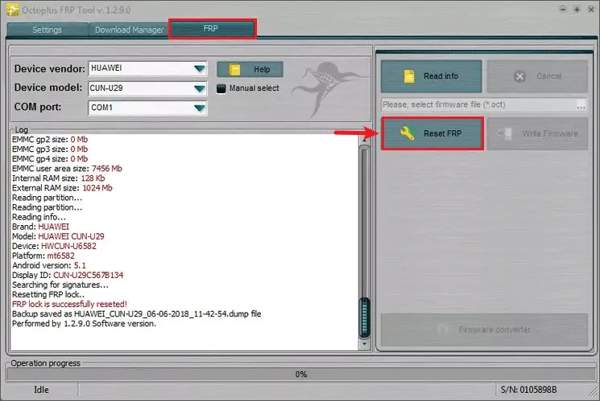
Octoplus FRP Tool is another alternative to Shark FRP Tool for Samsung users to unlock their devices with a computer. If your phone gets stuck on the Google account verification screen, it can help you regain access to your device without any restrictions.
- Reset Factory Reset Protection on Samsung phones.
- Support devices from LG, Alcatel, Moto, and more.
- Offer flash drives, cables, and adapters.
- Come with good customer support.
- The price is $65 and expensive for some people.
- You have to purchase the whole package.
Top 4: D&G Password Unlocker
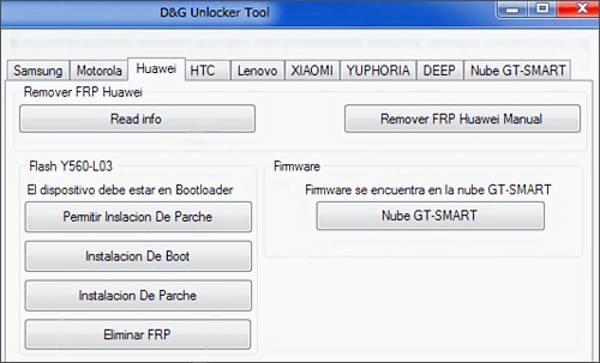
If you need a free alternative to the Shark FRP Tool, D&G Password Unlocker may be a good option. After you install this tool on your PC, connect your locked phone to your PC, select your brand, and click the buttons in the interface. Then your phone is free to be factory reset.
- Support phones like Samsung, Moto, Huawei, HTC, Lenovo, etc.
- Available to Windows 11/10/8/XP.
- Lightweight and fast.
- Completely free of charge.
- It does not support the latest phones.
- It lacks customer support.
Part 4: FAQs of Shark Tool FRP
Is Shark FRP Tool legal?
Yes. It is intended for unlocking devices that you own or have legal permission to access. However, using the tool to bypass FRP on stolen or unauthorized devices may violate local laws and manufacturer policies. You should always comply with applicable regulations before using any FRP bypass tool.
Does Shark FRP Tool work?
Shark FRP Tool can work effectively on supported Samsung devices, especially older models and Android versions. But the success rate varies depending on the device model, Android version, and security patch level.
Is Shark FRP Tool safe?
The Shark FRP Tool is generally safe if downloaded from a trusted source. But since it relies on third-party resellers, you should be cautious of malware, fake downloads, or unreliable credit services.
What is the best Shark FRP alternative?
Among the four alternatives we recommend, Apeaksoft Android Unlocker stands out as the best overall choice thanks to its higher success rate, wider device compatibility, and easier one-click FRP removal.
Conclusion
This article has introduced a detailed Shark Tool FRP review. This tool enables you to bypass Google account verification and access your device again. Moreover, we also recommended the top 4 alternatives for your reference. Hope you can bypass the Google FRP successfully and regain access to your Android devices.
 Apeaksoft DroidAide
 Unlock your Android passwords and bypass the FRP lock easily.
Secure Download
Related Articles




