8 Best Free and Freemium SIM Unlockers for iOS and Android

If you bought a smartphone from a network provider at a low price, chances are that your device is locked to the carrier permanently or temporarily. It means that you cannot use other SIM cards on your iPhone or Android phone. Some network providers release the unlock policy, and users must follow it to unlock the SIM. In addition, a proper SIM unlocking tool enables you to unlock your phone without restrictions. Here is the top list.
PAGE CONTENT:
Part 1: Comparison of Best SIM Unlocker Tools
| Price | Supported Devices | |
| Apeaksoft iFoneKit | $39.92 per month, $59.96 lifetime | iPhone 4 and above All iPad All iPod Touch |
| Universal Simlock Remover | Free | Major Android phone brands |
| GalaxSim Unlock | $2 to $5 | Samsung devices |
| Universal Advance Unlocker | Free | Major Android phone brands |
| iToolab SIMUnlocker | $39.95 per month, $69.95 per year, $149.95 lifetime | iOS 12 to 14.7 |
| NokiaFree | Free | Nokia, Samsung, Sony, and Siemens |
| WorldUnlock Codes Calculator | Depend on your device model | iPhone and major Android brands |
| DC Unlocker | Depend on your device model | Huawei, Nokia, ZTE, etc. |
Apeaksoft's editorial team independently tests every tool. We verify compatibility, success rates, ease of use, and overall performance using real devices and the latest operating systems. Our reviews are based on hands-on experience, technical analysis, and user feedback. We regularly review and update the content to reflect software updates, operating system changes, and user feedback.
- Test Environment: Windows 10/11 Pro (24H2), macOS Ventura & Sequoia 15, iPhone 4 to iPhone 14 series, all iPad and iPod Touch models, Samsung, Huawei, ZTE, Nokia devices, mainstream carriers including AT&T, T-Mobile and Verizon
- Simulated Unlocking Scenarios: SIM locked by carriers, blacklisted SIM cards, Unsupported SIM Card and Invalid SIM Card errors
- Tested Functions: Network SIM unlock
- Testing Rules: Each software is tested at least three times on different devices and network environments. Only if the SIM is fully unlocked and the device works normally with new carrier SIM cards, the tool is counted as successful.
- Reminder: The unlocking success rate depends on the device model, system version, carrier restrictions, and network conditions.
Part 2: Top 8 SIM Unlockers for iPhone and Android
Top 1: Apeaksoft iFoneKit
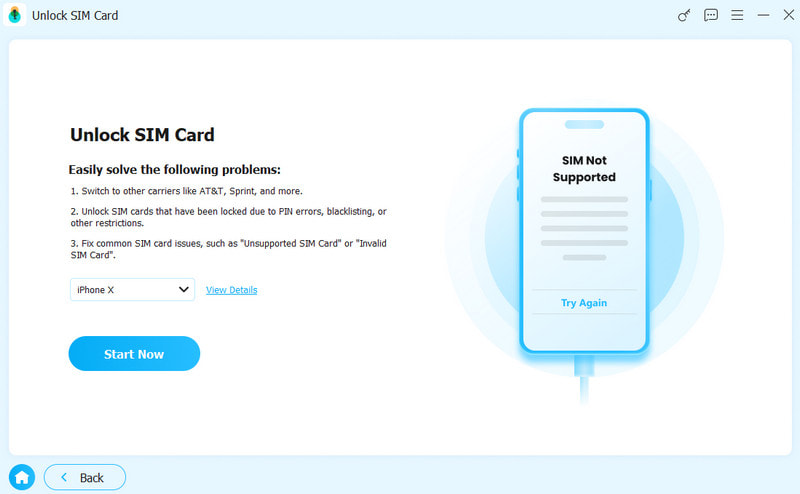
Apeaksoft iFoneKit is one of the best SIM card unlocking software for iPhone users. According to our research, it delivers a high success rate. More importantly, it integrates a user-friendly interface.
Secure Download
Secure Download
- Easy to use.
- Unlock the SIM card on any iPhone.
- Offer onscreen instructions.
- Provide bonus features, including MDM bypass and Apple ID removal.
- Support a wide range of devices.
- It requires a computer and a Lightning cable.
Top 2: Universal Simlock Remover
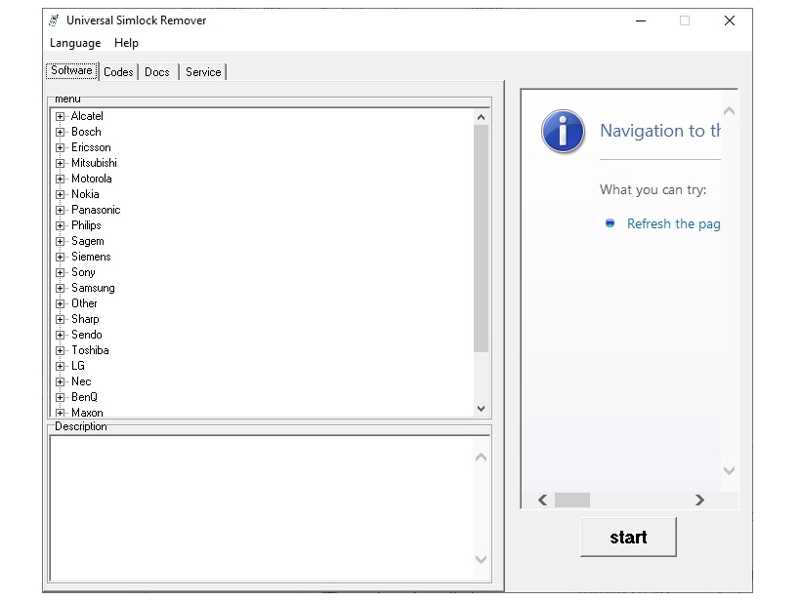
Universal Simlock Remover is a free SIM unlocker tool for Android users. It works for popular Android phone brands, like Sony, Samsung, Motorola, Nokia, and more. It is designed to remove network lock from mobile phones.
- Generate SIM unlock codes.
- Work for popular phone brands.
- Don't ask for root access.
- Completely free of charge.
- It is unavailable to iOS devices.
- Some operations might damage your phone.
Top 3: GalaxSim Unlock
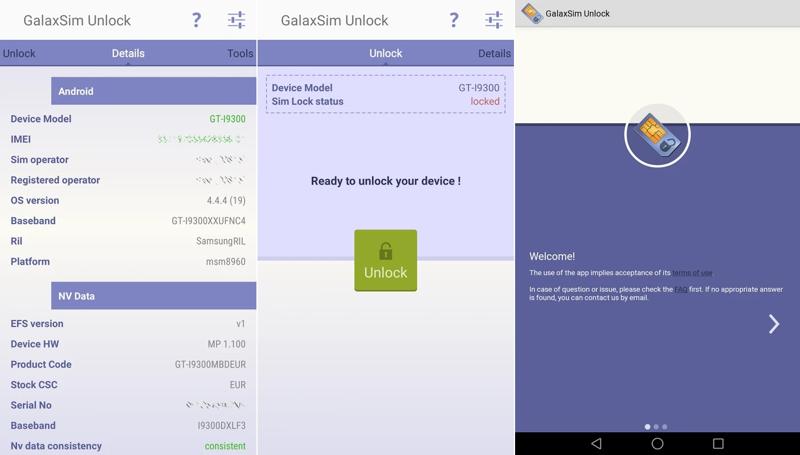
GalaxSim Unlock is a SIM unlocking app for Samsung Galaxy. It can be used with most mobile network operators. It includes two key features: backing up your phone and unlocking the SIM card. Moreover, it can detect your device information automatically.
- Unlock the SIM card on Galaxy phones.
- Backup Android EFS folder for free.
- Check if your phone is locked by a carrier.
- Won't relock your phone after reboot.
- It requires root access to unlock devices.
- It is unavailable in Play Store.
Top 4: Universal Advance Unlocker
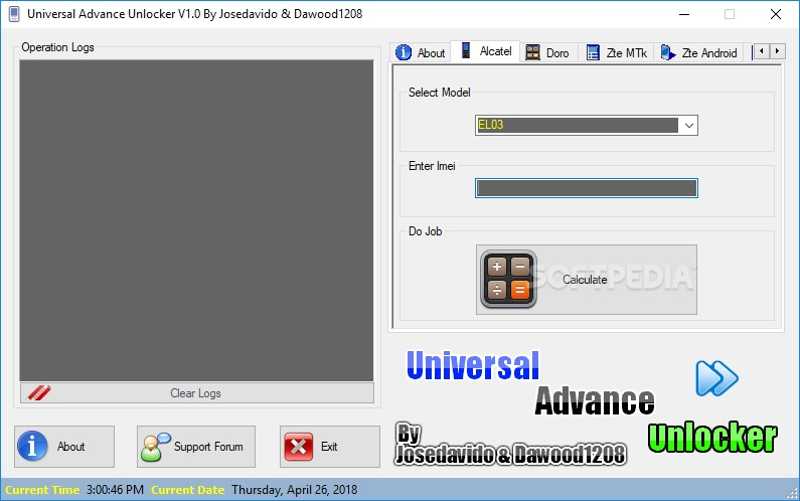
Universal Advance Unlocker is another free SIM unlock software tool for Android users. It supports a variety of brands and phone models for which it is possible to get rid of network restrictions.
- Integrate a simple GUI.
- Generate unlocking codes quickly.
- Work for Samsung, Blackberry, LG, Motorola, and more.
- Wipe and reset Android phones.
- It only works for limited brands.
- It is only available in English.
Further Reading
Top 5: iToolab SIMUnlocker
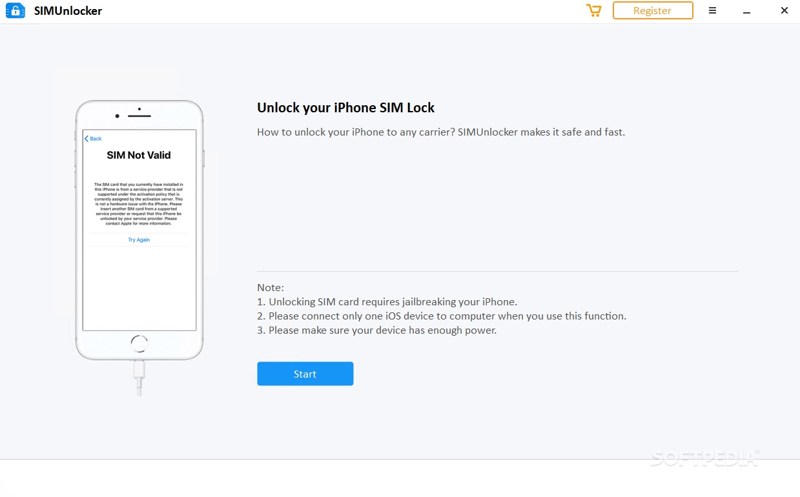
iToolab SIMUnlocker is a SIM unlock software tool released by iToolab Studio. While the developer has stopped the software, you can download it from the internet. According to our test, it can successfully unlock the SIM on supported devices.
- Safe to use.
- Equip an intuitive interface.
- Offer an online tutorial.
- Unlock the SIM card on the iPhone successfully.
- It only works for iPhone X/8/7/6/5.
- It asks users to jailbreak their devices.
Top 6: NokiaFree
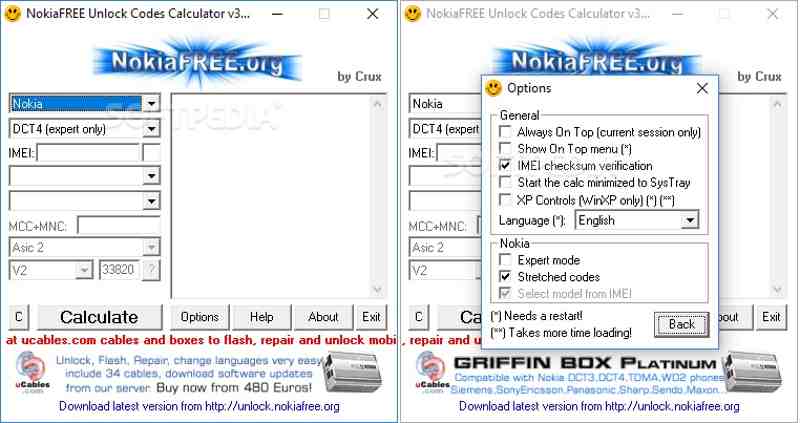
NokiaFree is a free SIM unlock software for Nokia, Samsung, Sony, and Siemens. If your phone is locked to a specific network provider, this tool can help you get rid of the restriction with ease.
- Integrate a clean GUI.
- Unlock the SIM card with the IMEI number.
- Easy to navigate.
- Offer custom options.
- It is only available for a limited number of brands.
- The success rate is low.
Top 7: WorldUnlock Codes Calculator
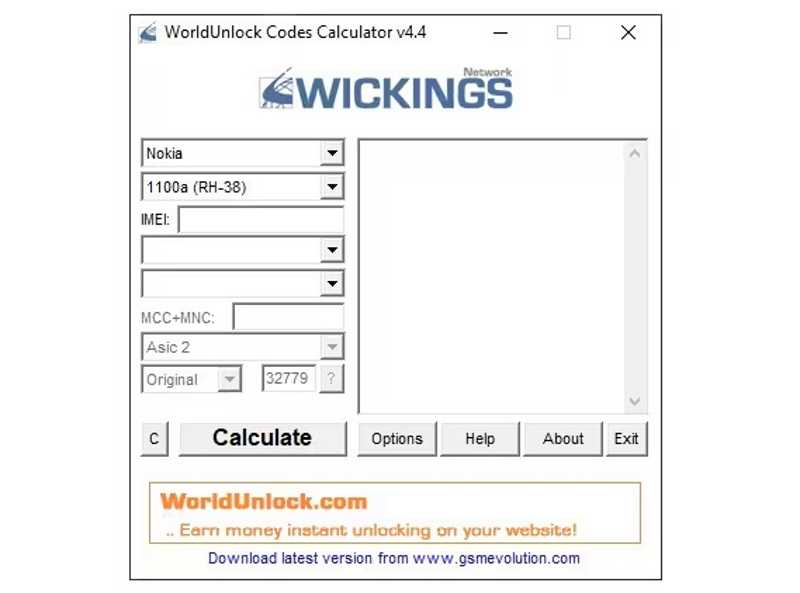
WorldUnlock Codes Calculator is one of the best SIM unlock software for Samsung and Apple devices. It allows you to use your phone with any network and take advantage of better deals or coverage.
- Calculate the unlock code quickly.
- Unlock the SIM card on mobile phones.
- Come with a concise interface.
- Support a wide array of devices.
- The prices are not transparent.
- It only works for major carriers.
Top 8: DC Unlocker
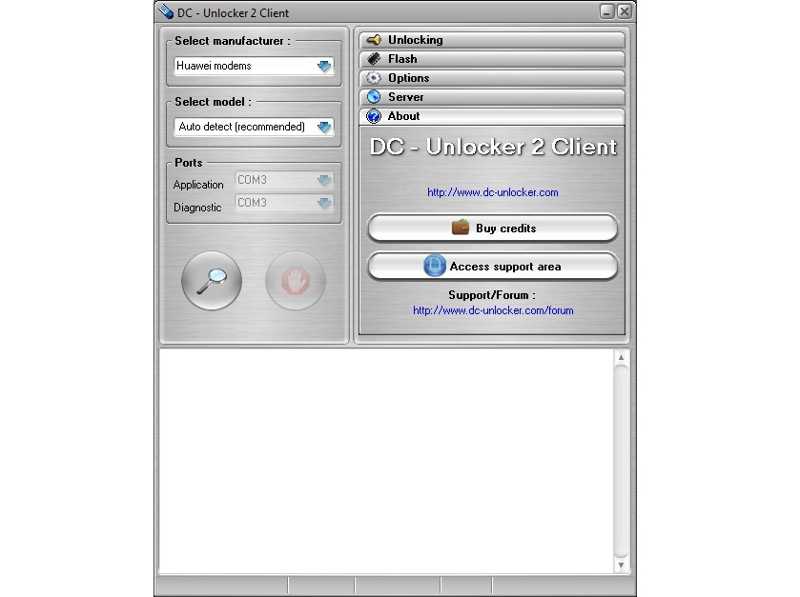
DC Unlocker is a SIM unlocking tool for ZTE, Nokia, Huawei, and other brands. Users can install it on a PC, connect a phone to the PC, and generate a SIM unlock code with a single click. Moreover, it can repair your IMEI number.
- Generate unlock codes directly.
- Support a wide variety of phone models.
- Repair the IMEI number quickly.
- Offer online tutorials.
- The interface is outdated.
- Users need to buy credits.
Part 3: How to Unlock SIM on iPhone
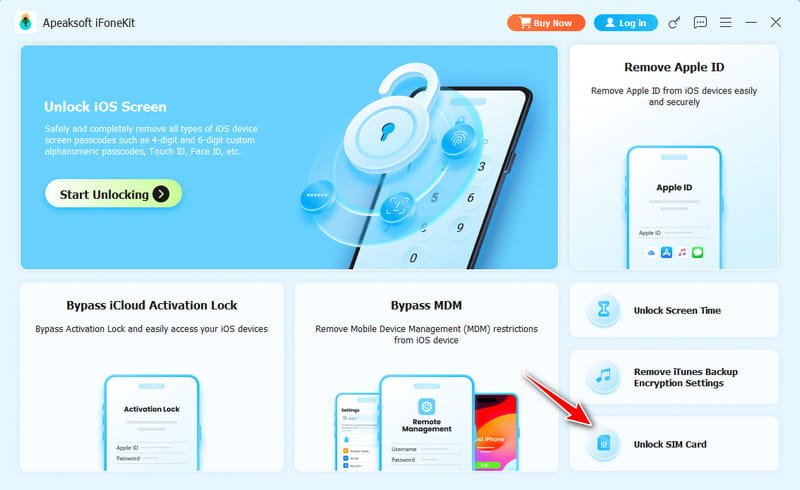
Step 1. Install SIM unlocking software
Run the SIM unlocking software after you install it on a computer, such as Apeaksoft iFoneKit. Choose the Unlock SIM Card mode to proceed.
Step 2. Connect to your iPhone
Connect your iPhone to the computer with a Lightning cable. If prompted, tap Trust on your screen to trust this computer. Once it is detected, click the Start Now button. Then, check the information about your device.
Tips: If there is no jailbreak, you need to perform it first.
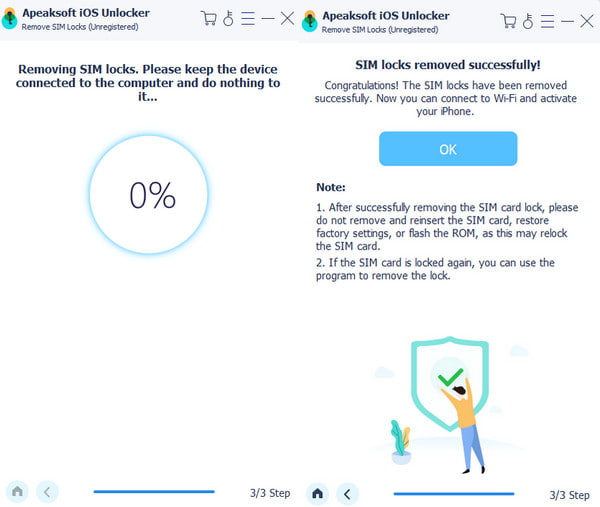
Step 3. Unlock the SIM on the iPhone
If you are ready, click the Start Bypassing button to begin unlocking the SIM on your device. Next, follow the onscreen instructions to set up your device.
Conclusion
This article reviewed the top 8 best software to unlock SIM cards for iPhone and Android phone users. Some of them are completely free to use, like Universal Simlock Remover. Others require a license or subscription. You can pick the right tool according to our reviews. Apeaksoft iFoneKit is a good option for beginners.
 Apeaksoft iFoneKit
 Unlock all types of iOS passwords from iPhone, iPad and iPod.
Secure Download
Secure Download
Related Articles