


[Latest] What Is FRP King Tool and Its Top 5 Alternatives

The FRP lock is still a big challenge when you buy a second-hand Android phone or forget your Google account password. The good news is that you can resolve this problem if you have somewhat technical expertise. Nevertheless, non-tech-savvy users may need a simple tool to bypass FRP. FRP King is such a program. This article will introduce and review this tool in detail, as well as its alternatives.
PAGE CONTENT:
Part 1: What Is FRP King Tool
FRP King tool is an FRP bypass tool developed by FRP King A.k.Sumon for Samsung customers. It is designed to help Samsung users get rid of Factory Reset Protection or Google Lock on their Android devices.
Key Features
- • It helps users remove the FRP lock when they forget the Google account password.
- • Supports many Android brands and versions.
- • Used on the computer with a USB cable.
Compatibility
FRP King is primarily designed for Samsung devices and claims support for Android 5-12 on Windows systems. But based on user discussions and online forums, there is partial success on Xiaomi and Motorola devices.
According to our tests, FRP King performs the best on older Samsung devices. But note that the success rate varies significantly depending on the firmware version.
Unbiased Review
- Bypass FRP on Android 12/11/10/9/8.
- Available to Windows 11/10/8/7/XP, and works smoothly on old PCs.
- Completely free of charge.
- Lightweight and easy-to-use.
- It requires a PC to remove FRP.
- The interface looks outdated.
- It cannot work on macOS or Linux.
- Mainly works on Samsung phones.
- Improper use may result in data loss.
To provide an objective review of FRP King and minimize the impact of device differences on the test results, we tested the tool on multiple Android devices running different Android versions and security patch levels. We focus on its compatibility, ease of use, user experience, and success rate.
- Test devices: Samsung Galaxy A15 (Android 14), Samsung Galaxy S22 (Android 13), Samsung Galaxy A52 (Android 12), Samsung Galaxy A20 (Android 10)
- Security patch: Latest available security updates on each device
- FRP status: Google FRP lock after a factory reset
- Test rounds: 3 bypass attempts per device
Our Hand-on Test Results
| Device | Android Version | Result | Note |
| Samsung Galaxy A20 | Android 10 | Success | Bypass FRP successfully step by step. |
| Samsung Galaxy A52 | Android 12 | Success | Required all setup steps. |
| Samsung Galaxy S22 | Android 13 | Partial | ADB setup required needs additional configuration. |
| Samsung Galaxy A15 | Android 14 | Failed | Failed to detect the device after multiple attempts. |
Part 2: How to Download and Use FRP King
Step 1. Download the latest version of FRP King Tool from the official website (https://www.frpkingaksumon.com/) to your PC.
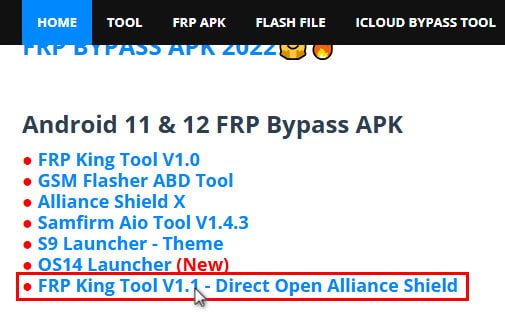
Tips: Click the FRP APK tab to see the download package interface.
Step 2. Extract the tool, install and open it.
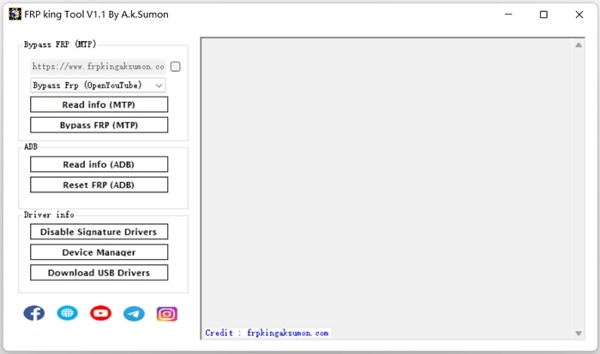
Step 3. Install the Samsung USB Driver.
Step 4. Connect your Samsung phone to a Wi-Fi network, and plug it into your PC with a USB cable.
Step 5. Click Disable Signature Drivers, and reboot your system.
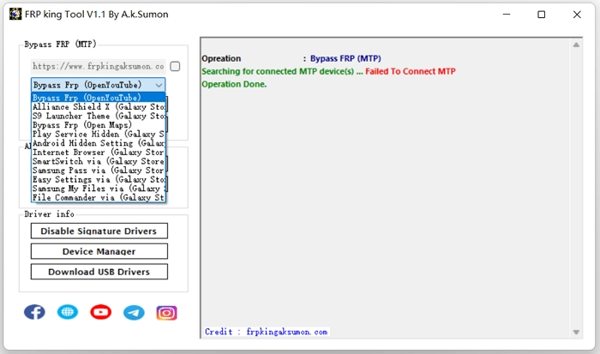
Step 6. When your PC starts, select Alliance Shield, and click on Bypass FRP.
Step 7. Then follow the on-screen instructions to bypass FRP on your Samsung phone.
Part 3: Top 5 Alternatives to FRP King
Below is a comparison table so you can take a glance at all these FRP King alternatives in advance.
| Tool | Brands | Android Versions | Best For | Ease of Use | Details |
| Apeaksoft DroidAide Android Unlocker | Samsung, Xiaomi, Motorola, and more (multi-brand) | Android 5 and later | Beginners & newer Android versions | Easy | View More |
| Pangu FRP Bypass | Many Android brands via APK (varies by device) | Android 5.0 – Android 12 | Users without a PC | Medium-Hard | View More |
| GSM Flasher ADB Bypass FRP Tool | Multiple Android brands (ADB-based) | Android 5.1 – Android 12 | Advanced users familiar with ADB | Hard | View More |
| iToolab UnlockGo (Android) | Samsung, Xiaomi, Huawei, Sony, Asus, etc. | Android 5 – Android 15 | Multi-brand support | Easy | View More |
| iMyFone LockWiper for Android | major Android brands | Android 2.3 – Android 15 | General FRP removal | Easy | View More |
Top 1: Apeaksoft DroidAide Android Unlocker
If you are looking for a multifunctional and modern FRP bypass tool, not just for Samsung phones, you cannot miss Apeaksoft DroidAide Android Unlocker..
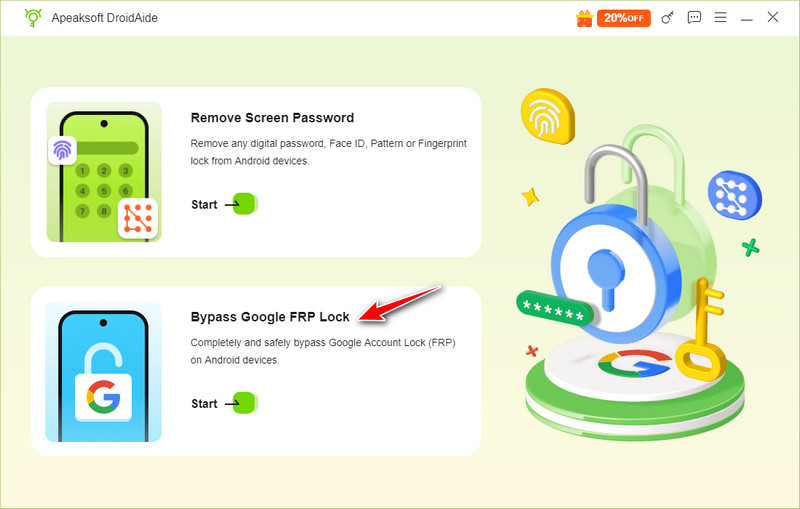

Downloaded by over 1,000,000 users
- Alternative to FRP King when it isn't working.
- Supports FRP removal on Samsung, Xiaomi, Motorola, and other Android devices
- Step-by-step guide instead of manual ADB configuration.
- Provides on-screen instructions throughout the unlocking process.
Secure Download
Top 2: Pangu FRP Bypass
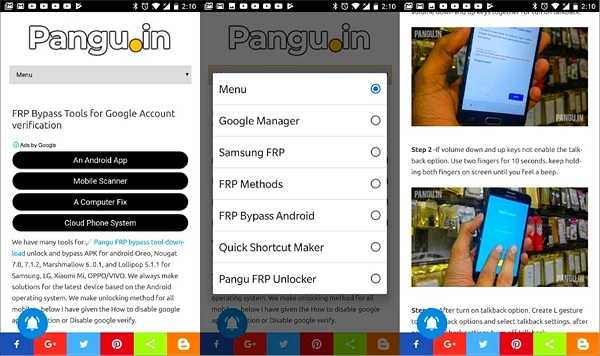
Pangu FRP Bypass is a free alternative to the FRP King tool. You can install the APK on your Android phone and remove Google lock without a computer. Moreover, it is free to download and use if you have technical expertise.
- Free to use.
- Unlock FRP without a computer.
- Support a wide range of Android devices.
- Offer a high success rate.
- The learning curve is steep.
- It may include viruses or malware.
Top 3: GSM Flasher ADB Bypass FRP Tool
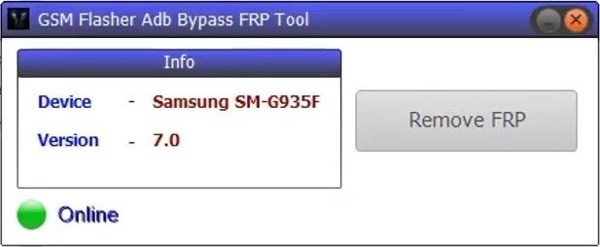
If you have a limited budget, the GSM Flasher ADB Bypass FRP Tool is a good option to bypass FRP without your Google password. Much like the FRP King tool, GSM is free to download and use with a Windows computer.
- Free to download.
- Bypass FRP lock using a PC.
- Remove the pattern and PIN lock.
- Reactivate Android devices after removing locks.
- It must work in ADB mode.
- It requires technical skills.
Top 4: iToolab UnlockGo
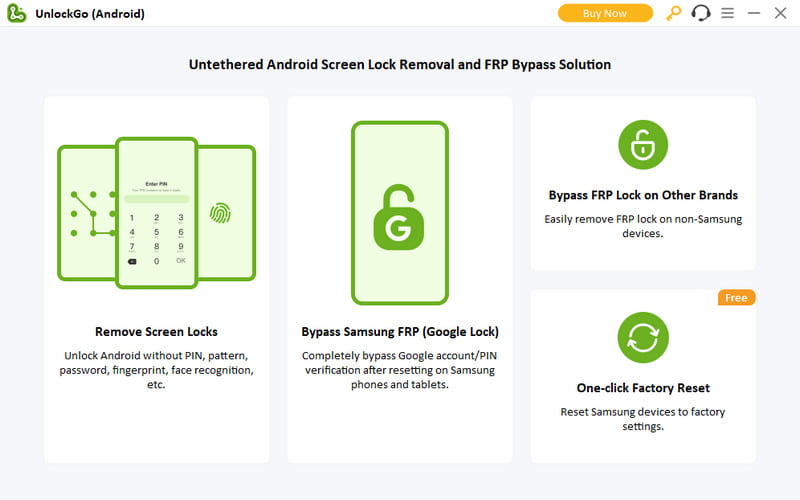
iToolab UnlockGo is a reliable alternative to the FRP King tool for Samsung customers. Besides, it also supports other brands of smartphones, including Xiaomi, Huawei, Sony, Asus, and more. However, it is not free, and the plans start from $29.95 per month.
- Deliver a stable experience.
- Remove both FRP and screen locks.
- Support a wide range of Android devices.
- Integrate a simple interface.
- It lacks a free version.
- It may not be available to new Android phones.
Top 5 iMyFone LockWiper for Android
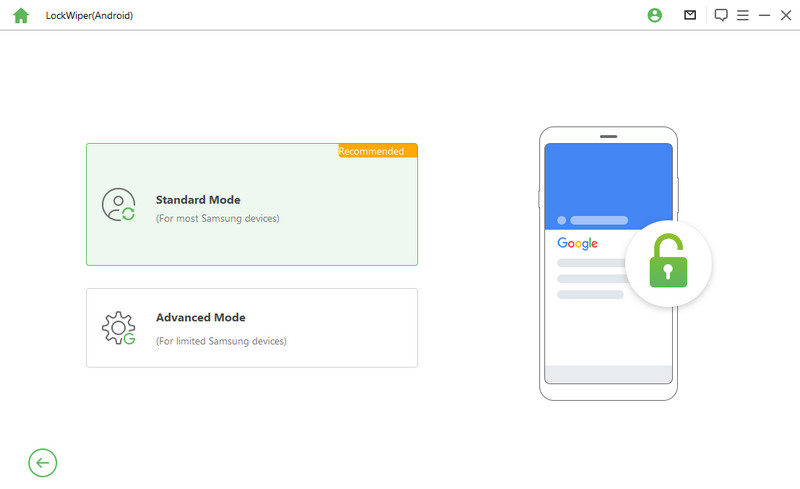
iMyFone LockWiper for Android is another option to bypass FRP on your Android device without a password if the FRP King tool is invalid. The on-screen instructions let beginners complete the job quickly.
- Remove FRP safely.
- Offer a high success rate.
- Wipe any kind of screen locks on Android devices.
- Support over 6,000 device models.
- It must work on a PC.
- The price is a bit expensive and starts from $29.99 per month.
Part 4: FAQs of FRP King
Where to download the FRP King tool?
You can download the FRP bypass tool from the official website. Once you search it on Google, the first result is the official site. Plus, there are open-source platforms that offer the download link. You’d better download it from a trustworthy place.
Is the FRP King tool really working?
Yes, the tool can remove FRP on your Android device effectively if your phone is on the supported list. Moreover, you have to follow our tutorial step by step. Otherwise, it won’t do anything.
Is the FRP King tool safe to use?
Generally speaking, the FRP bypass tool is safe and secure to use. If your antivirus software reports malware, you’d better turn it off when installing and using the tool to remove FRP on your Android phone.
Conclusion
This article has introduced one of the best free FRP bypass tools, the FRP King tool. According to our research, it can efficiently remove Google’s lock on your device without your Google credentials. Moreover, we also listed 5 alternatives to complete the job if FRP King does not work for you.
 Apeaksoft DroidAide
 Unlock your Android passwords and bypass the FRP lock easily.
Secure Download
Related Articles




